◆ Vibration provides an option of screen vibration feedback.
◆ Speech Guide provides an option of human voice prompts as
the operation/status hints.
Voice Setting Page
❑ Gender Voice provides options of man voice and female voice.
The factory default is female voice.
❑ Get into the Customized Language Page via Language Setting.
Use the tap gesture to activate/inactivate your target language
(or use the Joystick! to choose and Speech/Enter button!
to confirm).
❑
Tap the Exit icon! to exit the Customized Color Page (or
press the Home/Exit button! ).
Factory Setting Page
❑
System Reset can help to restore to the default factory
settings. Auto power off when reset is done.
❑
Power Frequency provides the options of 50HZ and 60HZ
power frequency according to customer region.
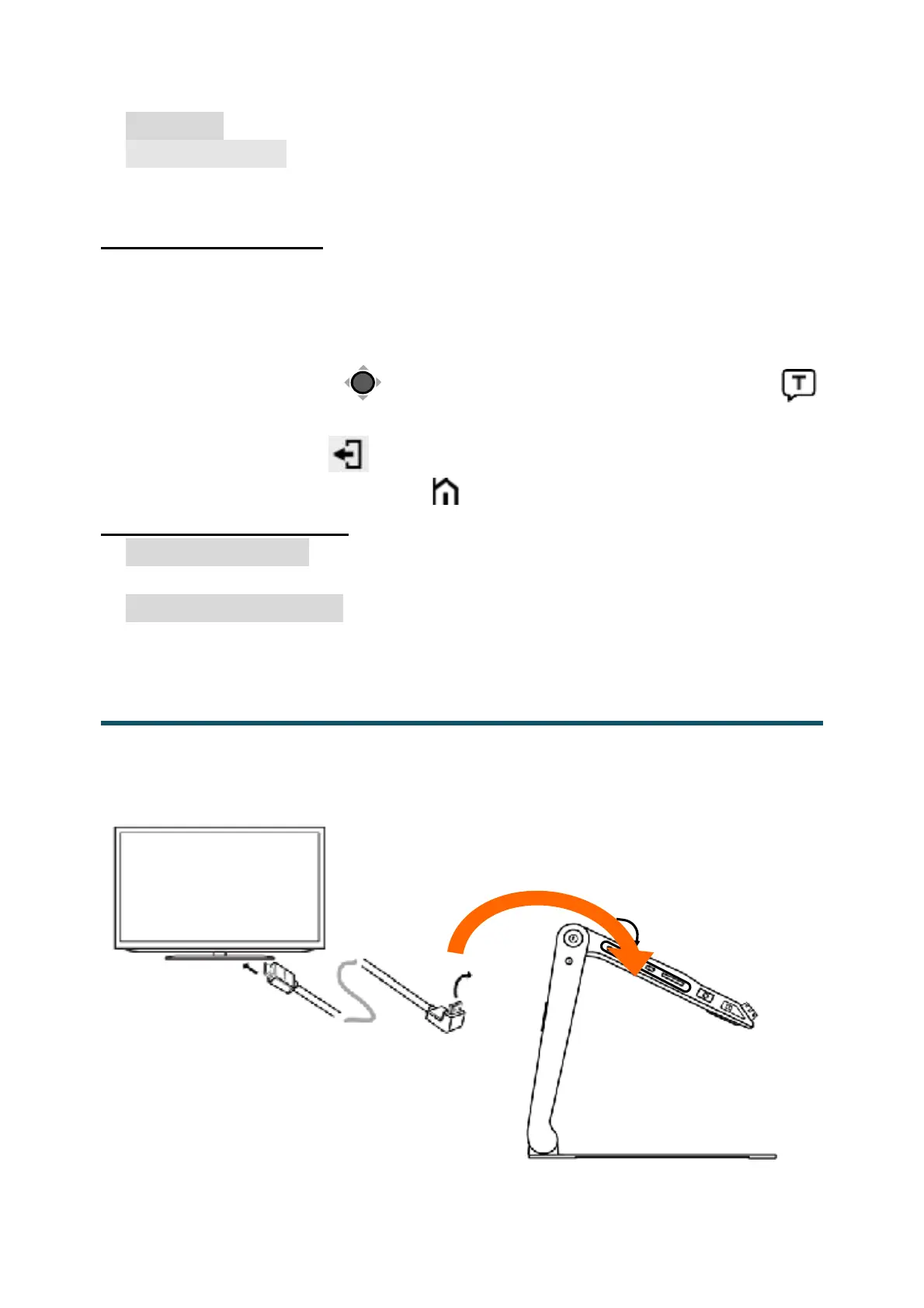
Connect the unit to your external display device with HDMI cable
for the dual display application.


 To Next Page