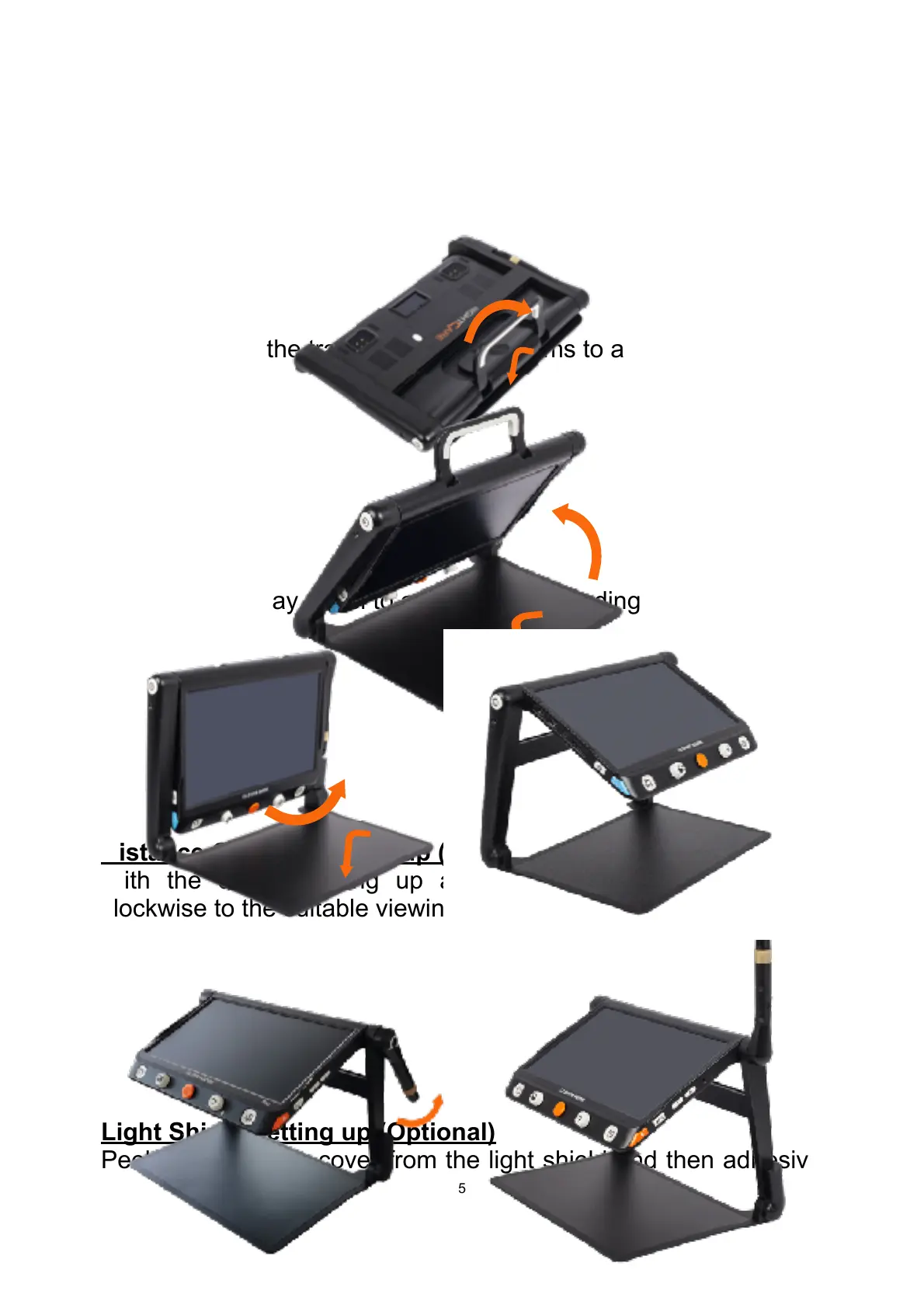
Step 1
Place the device on a flat surface, press the tray to make the
device stable and pull up the handle at the same time
Step 2
Keep pressing the tray and unfold the arms to a suitable angle.
Step 3
Unfold the display panel to a comfortable reading height.
Distance Camera Setting up (Optional)
With the device setting up already, rotate the camera stick
clockwise to the suitable viewing height.
Light Shield Setting up (Optional)
Peel off the sticker cover from the light shield and then adhesive


 To Next Page