EasyManua.ls Logo

Coast to Coast FUN ZONE II - User Manual

Coast to Coast FUN ZONE II
16 pages
Print Icon
To Next Page IconTo Next Page
Loading...
1
service@coastentertainment.com
P: 561.588.5200 | Fax: 561.493.2999
2201 4th Avenue N, Lake Worth Beach,FL 33461
USERUSER
MANUALMANUAL
824MAN001
Question and Answer IconNeed help?

Do you have a question about the Coast to Coast FUN ZONE II and is the answer not in the manual?

Summary

Game Dimensions

Before Powering On: Included Accessories

Included Accessories

Lists all included parts for setup and maintenance.

Gantry Area Cable Tie Removal

Instructions for removing cable ties in the gantry to prevent damage.

Before Powering On: Maintenance and Fuses

String Replacement

Steps for replacing the claw string for proper functionality.

Fuse Information

Details on power supply, distributor, outlet, and main board fuses.

Programming Menu Options

Button Functions

Defines the function of each control button for menu navigation and operation.

Resetting Options to Defaults

Procedure to restore the machine's settings to factory defaults.

Menu Options: Crane Settings

Crane Settings Menu Navigation

Instructions on how to enter and navigate the crane settings menu using buttons.

Target % - Payout Ratio

Explanation of payout calculation based on prize cost and game cost.

Pay Til Win Settings

Configuration options for awarding prizes after a set number of plays.

Gantry Position Settings

Adjustments for claw home, exit positions, and drop timing.

Menu Options: Claw and Payment

Claw Strength and Speed Settings

Adjustments for the claw's grabbing power, retaining power, and movement speed.

Coin and Payment Settings

Configuration for coin mechanisms, dollar bill acceptors, and game pricing.

Game Time and Ticket Payout

Settings for game duration and ticket dispensing.

Credit Management

Options for managing credits after machine reboots.

Menu Options: Player Engagement

Attract Music and Bonus Coin

Settings for background music and bonus credit awarding.

Winner Show Off Settings

Options to enable/disable winner announcements and effects.

KLED Color and Light Effects

Customization of LED colors for buttons and joystick.

Audit Menu

Audit Menu Navigation

How to enter and exit the audit menu using control buttons.

Audit Menu Data Points

Details of various income, prize, and play statistics available in the audit menu.

Clearing Audit Data

Procedures for clearing specific or all audit data.

Error Codes

Error Code Display

Information on where and how error codes are displayed on the machine.

Coin and Payment System Errors

Fixes for errors related to coin mechanisms and dollar bill acceptors.

Prize Dispensing and Ticket Errors

Solutions for prize delivery failures and ticket dispenser issues.

Gantry and Switch Errors

Troubleshooting steps for errors related to gantry movement and stop switches.

Error Codes: Continued

Gantry and Claw Switch Errors

Fixes for errors concerning gantry back, upper, and down stop switches.

General Operational Errors

Troubleshooting for common issues like claw malfunction, game unresponsiveness, and coin insertion problems.

Claw String Replacement Issues

Specific advice for problems related to replacing the claw string.

Connection Overview

Main Circuit Board Layout

Diagram identifying key components and connectors on the main PCB.

Sensor Notes

Important considerations for sensor functionality and troubleshooting indicator lights.

Connection Overview: Pinouts

Power Supply and Speaker Connections

Pinout details for power supply, voltage meter, and speaker connectors.

LCD Display and J3 Connector Pinouts

Pinout details for LCD display and the J3 off-stage connector.

Overview

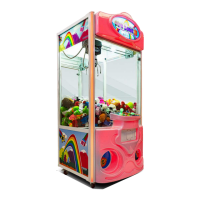
This document is the user manual for the Fun Zone II crane machine, a coin-operated arcade game designed for prize redemption. The manual provides comprehensive instructions for setup, operation, programming, troubleshooting, and maintenance of the machine.

Function Description:

The Fun Zone II is a crane machine that allows players to attempt to grab prizes using a claw mechanism. Players insert coins to initiate a game, control the movement of the gantry (which carries the claw), and then attempt to drop the claw to pick up a prize. The machine features adjustable settings for game difficulty, payout percentages, and claw strength to optimize profitability and player engagement. It also includes an audit menu to track income, prizes dispensed, and game plays, as well as error codes for troubleshooting common issues.

Important Technical Specifications:

  • Dimensions:
    • Height: 76 inches (194 cm)
    • Width: 36 inches (91.50 cm)
    • Depth: 30 inches (76.50 cm)
  • Shipping Dimensions (Pallet):
    • Length: 48 inches (125 cm)
    • Width: 48 inches (125 cm)
    • Height: 83 inches (211 cm)
  • Shipping Weight (Pallet): 380 lbs (172 kg)
  • Fuses:
    • Power Supply Fuse: 5A (20 mm)
    • Power Distributor Fuse: 5A (20 mm)
    • Power Outlet Fuse: 15A (30 mm)
    • Main Board Fuse: 3A (20 mm)
  • Min/Max Game Amperage: 1.5A / 2.5A
  • Claw Strength:
    • Max: 1-48V (Default: 35V)
    • Min: 1-24V (Default: 15V)
  • Claw Speed:
    • Front-Back: 36 (Adjustable)
    • Left-Right: 39 (Adjustable)
    • Up-Down: 48 (Adjustable)
  • Game Time: 1-99 seconds (Default: 20 seconds)
  • Pulse per Play: 1 Game = 1 Credit (0-50, 0 = Free Play Mode)
  • Coin Pulse Settings:
    • Coin 1 Pulse: 1 Coin = 1 Credit (1-99)
    • Coin 2 Pulse: 1 Coin = 1 Credit (1-99)
    • DBA Pulse: 1 P = 1 Credit (Dollar Bill Acceptor value setting)
  • Target % (Payout Ratio): 1-999% (Default: 10%)
  • Prize Cost: 1-999.9
  • Game Cost: 1-999.9
  • String Length: 2.0s (Floor height to avoid claw tipping over)

Usage Features:

  • Control Panel: Located inside the cabinet, it includes a volume control knob and four buttons (K0, K1, K2, K3) for menu navigation and selection.
    • K0: Enter Audit Menu
    • K1: Enter Crane Setting Menu
    • K2: Test
    • K3: Not used (for menu navigation, K3 is used to go back or exit)
  • Menu Navigation: K1 and K2 are used to navigate menu options, K0 to select, and K3 to go back or exit.
  • Reset to Defaults: While the machine is off, pressing and holding K0 and K2 buttons simultaneously, then powering up the game, will reset all options to their factory defaults.
  • Gantry Position Settings: Allows adjustment of the claw's home position, exit position, and drop timing.
  • Claw Strength Adjustment: Max (grabbing power) and Min (retaining power) voltage settings can be adjusted. An "Auto detect" feature helps set retaining power by dropping a prize through a sensor.
  • Claw Speed Adjustment: Independent settings for front-back, left-right, and up-down movement.
  • Pay Til Win: Option to set the machine to guarantee a win after a specified number of games.
  • Credit History: Option to keep or clear credit history after reboot.
  • Attract Music: Select from 7 demo music sounds.
  • Bonus Coin: Enable or disable bonus credit.
  • Winner Show Off: Control winner game effects (on/off, 1 chance, all show off, half show off).
  • KLED Color Set: Customize the light color of the buttons and joystick (Green, Red, Light green, Blue, Purple, Light blue, White) and choose between fixed or flashing effects.
  • Grab in the Air: Allows players to control the closing of the claw (default: Yes).

Maintenance Features:

  • Accessory Identification: Users should locate and verify all accessories (gears, control panel screws, linking cable, belt, keys, string) packed with the manual before powering on.
  • Gantry Cable Tie Removal: Crucial step before powering on to prevent damage to the gantry area. Numbered dots indicate areas where cable ties need to be removed.
  • String Replacement: Detailed instructions are provided for replacing the claw string, emphasizing the importance of proper coiling for functionality.
  • Fuse Information: A list of all fuses and their specifications is provided for easy replacement.
  • Audit Menu: Tracks total income, current income, coin 1/2 income, DBA income, total prizes out, total tickets, and total plays.
    • K1 + K2: Clear current option amount.
    • K0 + K2: Clear all options.
  • Error Codes: A comprehensive list of error codes (e.g., Coin 1 Error, Memory Error, DBA Error, Prize Red Error, Ticket Error, Count Errors, SW Errors) with corresponding fixes is provided. Fixes often involve checking cables, mechanisms, sensors, or replacing components.
  • Connection Overview: Detailed diagrams of the main board and its connections (Power Supply, Voltage Meter, Digits Display, Speaker, various connectors) are included to aid in troubleshooting and repairs.
  • Sensor Notes: Important information regarding the black aphotic paint sticker on the opposite wall from the sensor for proper functionality. Troubleshooting steps for persistent red/green light errors on the sensor are also provided.
  • Parts Purchase: A QR code is provided to purchase parts online.

Coast to Coast FUN ZONE II Specifications

General IconGeneral
BrandCoast to Coast
ModelFUN ZONE II
CategoryGame
LanguageEnglish