EasyManua.ls Logo

Coastal Amusements WMH-808 - User Manual

Default Icon
17 pages
Print Icon
To Next Page IconTo Next Page
Loading...
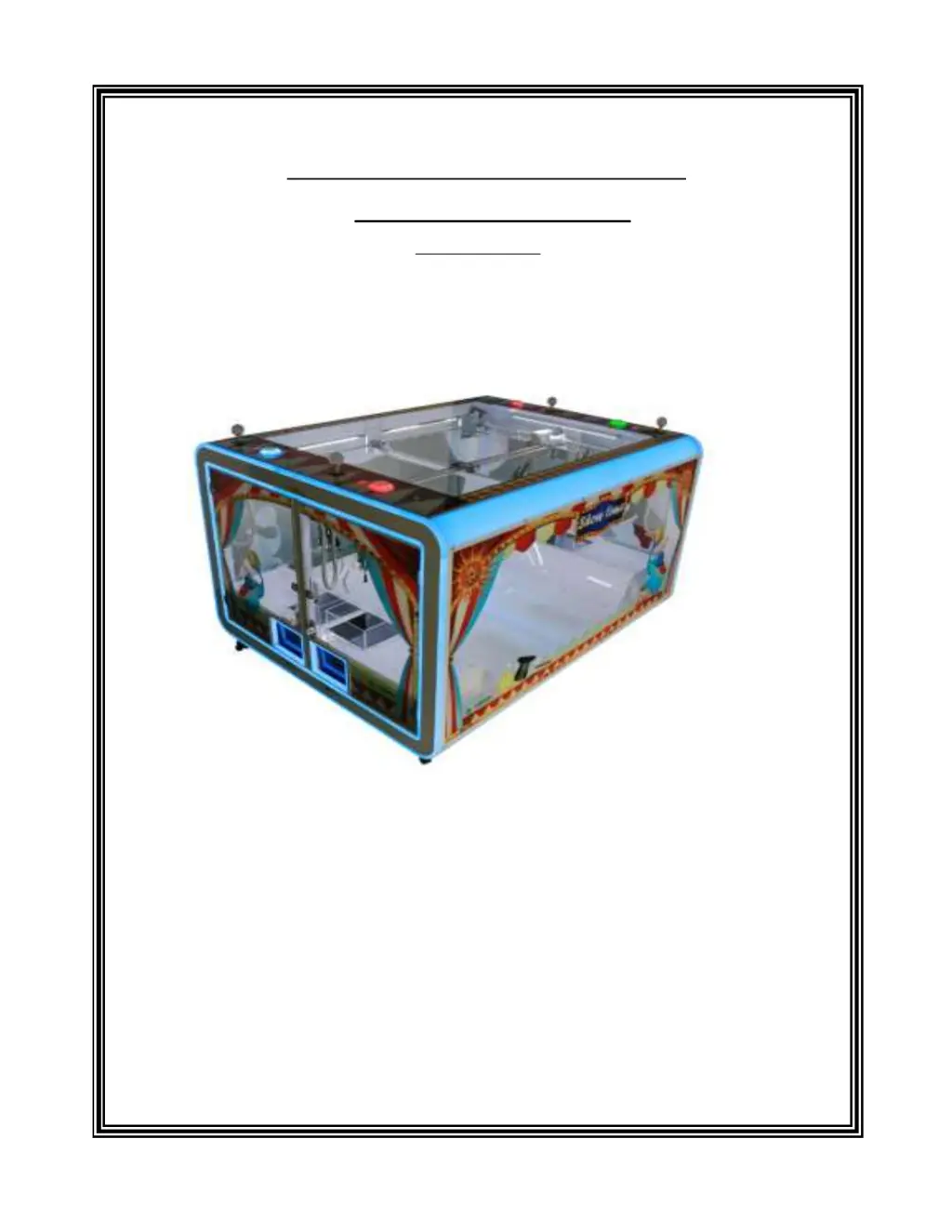
SHOWTIME CONSOLE
USER MANUAL
WMH-808
COASTAL Amusements lnc.
1950 Swarthmore Ave.
Lakewood, NJ 08701
Tel: (732) 905-6662 Fax: (732) 905-6815
http://www.coastalamusements.com

Questions and Answers

  • S
    Sandra CunninghamAug 19, 2025
    What to do if Coastal Amusements Music Mixer coins/tokens cannot be inserted into coin slot?
    • T
      tiffany08Aug 19, 2025
      If you're using a comparative coin mech, try these steps: 1. Check the sample coin at the coin mech. 2. Loosen the coin mech sensitivity. 3. Check if DC12V input to coin mech. 4. Consider coin mech breakdown. If you're using a multi-coin mech: 1. Adjust the coin mech data based on the manual. 2. Check if DC12V input to coin mech.
  • W
    William HowellAug 21, 2025
    What to do if Coastal Amusements Music Mixer doesn’t move either forward and/or backward by joystick operation?
    • A
      Alicia ParkerAug 21, 2025
      If the Coastal Amusements Music Mixer doesn’t move forward or backward when using the joystick, consider the following: 1. Check if the forward/back motor fuse (FB) at the fuse board is burned. 2. Check if J5 connecting pin of P.C.B. is properly connected. 3. Check if stop-front SW or back-stop SW are in proper position and that their connecting wires are properly connected. 4. Check if the Front/Back motor is out of function or if its wires are properly connected. Also check if its shaft pinion is properly positioned. 5. Check if J9 connecting pin of P.C.B. is properly connected. 6. Check if all connecting pins of gantry are properly connected to the machine.
  • R
    Robin CastroAug 25, 2025
    What to do if Coastal Amusements Music Mixer does not move to left and/or right by joystick operation?
    • J
      John CarterAug 25, 2025
      If your Coastal Amusements Music Mixer isn't moving left or right with the joystick, try these checks: 1. See if the left/right motor fuse (LR) at the fuse board is burned. 2. Check if left and/or right SW is out of function or if their wires are properly connected. 3. Check if J5 connecting pin of P.C.B. is properly connected. 4. Check if stop-left SW is in proper position. 5. Check if the Left/Right motor is out of function or if its wires are properly connected. Also check if its shaft pinion is properly positioned. 6. Check if J9 connecting pin of P.C.B. is properly connected. 7. Check if all connecting pins of gantry are properly connected to the machine.
  • T
    tcarrollAug 26, 2025
    What to do if Coastal Amusements Music Mixer doesn’t lower down by Descend button operation, but only until time’s up?
    • J
      Jorge MurphyAug 26, 2025
      If the Coastal Amusements Music Mixer isn’t lowering when you press the Descend button, but only when the time runs out, here’s what you can check: 1. Check if the Descend button is functioning properly. 2. Check if connecting wires of Descend button are properly connected. 3. Check if J5 connecting pin of PCB is properly connected.
  • A
    Anthony DavisAug 27, 2025
    What to do if Coastal Amusements Music Mixer doesn’t lower down, but the Descend button is in normal condition?
    • T
      Teresa CalhounAug 27, 2025
      If the Coastal Amusements Music Mixer isn’t lowering, even though the Descend button works, try these steps: 1. Check if Up/Down motor wires are properly connected. 2. Check if the Up/Down motor is out of function. Also check if its shaft pinion is in proper position. 3. Check if J9 connecting pin of PCB is properly connected. 4. The main board may be broken.
  • L
    Laura OlsonAug 29, 2025
    What to do if Coastal Amusements Music Mixer doesn’t fully lower down?
    • A
      Alexandria MckayAug 30, 2025
      If the Coastal Amusements Music Mixer isn’t lowering down completely, try the following: 1. Check if the winding cord is of proper length. 2. Check if the winding cord is stuck. 3. Check if the stop-down SW is functioning properly.
  • D
    Denise StephensonAug 31, 2025
    What to do if Coastal Amusements Music Mixer don’t lower down or only down a bit and close up in the air then it returns to its home position?
    • A
      Adam JoyceSep 1, 2025
      If the Coastal Amusements Music Mixer doesn’t lower down, or only goes down a little before closing in the air and returning to its home position, try these solutions: 1. Check if the winding cord is stuck. 2. Check if the stop-down SW is functioning properly.
  • M
    Michael MartinezSep 2, 2025
    What to do if Coastal Amusements Music Mixer doesn’t open when reached to exit door after seizing?
    • H
      Harry JenkinsSep 3, 2025
      If the Coastal Amusements Music Mixer doesn’t open when it reaches the exit door after seizing, check these: 1. Check if stop-back or stop-left SW is out of function or if their wires are properly connected. 2. Check if the gantry wire connecting to J9 connecting pin of P.C.B. is properly connected.
  • R
    Robert MatthewsSep 4, 2025
    What to do if Coastal Amusements Music Mixer don’t rise up after seizing and is returned back to its home position?
    • A
      Anthony WilsonSep 5, 2025
      If the Coastal Amusements Music Mixer doesn’t rise up after seizing and returns to its home position, try the following: 1. Check if the stop-up SW is hit by something. 2. Check if the stop-up SW is in proper position and in normal function. 3. The main board may be broken.
  • D
    Danielle ColonSep 6, 2025
    What to do if Coastal Amusements Music Mixer don’t close up and not be returned to its home position, either?
    • M
      mackbrandonSep 7, 2025
      If the Coastal Amusements Music Mixer doesn’t close and also doesn’t return to its home position, try these steps: 1. Check if the up/down motor are out of function or if their wires are properly connected. 2. Check if stop-up SW is functioning properly. 3. The main board may be broken.

Summary

Operation Guide

How to Play

Instructions for operating the game, including coin insertion and joystick use.

Game Rules and Demo Mode

Details game rules, demo mode functionality, and coin acceptance parameters.

Coin Input and Machine Response

Explains coin insertion, sensitivity, and machine response to tilting or shocks.

DIP Switch Settings

DIP SW1 Configuration

Settings for claw strength, release position, credit value, bonus plays, and home position.

DIPSW2 Configuration

Settings for coin methods, free play, play-till-win function, and auto-test.

Maintenance Procedures

System Test and Diagnostics

Covers system tests, error codes, and diagnostic functions for the machine.

Auto Percentaging Setup

Instructions for setting play vs. coin value, prize value, and win percentages.

Internal Settings Configuration

Details internal settings for ticket payouts, credits, game time, and special functions.

Error Code Troubleshooting

Error Code List and Solutions

Lists error codes, their descriptions, checking timing, and troubleshooting steps.

General Troubleshooting

Troubleshooting Common Issues

Provides solutions for common issues related to coin insertion, claw, and gantry operation.

Wiring Diagrams

Main Board W150104 Connectors

Details connector positions and pin assignments for the main board W150104.

Display W991907 Connections

Shows display connections and pin assignments for W991907 to the main board.

Display W991907 Details

Display Connector J1 Pinout

Lists colors, pin connections, and board interfaces for the display J1.

Coastal Amusements WMH-808 Specifications

General IconGeneral
BrandCoastal Amusements
ModelWMH-808
CategoryMusic Mixer
LanguageEnglish