Batteries
16
The secondary battery
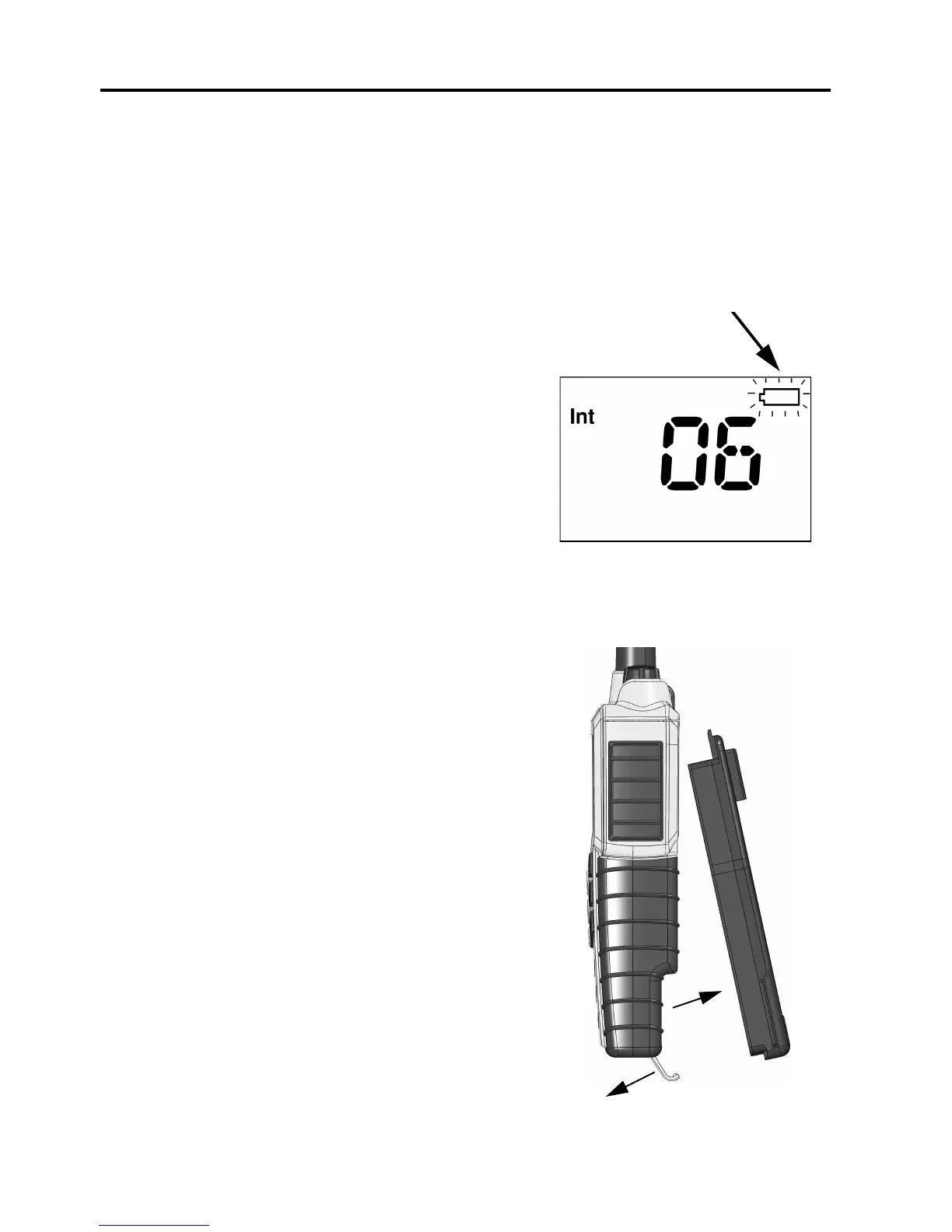
Battery level indication
The blue secondary battery pack is for daily use of the radio. When the
battery level is low, you should recharge the battery.
The radio display shows the battery
status. When the battery symbol is empty
and flashing, the battery should be
recharged as soon as possible.
Removing and inserting the battery pack
To remove the battery pack, do as follows:
1. Open the safety lock as shown.
2. Remove the battery.
To insert the battery pack, attach the battery
and close the safety lock as shown on the
previous page.
If the radio is not used for several weeks it is
recommended to store the radio and battery
separated to reduce self discharge of the
battery.
1
2
0845


 To Next Page