45
RIDING
Your Coboc e-bike drives like an ordinary bike – only it’s more dynamic. The more
force you use to tread the pedals, the more force is unfolded in the motor. As
soon as you stop treading the pedals, the motor stops supporting you.
You are going to be much more dynamic with your Coboc e-bike than
you are used to. Slowly get used to your Coboc e-bike.
Should you ever have the feeling that the motor support is tuning in too
early or too late, meaning at very low or very high pressure on the
pedals, note that you can always re-calibrate the torque sensor. You can
nd all the necessary information at our helpcenter www.support.coboc.biz/
navigating to 'Service and Care'
g 'how do I calibrate my Coboc e-bike?'.
In the event of irregularities in operation or other mistakes, resetting the
user interface might help. To do this you need to press and hold the
power button (7) for about 20 seconds. Your e-bike is going to signalize
a successful reset by briey ashing the LEDs in blue and subsequently scrolling
them from left to right in green light.
CHARGING
The charging socket (8) is placed right behind the power button (7) at the user
interface. Simply connect the magnetic charging plug to start charging your
Coboc e-bike.
A full charge of the battery from 1 % to 100 % usually takes two and a half hours
with the regular Coboc charger ST 4A. However, the battery is already charged
to 90 % after two hours, which means that the charging time for the last 10 %
takes a bit longer (half an hour).
The ideal outside temperature for battery charging is somewhere between
5 ºC and 25 ºC. At temperatures below 0 ºC or above 40 ºC electronics disables
charging, in order to protect the battery from getting damaged.
Quick Start Guide
COBOC ELECTRIC DRIVE
Operating the Power Button
Briey pressing the power button (7) of the user interface,
positioned at the bottom side of the top tube, activates the
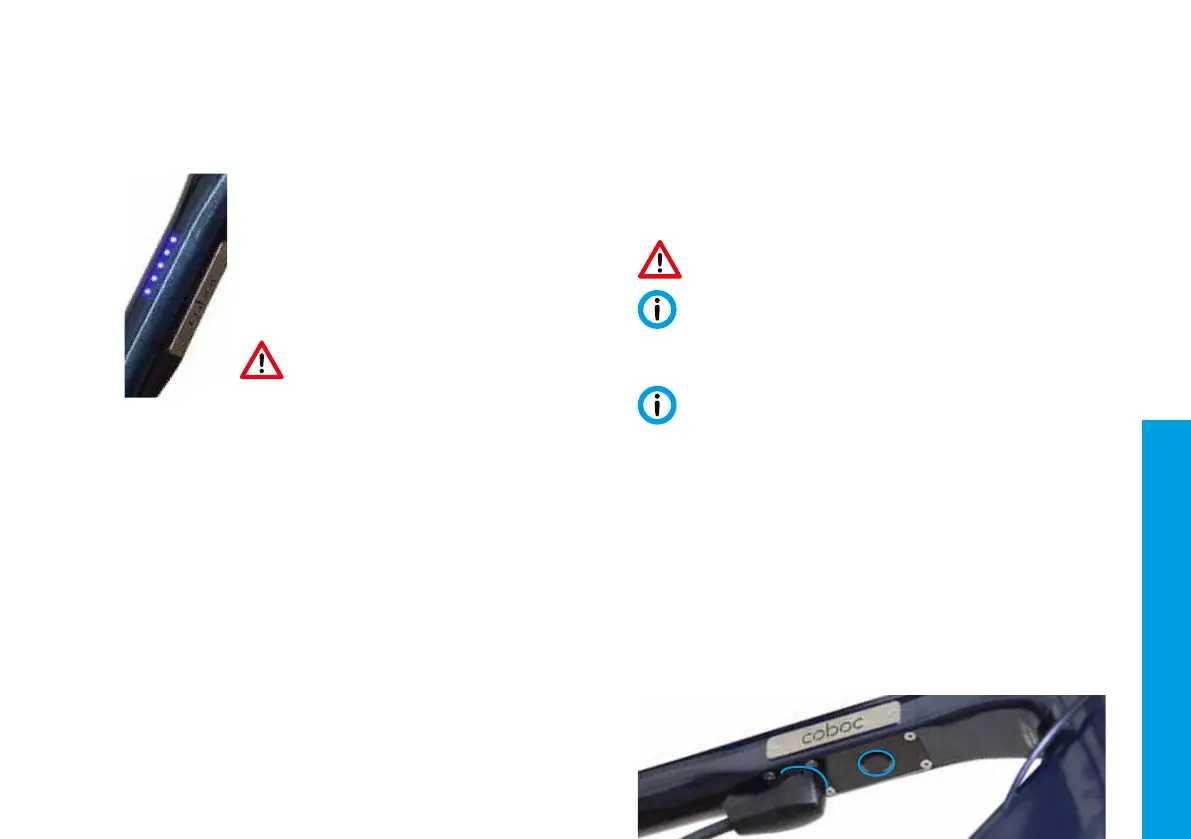
Coboc Electric Drive. Your LED display (6) is going to show
at least one lit LED, in order to indicate the battery level
of your Coboc e-bike. Putting more force into the pedals
means unfolding more motor power. As soon as you stop
pedaling, the motor support stops too.
Because of the electrical support you are going to
be much faster and dynamic on the road than you
are used to with ordinary bikes. We suggest you
take your time to get used to this new driving behavior.
Battery level – LEDs are lit up
Errors – LEDs are ashing
Turning your lights on and off
Your Coboc e-bike is equipped with a lighting system. You can turn this system
on and off by pressing down on the power button (7) for 3 seconds. This is also
possible if the Coboc Electric Drive is turned off.
(8)
(7)
(6)
5 LEDs are lit up in blue g battery level of 80 % to 100 %
4 LEDs are lit up in blue
g battery level of 60 % to 80 %
3 LEDs are lit up in blue
g battery level of 40 % to 60 %
2 LEDs are lit up in blue
g battery level of 20 % to 40 %
1 LED are lit up in blue
g battery level of 1 % to 20 %
4 LEDs are ashing red g
something is wrong with the motor cable
3 LEDs are ashing red g something is wrong with the bottom bracket
torque sensor
2 LEDs are ashing red g other mistakes
1 LED are ashing blue g battery level is too low
English


 To Next Page