Overview
1
2
3
4
5
6
7
14
8
9
10
12
13
11
EN 1
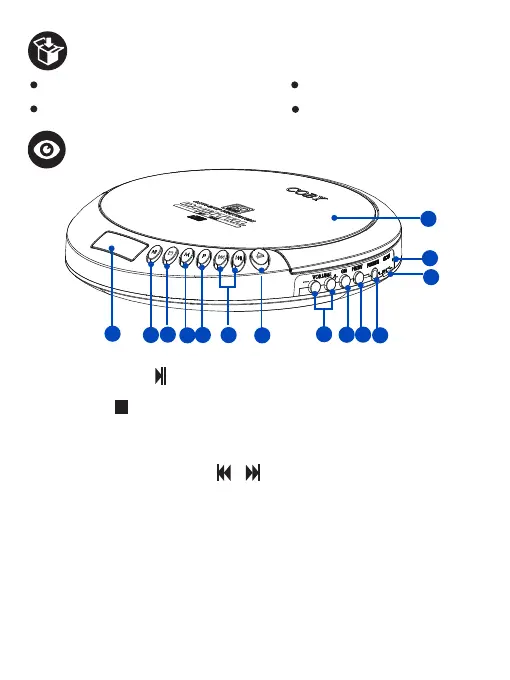
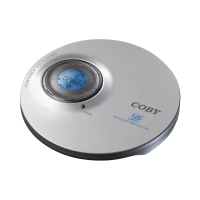
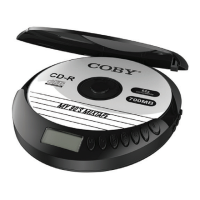
1. LCD Display - Displays the status of the CD player.
2. Play/Pause button - In power o mode, press to turn on the CD player.
In CD mode, press to play or pause the playback.
3. Stop button - In CD mode, press to stop the playback; press again to turn
o the CD player. In FM radio mode, press to turn the FM Radio o.
4. Mode button - Press to set the CD playback mode.
5. Program button - Press to program a loaded CD to play tracks in a specified order.
6. Previous/ Next Track button / - Press to skip to the previous or next
track / preset radio station.
7. Open button - Press to open the CD door.
8. Volume -/+ Button - Press to increase or decrease the volume level.
9. CD button - Press to enter the CD playback mode.
10. FM/BT button - Press to enter FM radio mode; press and hold to enter
Bluetooth Audio-Out mode.
11. Earphone jack - Connect your earphone or headphone to listen to CD
music or FM radio.
12. Micro USB Charging port
13. Charging LED indicator
14. CD door
1 X CD201 Wireless Anti-Skip CD Player 1 X Micro USB Charging Cable
1 X Wired Earphone 1 X User Manual


 To Next Page