www.cobyusa.com Page 5
English
Getting Started
Installation
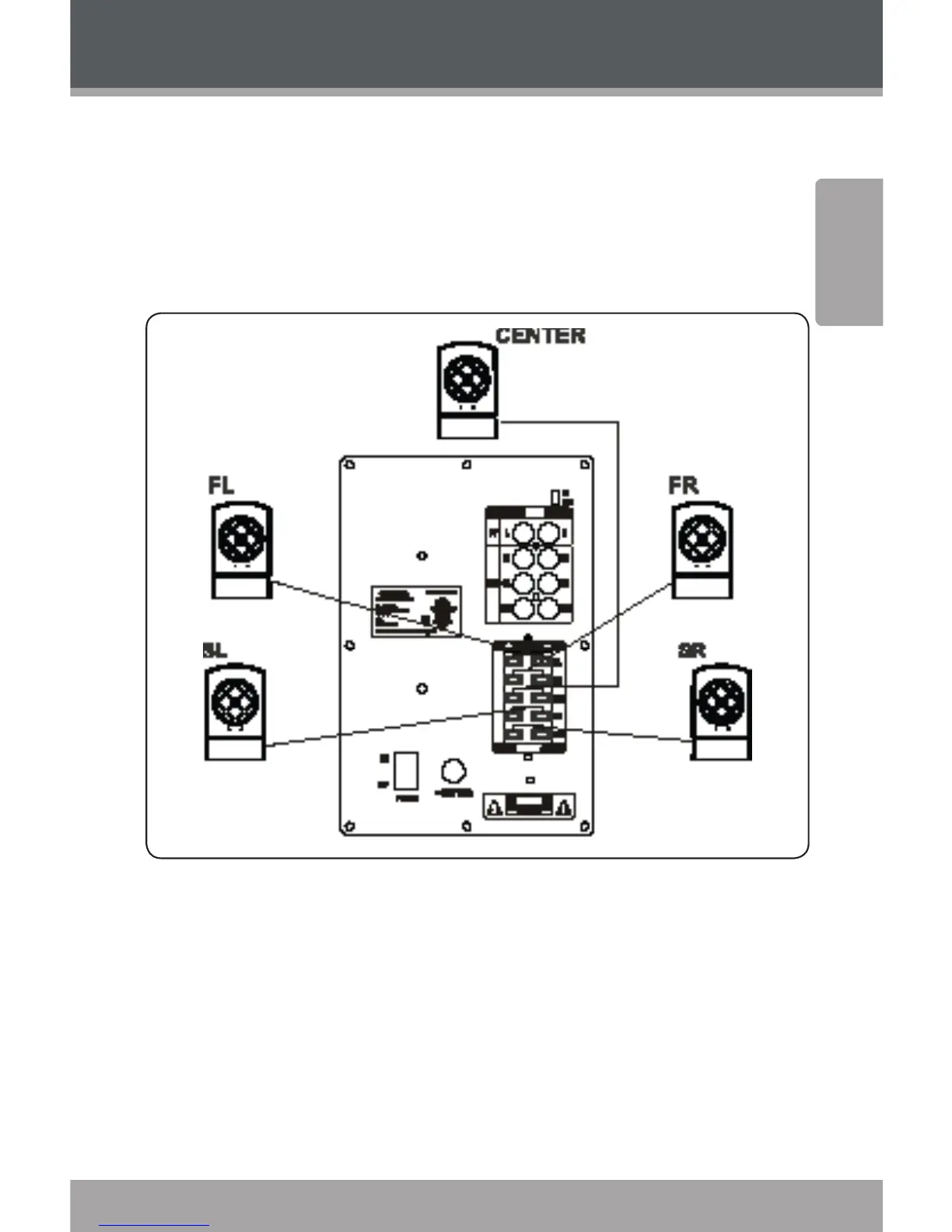
Insert all satellite speaker cables into their respective 1.
audio output jacks (speaker clips) located on the rear
of the subwoofer (FL= Front Left; FR = Front Right; SL =
Surround Left; SR = Surround Right; CEN = Center).
Connect the RCA input jacks located on the rear of 2.
the subwoofer to a 5.1-channel output source (FL=
Front Left; FR = Front Right; SL = Surround Left; SR =
Surround Right; CEN = Center). Possible sources in-
clude DVD players, PC sound cards, or other sources
that provide 5.1-channel output (please make sure
that the power supplied by the output device is com-
patible with this system). If only a 2.1-channel source
is available, use the FL/FR and SW connections.


 To Next Page