1) Make sure the player is turned on.
2) Connect the MP3 player to the Computer.
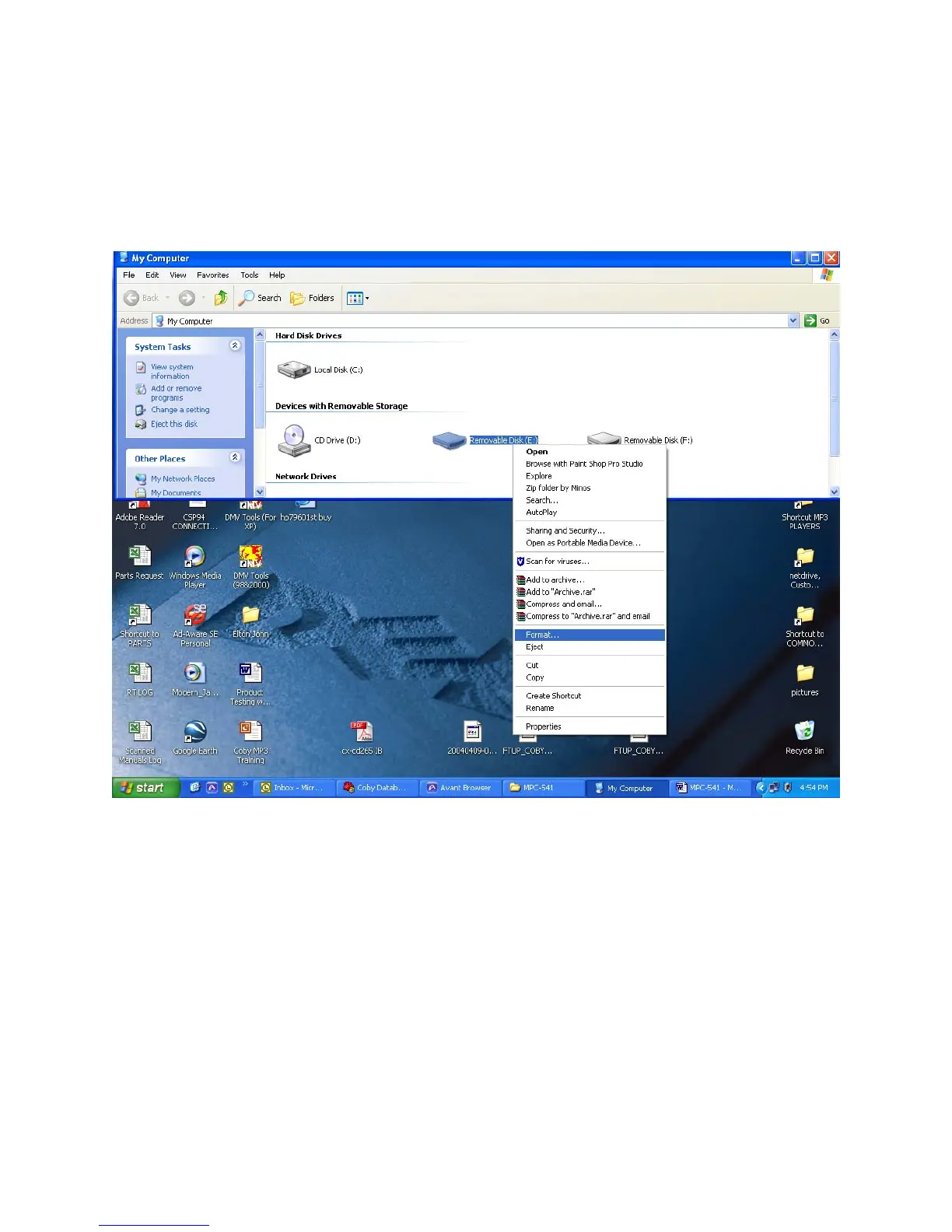
3) The PC will automatically detect the player as “Removable Disk”
under MY COMPUTER.
4) Using the mouse, right click on the “Removable Disk” and from the
menu, select “ Format” (see below).
1) On the Format widow (see below), select “quick format” and “OK”.


 To Next Page