Page 18 Transfer Media To The Player
English
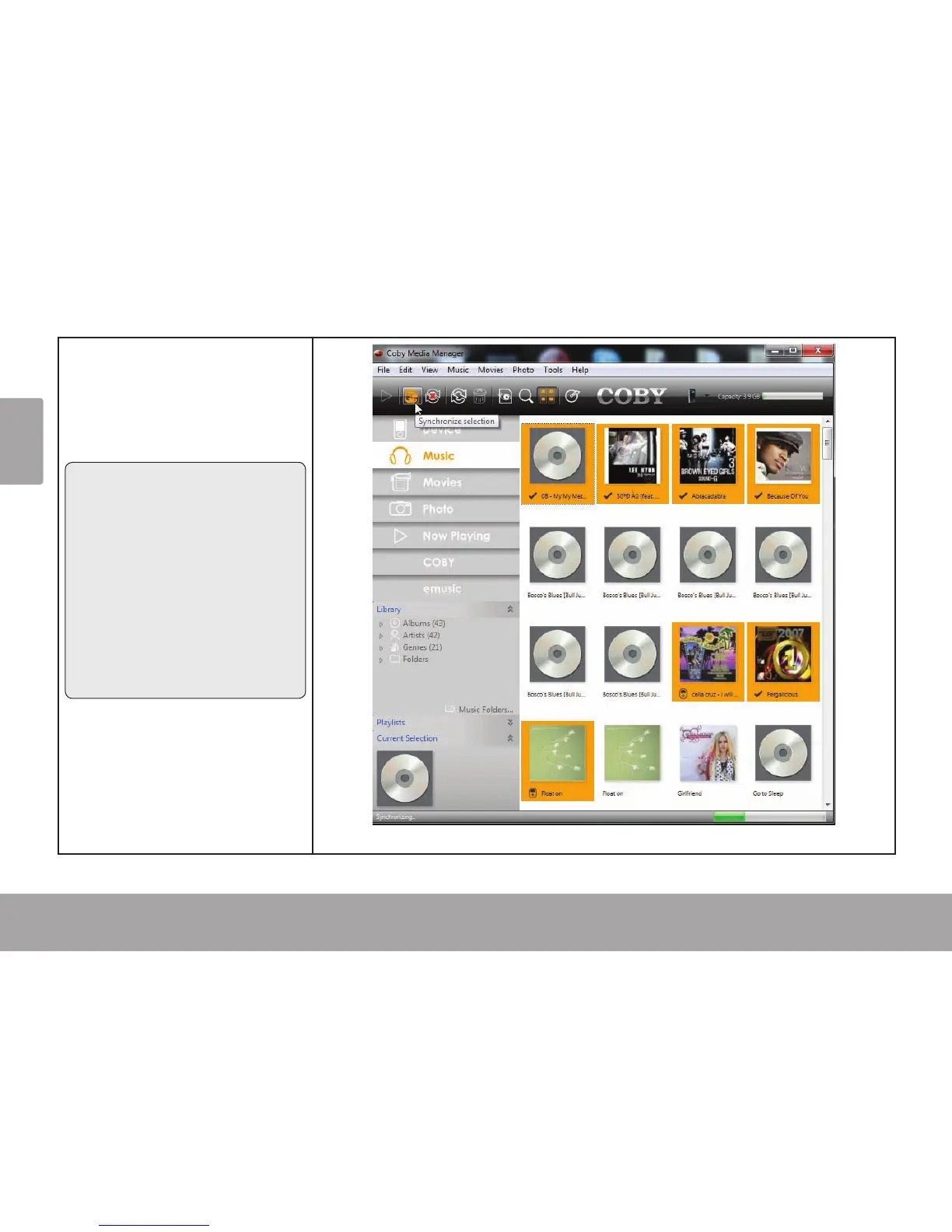
Click to select the les that 4.
you want to synchronize,
then click the “Syncrhonize
selection” button located
at the top of the screen.
Tip
In Windows, hold “Ctrl” or
“Shift” on the keyboard while
clicking with the mouse to
select multiple les.
In Mac OS X, hold “Com-
mand” or “Shift” while click-
ing with the mouse to select
multiple les.



 To Next Page