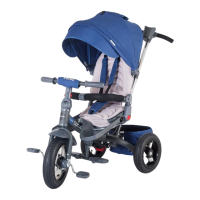
13
4) Front wheel
10) Install the shopping bag: with the aid of the Velcro, secure the bag to the
places it is intended for on the frame.
12) For folding: open the upper basket of the back basket, then fold the cover
and the protective ring towards the back. Fold the pedals and push the button in
the pedal fold area. Press the folding button with your foot while gently pulling
the auxiliary handle with your hand.
5) Shopping bag
2) Pedals
6) Rear wheels
3) Tricycle frame
7) Canopy
1) Unlock the push bar: press the release button on both sides.
1) Push bar
2) Unlock the backrest: press the adjustable backrest button.
3) Install the tricycle handlebar: press the unlock button and then lift.
4) Install the bumper: press the unlock button on the bumper.
List of spare parts
8) Seat cover
5) Install the front wheel: Insert the wheel in the right place on the frame. In that
area you have the unlock button that releases the wheel from the frame and the
button that activates / deactivates the "free wheel" function.
6) Install the rear wheels: Insert the wheels into the rear wheel axle. By pressing
the release button, you can remove the wheels.
9) Install the canopy: insert the cover into the grooves intended for it. The
rotation button of the seat is located under the seat.
Assembly steps
7) Install the upper part of the push bar: insert the upper part of the bar into the
lower part. To remove it, press the release button.
8) Install the seat cover: fasten the cover on the back, then fasten the seat belt
with the plastic clip.
11) Install the footrest: the footrest is pre-installed on the frame. Unfold it with
the push of the button.
13) Press the button and fold the backrest. Press the button and fold the push
bar.
14) The tricycle is now completely folded.
15) The push bar can be removed; use a screwdriver to perform this step.
EN


 To Next Page