
 Need help?
Do you have a question about the Cocktail Audio N25AMP and is the answer not in the manual?
Crucial guidelines for safe operation and setup of the unit.
Warning about potential hearing damage from high volume.
Compliance statements and regulations regarding radio frequency interference.
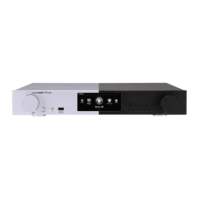
Identifies and describes the front panel controls and indicators.
Identifies and describes the rear panel connections and ports.
Details the function of each button on the remote controller.
Lists all items included in the N25AMP package.
Instructions for inserting batteries into the remote control.
Information about optional accessories like WiFi USB dongle.
Step-by-step instructions for installing the Bluetooth transmitter module.
Details on installing the required USB audio driver for Windows.
Step-by-step guide for installing the USB audio driver on a Windows PC.
Completing the USB driver installation using the setup wizard.
Recommends software for playing DSD files on a PC.
Instructions for powering on and starting the N25AMP.
How to connect and use the N25AMP as a USB DAC.
Accessing and navigating the main setup menu.
How to set the display mode for the music library.
Options for viewing albums by name or cover art.
Setting track numbering for ripped CDs.
Option to display artist name with album titles.
Option to display artist name with track titles.
Enabling/disabling thumbnails in text lists.
Checking scan status and reinitializing the Music DB.
Overview of the CD ripping function.
Selecting bit rate and quality for MP3 ripping.
Choosing audio formats for CD ripping.
Automating the CD ripping process.
Options for how music playback information is displayed.
Using predefined equalizer settings.
Customizing equalizer settings.
Selecting USB or HDMI audio output devices.
Setting the DSD signal type for USB DACs.
Controlling analog output volume (Variable/Fixed).
Enabling or disabling analog line output.
Controlling digital output volume (Variable/Fixed).
Configuring digital output frequency and passthrough.
Enabling or disabling optical digital output.
Enabling or disabling coaxial digital output.
Enabling or disabling speaker output.
Enabling gapless playback for seamless audio.
Setting visual effects for photo slide shows.
Adjusting display duration for photo slide shows.
Explains the purpose of the Replaygain function.
Conditions and requirements for using Replaygain.
Steps to embed Replaygain information into music files.
Instructions to remove Replaygain data from music files.
Setting the maximum sample rate during audio conversion.
Configuring the initial volume level upon startup.
Settings for connecting the N25AMP to a network.
Using DHCP for automatic IP address assignment.
Manually configuring a static IP address.
Connecting to an open Wi-Fi network.
Connecting to a hidden Wi-Fi network.
How the WiFi repeater roaming function works.
Displaying current network connection details.
Checking wireless network signal strength.
Enabling network wake-up functionality.
Accessing network-related services like Samba and UPnP.
Setting up the N25AMP as a Samba server.
Steps to add network shared folders.
Editing and removing network shared folders.
Storing user credentials for network access.
Using UPnP to stream music from network devices.
Setting up and using the FTP server.
Using Airplay for streaming music from iOS devices.
Accessing online music services like Amazon Music, Qobuz.
Displaying internet service lists by text or cover art.
Enabling/disabling thumbnails in text lists.
List of supported online music services.
Accessing and configuring system-wide settings.
Changing the On-Screen Display language.
Choosing between FM Radio and DAB+ reception.
Enabling RDS for station seeking.
Configuring automatic playback upon startup.
Resuming playback from the last stopped point.
Playing files directly from the browser interface.
Restoring the N25AMP to its factory default settings.
Setting the HDD to enter sleep mode after inactivity.
Formatting internal or external storage devices.
Repairing file system errors on storage devices.
Adjusting the LCD screen brightness.
Setting up alarm functions and schedules.
Scheduling automatic power-off of the device.
Adjusting the speed of scrolling text on the screen.
Setting the number of lines displayed in lists.
Customizing the display font by loading external fonts.
Options for displaying files in the browser.
Enabling/disabling thumbnails in text lists.
Setting power-off mode according to ErP regulations.
Customizing function keys on the optional 2nd remote control.
Setting the device's time and format.
Setting the time display format (AM/PM or 24-Hour).
Synchronizing time via the internet.
Manually setting the device's time.
Checking the currently installed firmware version.
Steps for manually updating the firmware via USB.
Enabling automatic firmware updates over the network.
Explains how automatic network firmware updates work.
Manually checking for available firmware updates.
Overview of Bluetooth connectivity features.
Changing the Bluetooth device name.
Using the device as a Bluetooth receiver and playing music.
Using the device as a Bluetooth transmitter.
Updating Bluetooth firmware.
Details on Gracenote service licensing and activation.
Steps to activate the Gracenote service license.
Introduction to the Music DB and its creation.
Explains the function and purpose of the Music DB.
Step-by-step process for creating the Music DB.
Managing storage priority and the 'My Music' folder.
Displaying folders within the Music DB.
Removing files or folders from the Music DB.
Resetting the Music DB to its default state.
Automatic indexing of new or edited music files.
Viewing paths and track counts in the Music DB scan.
Resynchronizing Music DB with storage contents.
Choosing the primary storage for the Music DB.
Playing music files directly from the Music DB.
Searching for music within the Music DB.
Renaming music tracks, albums, artists, or genres.
Adding album cover art to entries.
Viewing the history of recently played songs.
Setting specific sections for repeated playback.
Editing metadata tags for music files.
Overview of playlist functions.
Creating and managing standard playlists.
Detailed steps for creating a playlist.
Creating playlists from albums, genres, or artists.
Adding songs to playlists during playback.
Quick method to add songs from MusicDB to playlists.
Playing back created playlists.
Reordering songs within a playlist.
Editing, deleting, or adding songs to playlists.
Using the temporary 'My Playlist' feature.
Creating advanced virtual playlists.
Overview of the multi-room audio playback system.
Supported file formats and sample rates for Group Play.
Accessing the main menu for Group Play.
Assigning unique names to devices for Group Play.
Initial setup steps for devices in a Group Play system.
Configuring a device as the Group Play server.
Manually adding client devices to a Group Play.
Display of playback screens for server and client devices.
Using the MusicX NEO app for advanced setup.
Discovering available devices for Group Play.
How playing music sets a device as the server.
Manually adding client devices using a specific method.
Controlling volume, channels, and mute for server/client devices.
Overview of music streaming capabilities.
Using UPnP and Samba for music streaming.
Using Airplay for streaming music from iOS devices.
Accessing internet-based services like i-Radio.
Tuning into and playing internet radio stations.
Adding favorite stations to the Favorites list.
Searching for internet radio stations.
Recording internet radio broadcasts.
Location of recorded internet radio files.
Format of recorded file names.
Editing metadata of recorded radio files.
Setting up scheduled recordings.
Explains how scheduled recordings initiate.
Tuning into and playing FM radio stations.
Recording FM radio broadcasts.
Overview of DAB+ digital radio functions.
Tuning into and playing DAB+ stations.
Recording DAB+ broadcasts.
Connecting and using USB devices.
Navigating and managing files on connected storage.
Editing metadata tags for music files.
Copying files and folders.
Moving files and folders.
Deleting files and folders.
Using playlist files for internet radio.
Converting audio files to different formats.
Cutting recorded files into segments.
Creating new folders in the browser.
Playing audio from external devices via inputs.
Recording audio from external input sources.
Location of recorded external audio files.
Editing metadata of recorded external audio.
Detailed guide on using the N25AMP as a USB DAC.
Adjusting volume balance between channels.
Connecting and using an external display.
Setting up and viewing photo slide shows.
Customizing how file lists are displayed.
Bookmarking and managing long files like audiobooks.
Applying preset equalizer settings.
Customizing equalizer settings.
Assigning custom shortcuts to front panel keys.
Assigning stations or playlists to preset keys.
Playing stations or playlists using assigned keys.
Resuming playback from the last stopped position.
Displaying clock or turning off the LCD screen.
Selecting different playback modes (Shuffle, Repeat).
Setting up multiple alarm functions.
Setting the device to automatically shut down.
Activating sleep mode for power saving.
Automatically playing songs from a specific folder.
Using alphabet keys for quick file searching.
Seeking to specific positions within a playing file.
Cutting recorded files into tracks using auto or manual methods.
Setting cutting points automatically based on audio levels.
Manually setting cutting points for file segmentation.
Initiating the file cutting process.
Explains the function of keys during the multi-cut process.
Details the role of various keys on the multi-cut screen interface.
Jumping to specific songs during playback.
Detailed technical specifications of the N25AMP.
List of supported audio codecs and formats.
List of supported network protocols.
Supported online music and internet radio services.
Information on Master Quality Authenticated audio technology.
Common issues and solutions for the N25AMP.
Verifying audio volume settings.
Reviewing audio configurations in the SETUP menu.
Diagnosing and resolving speaker hum issues.
 General
| Brand | Cocktail Audio |
|---|---|
| Model | N25AMP |
| Category | Receiver |
| Language | English |

 To Next Page