
 Need help?
Do you have a question about the Cocktail Audio X30 and is the answer not in the manual?
Covers Wizard Setup and normal power-on sequences.
Manages the music database settings, including display and storage.
Configures bit rate, quality, and audio format for CD ripping.
Adjusts audio output, equalizer, and player view settings.
Sets up wired and wireless network connections.
Configures network services like Samba and Web Server.
Manages language, auto play, resume play, and factory reset.
Manages firmware updates.
Ripping CDs with an active network connection.
Ripping CDs without an active network connection.
How to select and play music files stored in the Music DB.
Utilizes search functionality to find music within the database.
Operations for deleting, renaming, and exporting music entries.
Directly plays CDs when connected to a network.
Directly plays CDs without a network connection.
Steps for creating, adding to, and editing playlists.
Accessing and playing various internet radio stations.
Recording live internet radio broadcasts.
Steps to tune into and play FM radio stations.
Addresses problems related to power and remote control functionality.
Solves network display problems and lack of speaker sound.
Troubleshoots disc reading errors and skipping.
 General
| Type | Media Converter |
|---|---|
| CD Player | Yes |
| Digital Outputs | Optical, Coaxial |
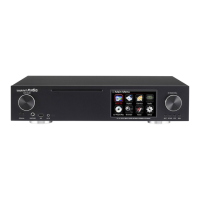
| Display | 4.3" TFT LCD |
| Storage | Optional 3.5" SATA HDD or 2.5" SATA HDD/SSD |
| Network | Ethernet, Wi-Fi |
| USB | USB 2.0 |
| Digital Inputs | Optical, Coaxial |
| Analog Inputs | RCA |
| Analog Outputs | RCA |
| Supported Audio Formats | MP3, FLAC, WAV, AAC, OGG |
| Streaming Services | Qobuz, TIDAL |
| Connectivity | Ethernet |
| Outputs | Headphone |
| Inputs | USB |
| Power Consumption | 30W (Operating), 0.5W (Standby) |

 To Next Page