
 Need help?
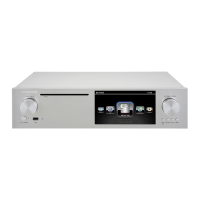
Do you have a question about the Cocktail Audio X50 and is the answer not in the manual?
Explanation of each button and its function on the X50 remote control.
Connecting HDDs for non-RAID or RAID system configurations on the X50.
How to connect storage devices for a non-RAID system on the X50.
Configuring RAID modes (BIG, RAID1) using DIP switches on the X50.
Explanation of BIG mode and RAID-1 (Mirror) mode functionality.
Step-by-step initial setup process for the X50 upon first boot.
Configuration options for the Music Database, including display and view.
Choosing the storage device (HDD, USB, NAS) for the Music DB.
Using the recovery function to fix errors in the Music DB.
Overview of the two backup methods: Background and Interactive.
Steps to start background or interactive backup of the Music DB.
How to restore Music DB data from a backup.
Checking the Music DB for errors and selecting when the check occurs.
Selecting bit rate and quality level for MP3 ripping.
Configuring audio output devices connected via USB or HDMI.
Configuring wired network connection using DHCP or Static IP.
Connecting to an open WiFi network by scanning available APs.
Connecting to a hidden WiFi network by manual AP name input.
Enabling and configuring the Samba server for network file sharing.
Connecting to remote devices to stream files using network sharing.
Turning on the Web Server function for remote control and album art management.
How to access the X50's web interface from PC or smartphone.
Setting up accounts for online music services like Qobuz, TIDAL, Deezer.
Restoring the X50 to its default factory settings.
Formatting internal or external storage devices on the X50.
Running a utility to fix errors in the file system of storage devices.
Setting the time format (AM/PM, 24hr) and time via internet.
Updating the X50 firmware manually using a USB drive.
Enabling automatic firmware updates over the network.
Explanation of the X50's Music DB and its functions.
Procedure for ripping all tracks from a CD with network connection.
Steps for ripping CDs when the X50 is not connected to the internet.
How to select and play music tracks stored in the Music DB.
Finding music within the database by album, artist, or genre.
Merging tracks from multiple CDs into a single album entry.
Transferring music files from the Music DB to HDD or USB.
Modifying title, artist, album, year, and genre tags for music files.
Playing audio CDs directly when connected to a network.
Playing audio CDs directly without a network connection.
Steps to create a new playlist by adding music files.
Adding the currently playing song to an existing playlist.
How to select and play a created playlist.
Creating advanced virtual playlists based on artist, genre, or album.
Utilizing UPnP and Samba protocols for network music streaming.
Using the X50 as a music server for Sonos devices.
How to tune into and play internet radio stations.
Scheduling recordings for favorite radio stations.
Tuning into and playing FM radio stations.
Tuning into and playing DAB+ radio stations.
Setting up to six alarms with time, cycle, and sound source.
Steps to resolve power-related problems with the X50.
 General
| Connectivity | USB, Optical, Coaxial, HDMI, Ethernet |
|---|---|
| Display | 7-inch TFT LCD (1024x600) |
| Supported Audio Formats | DSD, DXD, FLAC, WAV, ALAC, AIFF, APE, MP3 |
| Streaming Services | TIDAL, Deezer, Napster, Qobuz |
| CD Ripping | Yes |
| Dimensions | 441 x 330 x 100 mm |
| Remote Control | Yes |

 To Next Page