Home
Codonics
Disc Duplicator
Virtua C
Page 28 (Select the Media Type (Manual Mode))
Codonics Virtua C - Select the Media Type (Manual Mode)
36 pages
Manual
Save Page as PDF
To Next Page
To Next Page
To Previous Page
To Previous Page
Loading...
24
Virtua C Reference Guide
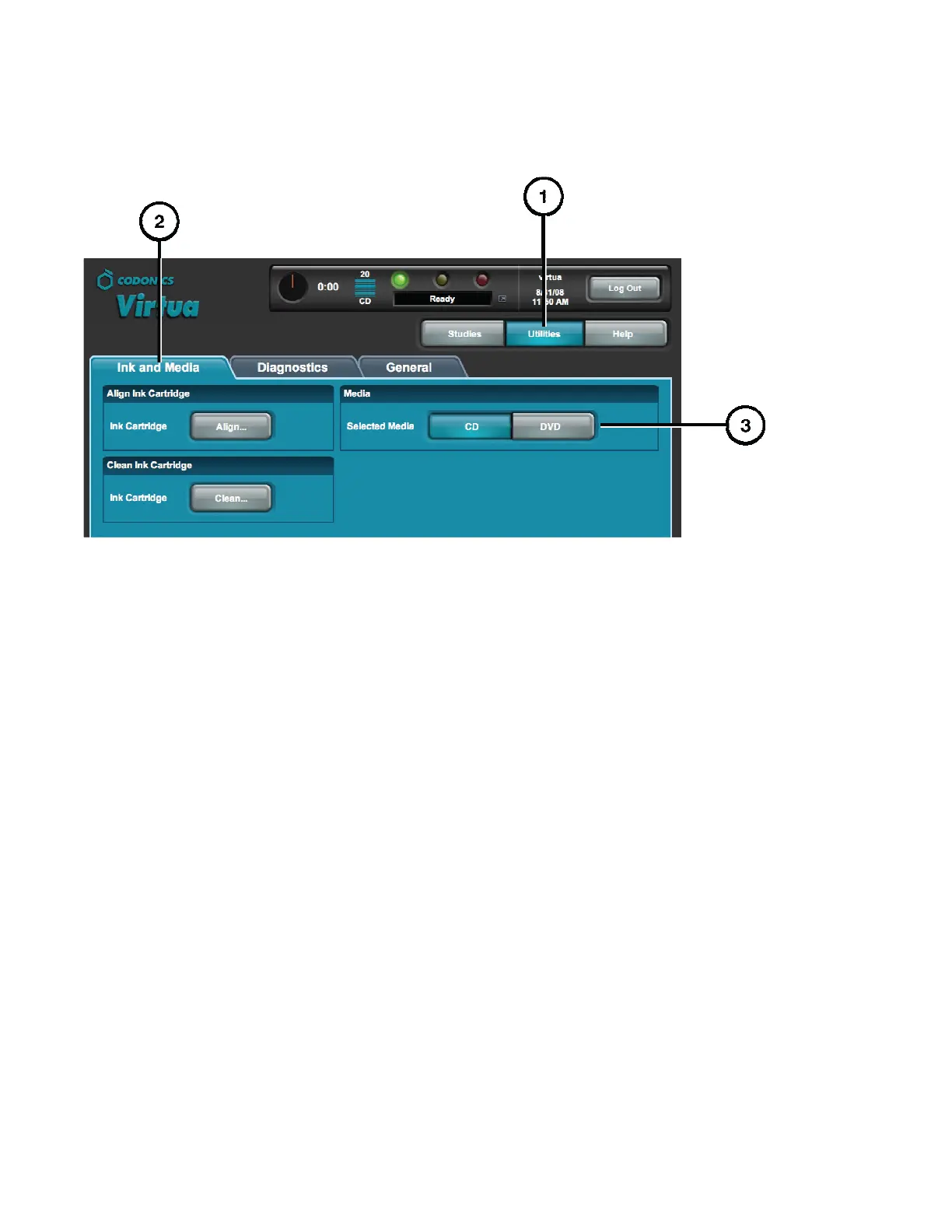
pÉäÉÅí=íÜÉ=jÉÇá~=qóéÉ=Ej~åì~ä=jçÇÉ
F=
1.
Click the Ut
ilities but
ton.
2.
Click the Ink an
d M
edia tab
.
3.
Select the des
ired med
ia type.
4.
Load the sel
ected m
edia typ
e in the input
bin.
27
29
Related product manuals
Codonics Virtua
210 pages



 To Next Page