Mount VisionView
1. Cut a mounting hole in the panel. (Refer to VisionView 900 Dimensions on
page10.)
Note: It isstrongly recommended that a professional machine shop
cut the mounting hole in the panel.
2. Place VisionView face-down on a clean, flat surface.
3. Slide the gasket around the backof VisionView, until it rests directly against
the back of the VisionView faceplate. Make sure the screw holes on the
gasket align with the screw holes on VisionView.
4. Slide the panel cutout around the backof VisionView, untilthe panel rests
directly on the gasket.
5. Place a washer on each M3 screw hole.
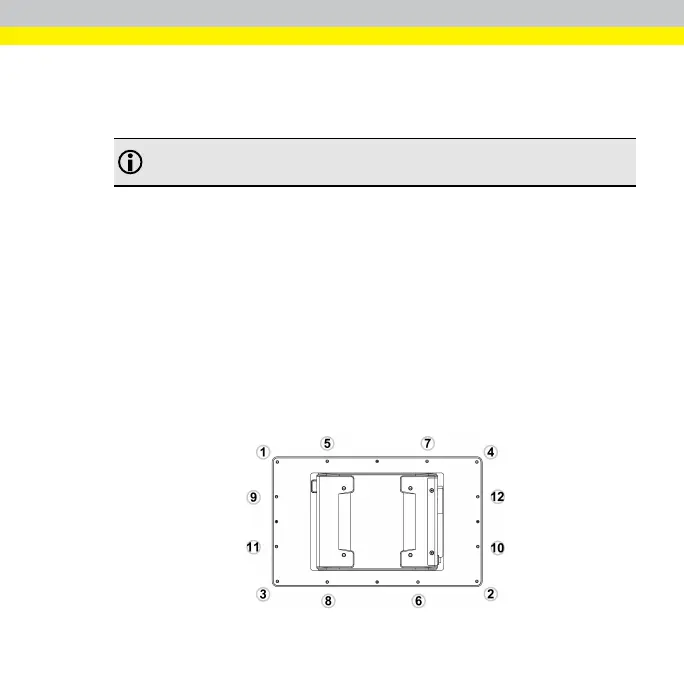
6. Insert all twelve M3 screws into the screw holes.
7. Finger-tighten the M3 screws. Finish tightening the M3 screws in a diagonal
pattern using an M3 screw driver (see the image below); maximum torque
1.18Nm (12 kgf-cm).
5



 To Next Page