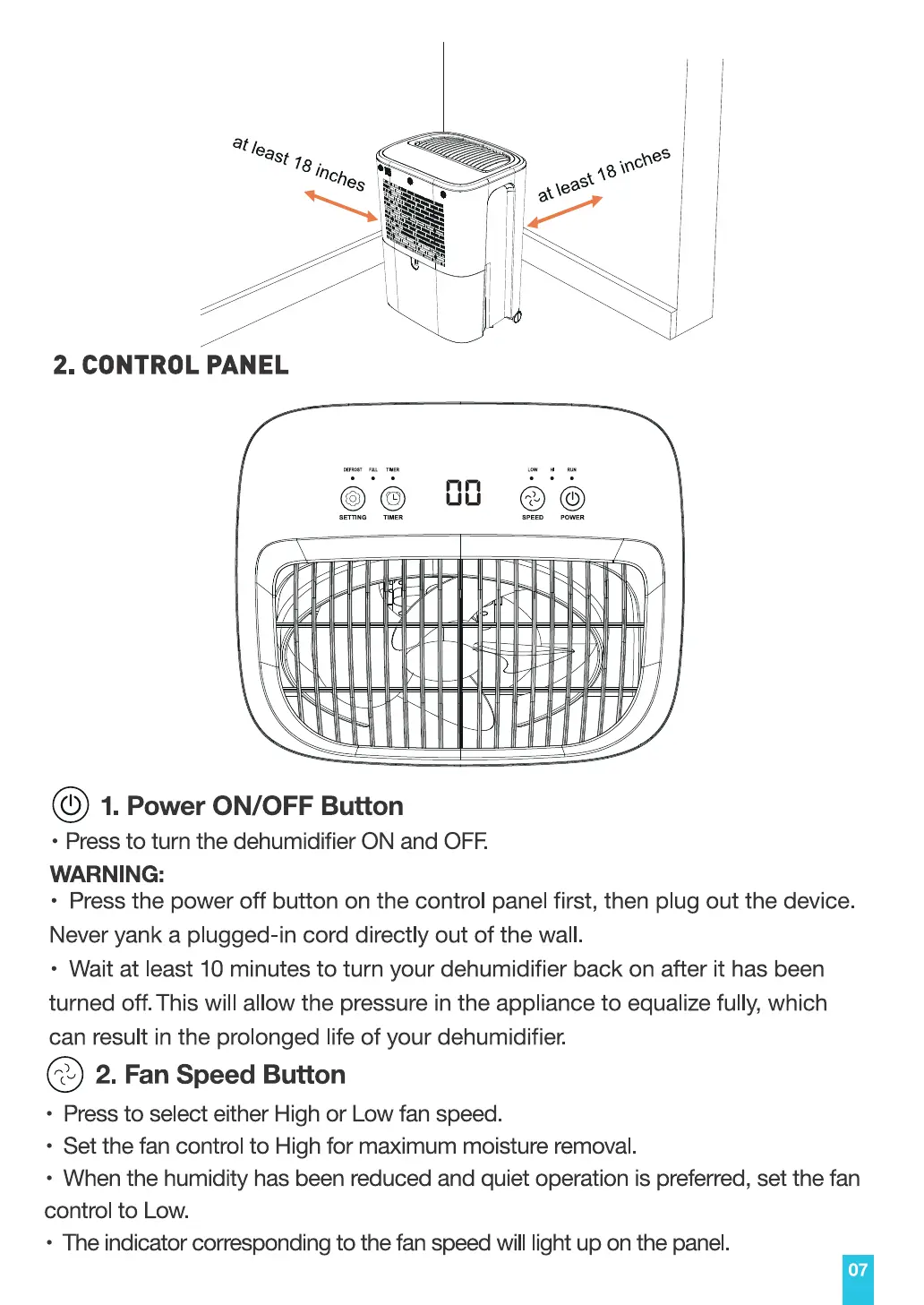
atleast78
Inches
2. CONTROL PANEL
CORO"
ai\east •oches
SETTING TIMER SPEED
@ 1.PowerON/OFFButton
• Press to turn the dehumidifier ON and OFF.
WARNING:
• Press the power off button on the control panel first, then plug out the device.
Never yank a plugged-in cord directly out of the wall.
• Wait at least 10 minutes to turn your dehumidifier back on after it has been
turned off. This will allow the pressure in the appliance to equalize fully, which
can result in the prolonged life of your dehumidifier.
0 2.FanSpeedButton
• Press to select either High or Low fan speed.
• Set the fan control to High for maximum moisture removal.
• When the humidity has been reduced and quiet operation is preferred, set the fan
control to Low.
• The indicator corresponding to the fan speed will light up on the panel.
07


 To Next Page