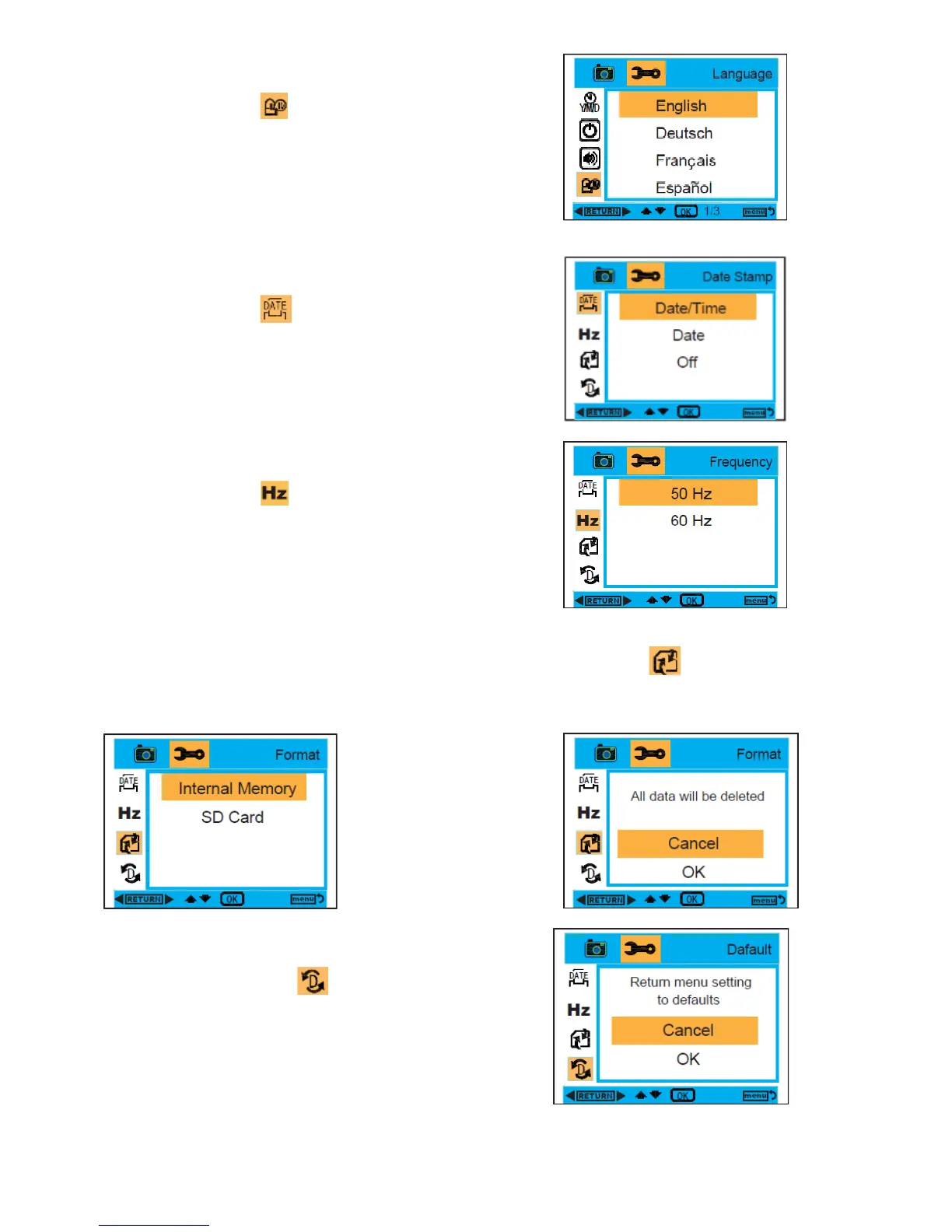
Language :
1. While in Camera or Video Mode, press the MENU and Right
buttons to select Language.
2. Press the OK button, and then press the Up/Down buttons
to select a language, English, Deutsch, Français, Español,
Italiano, Português,
日本語
,
簡体中文
,
繁體中文
.
3. After selection, press the OK button to confirm, and press
the Left button to exit. Or, press the MENU button to
return.
Date Stamp :
1. While in Camera or Video Mode, press the MENU and Right
buttons to select Date Stamp.
2. Press the OK button, and then press the Up/Down buttons
to select Date/Time , Date , or off.
3. After selection, press the OK button to confirm, and press
the Left button to exit. Or, press the MENU button to
return.
Frequency :
1. While in Camera or Video Mode, press the MENU and Right
buttons to select Frequency.
2. Press the OK button, and then press the Up/Down buttons
to select 50 Hz or 60 Hz.
3. After selection, press the OK button to confirm, and press
the Left button to exit. Or, press the MENU button to
return.
Format :
1. While in Camera or Video Mode, press the MENU and Right buttons to select Format.
2. Press the OK button, and then press the Up/Down buttons to select Internal Memory or SD Card.
3. After selection, press the OK button to confirm, and press the Left button to exit. Or, press the MENU
button to return.
Default Setting :
1. While in Camera or Video Mode, press the MENU and
Right buttons to select Default Setting .
2. Press the OK button to confirm the default settings.
3. You can press Up/Down button to select Cancel or OK.
After selection, press the OK button to confirm, and press
the Left button to exit. Or, select the MENU button to
return.


 To Next Page