EasyManua.ls Logo

Columbia CT006001 - User Manual

Columbia CT006001
2 pages
Print Icon
To Next Page IconTo Next Page
Loading...
Question and Answer IconNeed help?

Do you have a question about the Columbia CT006001 and is the answer not in the manual?

Summary

Time Mode Operations

Setting Time and Date

Procedure to adjust hours, minutes, seconds, and date on the watch.

Switching Between Watch Modes

How to cycle through different watch functions like time, stopwatch, and timer.

Chronograph Mode Guide

Starting and Stopping Chronograph

Using the START/STOP button to begin and end time measurement.

Lap Time Recording

Capturing intermediate times during a stopwatch measurement.

Resetting Chronograph Display

Procedure to return the chronograph time display to zero.

Data Mode Functions

Accessing Stored Data

Steps to enter and navigate through recorded data or history.

Interpreting Data Display

Understanding the meaning of information shown in data mode.

Timer Mode Usage

Setting the Countdown Timer

Programming the desired countdown duration for the timer.

Using the Countdown Timer

Activating, pausing, and resetting the countdown timer function.

Alarm Mode Settings

Setting and Enabling Alarms

Configuring alarm time and activation for specific days.

Alarm Signal Functionality

Details on how the alarm sound or vibration is presented.

Summary

Time Mode Operations

Setting Time and Date

Procedure to adjust hours, minutes, seconds, and date on the watch.

Switching Between Watch Modes

How to cycle through different watch functions like time, stopwatch, and timer.

Chronograph Mode Guide

Starting and Stopping Chronograph

Using the START/STOP button to begin and end time measurement.

Lap Time Recording

Capturing intermediate times during a stopwatch measurement.

Resetting Chronograph Display

Procedure to return the chronograph time display to zero.

Data Mode Functions

Accessing Stored Data

Steps to enter and navigate through recorded data or history.

Interpreting Data Display

Understanding the meaning of information shown in data mode.

Timer Mode Usage

Setting the Countdown Timer

Programming the desired countdown duration for the timer.

Using the Countdown Timer

Activating, pausing, and resetting the countdown timer function.

Alarm Mode Settings

Setting and Enabling Alarms

Configuring alarm time and activation for specific days.

Alarm Signal Functionality

Details on how the alarm sound or vibration is presented.

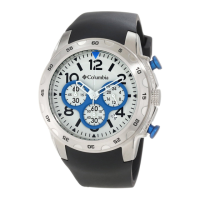
Columbia CT006001 Specifications

General IconGeneral
BrandColumbia
ModelCT006001
CategoryWatch
Case MaterialStainless Steel
Band MaterialSilicone
Display TypeAnalog
MovementQuartz
Band Width22 mm
Clasp TypeBuckle

Related product manuals