Operation guide
1H
2H 4H
8H
Sleep Mode
2
3
4
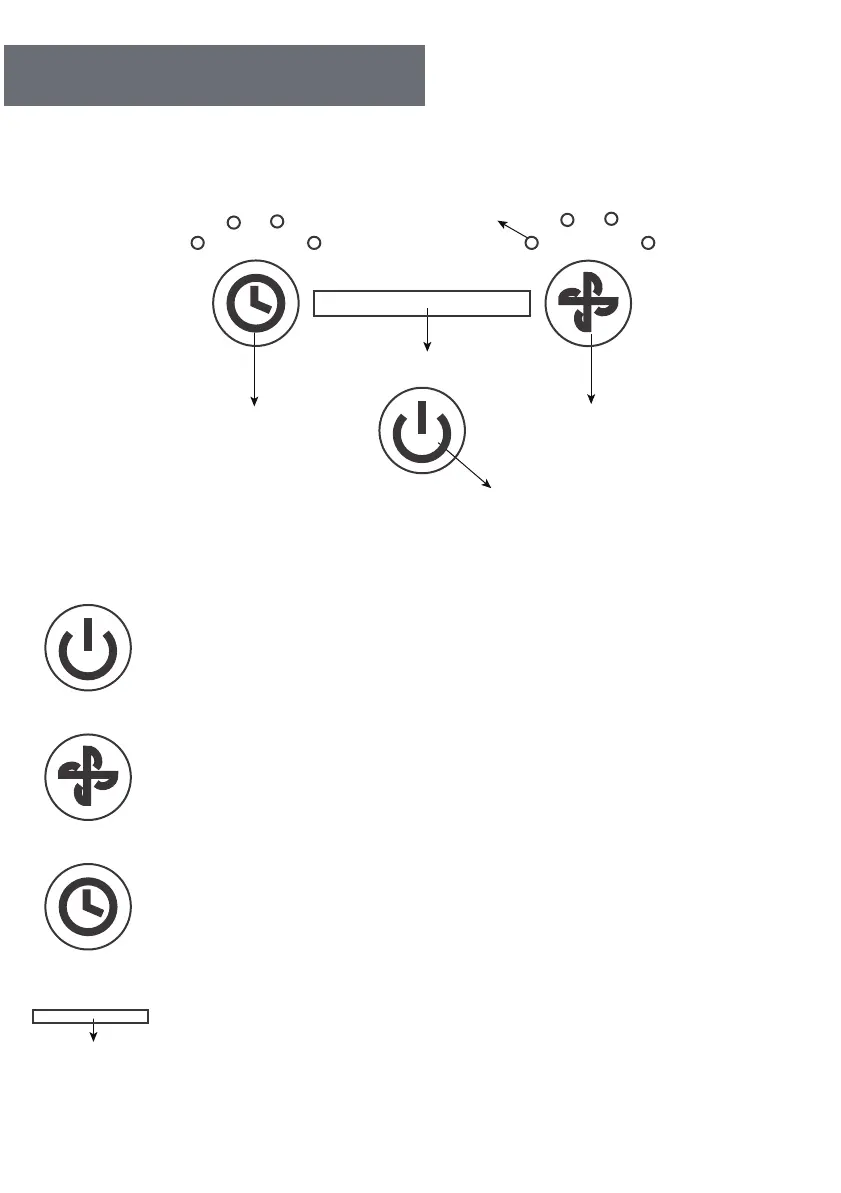
TIMER BUTTON
SPEED BUTTON
ON/OFF BUTTON
AIR QUALITY INDICATOR LIGHT
Power Button
Press the "Power" button to turn on/off the unit.
Fans Speed
Press Speed button to set fan speed at S 2 3 4.
S = SLEEP mode.In Sleep mode,the unit will turn to low,and unit
will not make a sound.
Timer
Press Timer button to set timer at 1 2 4 8 hours,the LEDs will be
on accordingly.
Air Quality Light
The air purifier has sensor and LED color to indicate air quailty
level.The product will automatically detect the indoor air quailty.
06



 To Next Page