CSB200 Class B AIS
R1.0 15
identification
•
NMEA command sentences can be sent to the unit by entering
them in the lower text box and clicking the 'Send' button. proAIS
will calculate and append the NMEA checksum to the sentence
if the "Add Checksum" check box is checked. In this case enter
a NMEA sentence without including the asterisk that precedes
the checksum.
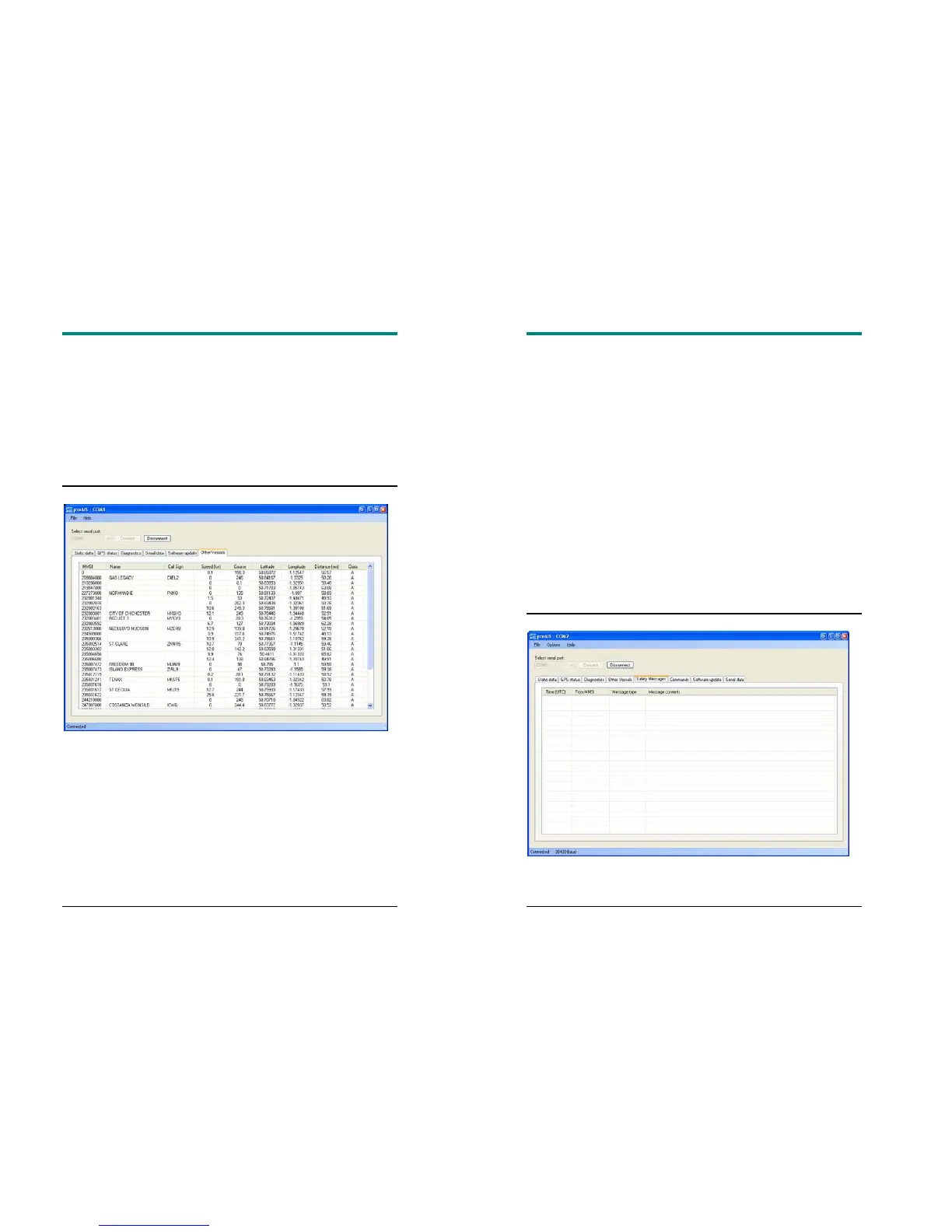
Other Vessels
This tab shows information received from other AIS equipped vessels in
the area.
•
The MMSI of each vessel is shown.
o
Vessels equipped with Class A AIS have the MMSI
displayed in black text.
o
Vessels equipped with Class B AIS have the MMSI
displayed in blue text
•
The name and call sign of each vessel is shown
CSB200 Class B AIS
R1.0 16
o
Due to the way AIS operates this information may take
some time to appear
•
The speed in knots, course in degrees, decimal latitude and
longitude are shown for each vessel
•
The approximate distance to each vessel is shown when the
connected unit has a GPS fix. Please note that this is an
approximate
distance for indication only.
•
The class of the AIS equipment on each vessel is displayed as
A or B
•
Columns can be sorted into ascending or descending order by
clicking on the column heading.
Safety Messages


 To Next Page