6
1
2
4
5
6
7
3
1
2
4
5
6
7
3
1
2
4
5
6
7
3
OK
OK
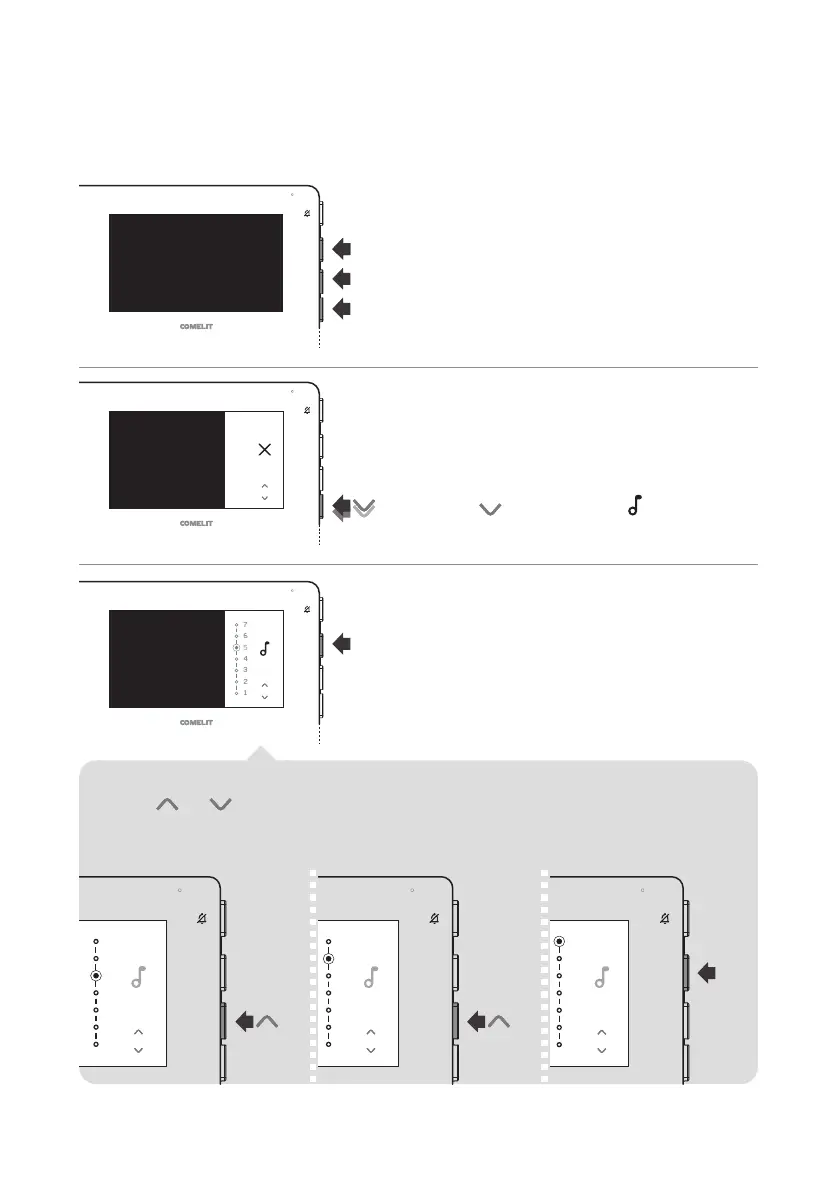
1. Press one of the buttons below to access the
user manual.
2. Press repeatedly until the icon appears.
4. Press and to select the desired
ringtone.
» The ringtone will play.
3. Press the confirm button.
5. Press the confirm button to
save the programming.
Example: selecting the ringtone upon call from external entrance panel











 To Next Page