4 5
EN
EN
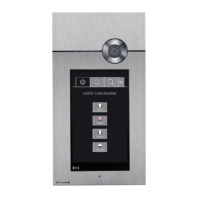
Fig. 2
DESCRIPTION
1. Status LEDs
• Flashing red: presence of notifications (Missed calls,
Messages, alarms).
• Red lit steadily: presence of active function(s) (Call divert,
Automatic answer and/or silent mode).
2. Lock-release
• Flashing LED: Incoming call from external entrance panel.
• LED lit steadily: Automatic lock-release function enabled.
3. 7-inch colour touchscreen
HOMEPAGE
4.1 Status notifications
4.2 Date and time
4.3
Functions available
4.4 Functions added to the “Favourites” section
4.5 Buttons to perform automations. (Optional)*
4.6
Accessing the user profile
* For further information on customisable functions, contact
your installer.
Fig. 1
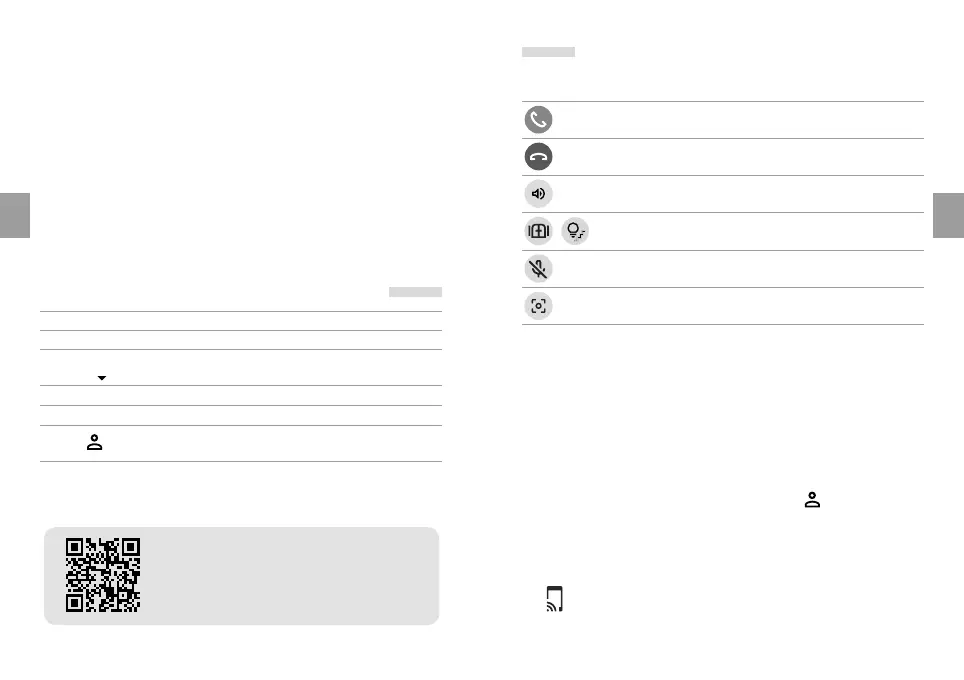
VIDEO ENTRY PHONE CALL MANAGEMENT
green Start communication
red End communication
Adjust loudspeaker volume
Various buttons to perform automations
(Optional)*
Mute microphone
Screenshot
SMARTPHONE PAIRING VIA THE COMELIT APP
By connecting 7TOP to the Internet, you will not only receive
automatic updates, but you will also be able to receive video
entry phone calls directly on your smartphone via the Comelit
app, even when you are not at home.
Proceed as follows:
1. On the homepage, select the User profile
icon
2. Press the “Pair” key in the box (**)
3. Scan the QR code with your smartphone
4. Click on the link and follow the wizard
(**)
If the ‘Pair’ button is missing, follow the instructions
in the dedicated box.
The full manual is available!
Scan here with your smartphone/tablet or
visit the website at pro.comelitgroup.com



 To Next Page