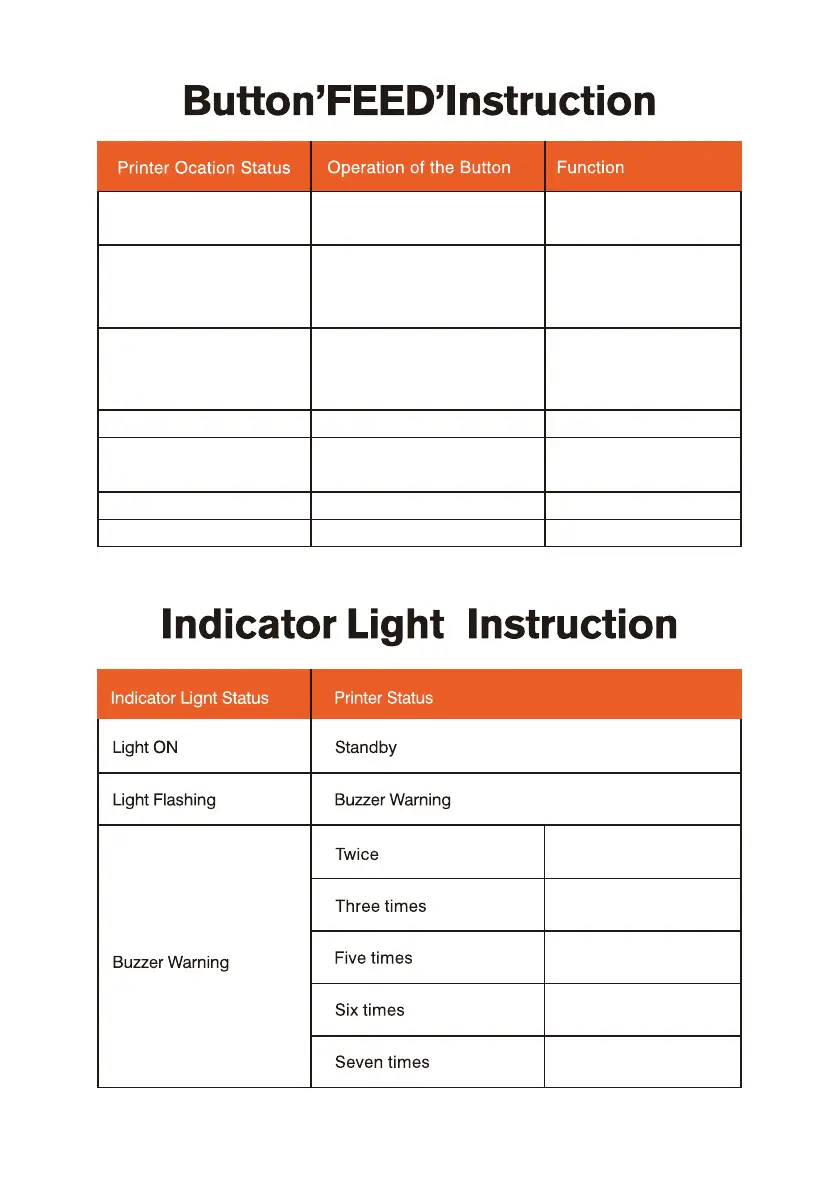
Chip error
Lack paper error
Overheating error
Uncap error
Seam standard error
Power o Long press (release after
power on)
Self-test printing
Standby
Standby
Standby
Long press 2 seconds rele-
ase, light ash with buzzer
warning
Long press 4 seconds rele-
ase, light ash with buzzer
warning
Self-test printing
Enter into the learn
mode of cover sheet
Open the printer cover Long press 10 seconds Factory reset
Short press
Short press
Automatically absorb a
blank sheet of paper
Continuous printing Print pause
Short pressPrint pause Resume printing


 To Next Page