NOTE
Microwave Cooking
1
2
3
4
5
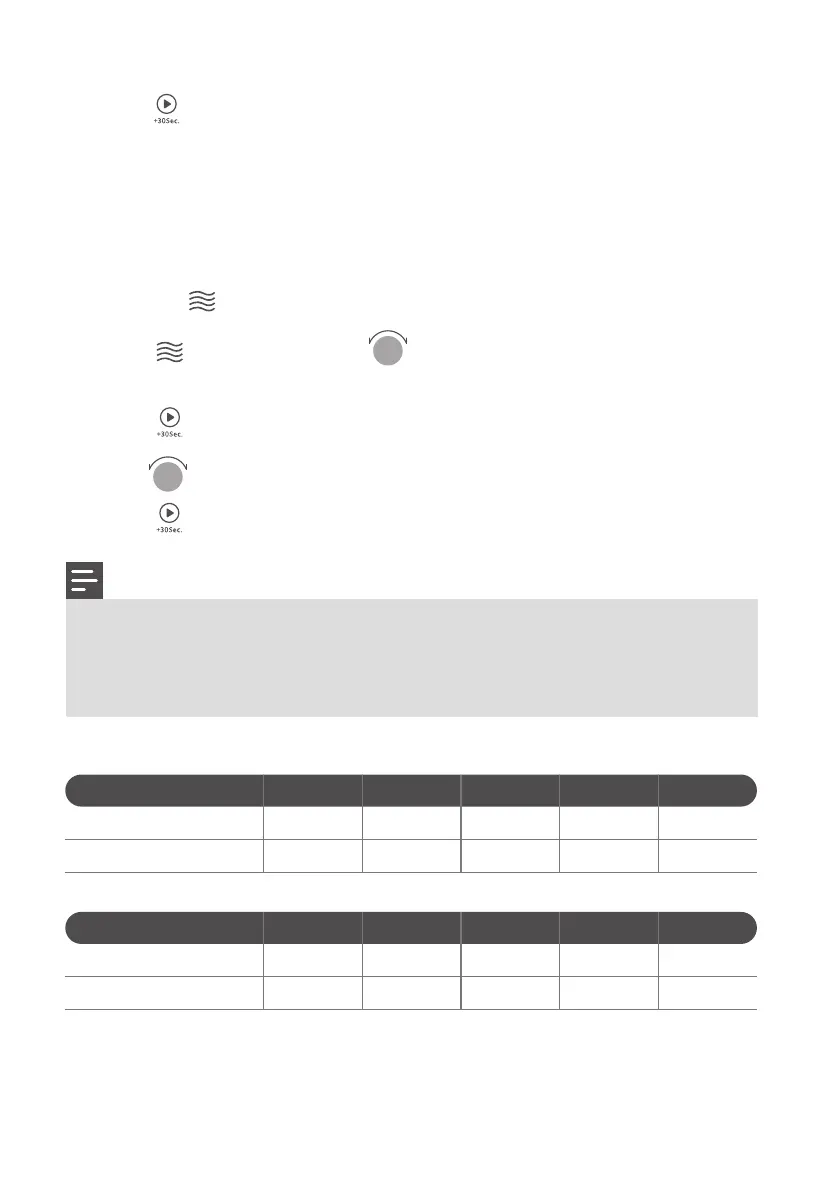
Press the " " key once, and "P100" display.
Press " " repeatedly or turn " " to select the microwave power "PL10",
"PL9", "PL8", "PL7", "PL6" , "PL5", "PL4", "PL3", "PL2", "PL1", will display in order.
Press " " to confirm.
Turn " " to adjust the cooking time. (The time setting should be 0:05- 95:00.)
Press " " to start cooking.
Microwave Power Chart
Press
Microwave Power
Display
Once
100%
PL10
Twice
90%
PL9
Thrice
80%
PL8
4 times
70%
PL7
5 times
60%
PL6
Press " " , to confirm setting.
When the kitchen time is reached, clock indicator will go out. The buzzer will
ring 5 times. If the clock has been set (12-hour system), screen will display the
current time.
3
4
The step quantities for the adjustment time of the coding switch are as follow:
0---1 min : 5 seconds
1---5 min : 10 seconds
5---10 min : 30 seconds
10---30 min : 1 minute
30---95 min : 5 minutes
Press
Microwave Power
Display
9 times
20%
PL2
10 times
10%
PL1
6 times
50%
PL5
7 times
40%
PL4
8 times
30%
PL3
EN-16




 To Next Page