EasyManua.ls Logo

Comfort Sentry OH-1202H - User Manual

Comfort Sentry OH-1202H
16 pages
Print Icon
To Next Page IconTo Next Page
Loading...
Programming Choices
7 Day 5+1+1 Day Non-Programmable
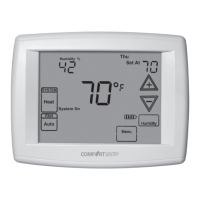
Universal Humidity Touchscreen Thermostat
with Humidity/Dehumidity Control and
Automatic Heat/Cool Changeover Option
PART NO. 37-7406A
1242
Single Stage, Multi-Stage, Heat Pump
Installation and Operating Instructions
APPLICATIONS
SPECIFICATIONS
Save these instructions for future use!
FAILURE TO READ AND FOLLOW ALL INSTRUCTIONS
CAREFULLY BEFORE INSTALLING OR OPERATING THIS
CONTROL COULD CAUSE PERSONAL INJURY AND/OR
PROPERTY DAMAGE.
THERMOSTAT APPLICATION GUIDE
Thermostat
Configuration Options
Thermostat
Applications
Maximum
Stages
Heat/Cool
Single Stage 1
No Heat Pump (SS1)
Gas, Oil, Electric, Heat Only,
Cool Only or Heat/Cool
Systems, 2 or 3 wire Hydronic
Zone (Hot Water or Steam)
Systems, 24 Volt or Millivolt
1/1
Multi Stage 2
No Heat Pump (MS2)
2/2
Heat Pump 1
Single Stage Compressor
Heat Pump (HP1)
Single Stage Compressor
Heat Pump Systems - up to 2
Stages Aux./Emergency Heat
3/1
Heat Pump 2
Two Stage or Two
Compressor Heat Pump
(HP2)
Two Stage or Two Compressor
Heat Pump systems - up to 2
Stages Aux./Emergency Heat
4/2
ATTENTION: MERCURY NOTICE
This product does not contain mercury. However, this prod-
uct may replace a product that contains mercury.
Mercury and products containing mercury must not be
discarded in household trash. Do not touch any spilled
mercury. Wearing non-absorbent gloves, clean up any
spilled mercury and place in a sealed container. For proper
disposal of a product containing mercury or a sealed
container of spilled mercury, place it in a suitable shipping
container. Refer to www.thermostat-recycle.org for loca-
tion to send the product containing mercury.
Index Page
Installation 2
Wiring Diagrams 3
Thermostat Quick Reference 5
Installer Configuration Menu 6
Operating Your Thermostat 10
Programming 12
Troubleshooting 15
Electrical Rating:
Battery Power .......................... mV to 30 VAC, NEC Class II, 50/60 Hz or DC
Input-Hardwire ......................... 20 to 30 VAC
Terminal Load ............................. 1.5A per terminal, 2.5A maximum all terminals combined
Setpoint Range ............................ 45 to 99°F (7 to 37°C)
Rated Differentials: Fast. Slow
Heat (Single Stage/Multi-Stage) ............ 0.6°F 1.5°F
Cool (Single Stage/Multi-Stage) ............ 1.2°F 1.7°F
Heat Pump ............................ 1.2°F 1.7°F
Emer Heat ............................ 0.6°F 1.7°F
Operating Ambient.......................... 32°F to +105°F (0 to +41°C)
Operating Humidity ......................... 90% non-condensing max.
Shipping Temperature Range ................. -40 to +150°F (-40 to +65°C)
Dimensions Thermostat...................... 4-9/16"H x 5-13/16"W x 1-3/16"D
Humidity Setpoint Range..................... 5 to 50%
Dehumidification Setpoint Range .............. 40 to 95%
To prevent electrical shock and/or equipment damage,
disconnect electric power to system at main fuse or
circuit breaker box until installation is complete.
CAUTION
!
OH-1202H

Questions and Answers

  • A
    Alexander BrownAug 13, 2025
    What to do if my Comfort Sentry Thermostat has no heat, cool, or fan?
    • C
      Casey SchroederAug 13, 2025
      If your Comfort Sentry Thermostat isn't producing heat, cool air, or fan, consider these potential causes: * A blown fuse or tripped circuit breaker: Replace the fuse or reset the breaker. * The furnace power switch is OFF: Turn the switch to ON. * The furnace blower compartment door or panel is loose: Replace the door panel correctly to engage the safety interlock or door switch. * Loose connection to the thermostat or system: Tighten the connections.
  • J
    Jennifer ObrienAug 17, 2025
    Why does my Comfort Sentry Thermostat heat, cool, or fan run constantly?
    • E
      Eileen MccoyAug 17, 2025
      If your Comfort Sentry Thermostat's heat, cool, or fan runs constantly, here are a few things to check: 1. Wiring: Look for any shorts in the wiring by checking each wire connection to ensure they are not shorted or touching. 2. Thermostat: Try resetting the thermostat. 3. FAN Switch: Check if the FAN switch is set to Fan ON. If the system operates correctly after making adjustments, consider replacing the thermostat.
  • R
    Rebecca RogersAug 21, 2025
    What to do if my Comfort Sentry Thermostat has no heat?
    • R
      Robert KellyAug 21, 2025
      If your Comfort Sentry Thermostat isn't producing heat, check the following: 1. Pilot light: Make sure the pilot light is lit; if not, re-light it. 2. Furnace Lock-Out Condition: If the heat works intermittently, assistance from a furnace manufacturer or local HVAC service is needed. 3. Thermostat: If the thermostat doesn't click after being reset, contact your heating and cooling service for a replacement.
  • A
    Amanda PowellAug 25, 2025
    What to do if my Comfort Sentry OH-1202H Thermostat has no cool air?
    • G
      Gary CobbAug 26, 2025
      If your Comfort Sentry Thermostat isn't producing cool air, the cooling system may require service or the thermostat may need replacement. Set the thermostat to COOL and lower the setpoint below the room temperature.
  • M
    Martin WhiteAug 28, 2025
    How to unlock my Comfort Sentry OH-1202H if I forgot the keypad lockout code?
    • R
      rachel10Aug 28, 2025
      To unlock your Comfort Sentry Thermostat if you've forgotten the keypad lockout code, press and hold the menu key (the key will disappear) for 20 seconds. This action unlocks the thermostat.
  • B
    Brian CoxSep 1, 2025
    Why do the Comfort Sentry OH-1202H Thermostat setting and thermometer disagree?
    • S
      smithmichaelSep 1, 2025
      If your Comfort Sentry Thermostat setting and thermometer disagree, it may be due to the thermostat thermometer setting requiring adjustment. The thermometer can be adjusted +/- 4 degrees.
  • O
    ortizbrendaSep 4, 2025
    What does it mean if my Comfort Sentry OH-1202H cycles too fast or too slow?
    • T
      Tara AyalaSep 4, 2025
      If your Comfort Sentry Thermostat cycles too fast or too slow, it could be influenced by the thermostat's location and/or the size of the heating system.
  • B
    bakerashleySep 8, 2025
    What to do if my Comfort Sentry Thermostat display is blank or the keypad isn't responding?
    • Q
      qshawSep 9, 2025
      If your Comfort Sentry Thermostat display is blank or the keypad isn't responding, it could be due to a voltage spike or static discharge. Use the Reset Operation.

Summary

General Information and Specifications

Programming Choices

Options for selecting 7 Day, 5+1+1 Day, or Non-Programmable modes.

Thermostat Application Guide

Table matching thermostat configurations to system types.

Specifications

Technical details like electrical rating, ranges, and dimensions.

Safety and Notices

Important safety warnings and mercury content notice.

Installation Procedures

Pre-Installation Warnings

Critical safety warnings regarding electrical shock and damage.

Thermostat Removal and Installation

Step-by-step guide for installing the thermostat.

Power and Battery Management

Information on battery location and power stealing switch settings.

System Wiring Diagrams

Non-Heat Pump System Wiring

Wiring diagrams for single and multi-stage non-heat pump systems.

Heat Pump System Wiring

Wiring diagrams for single and multi-stage heat pump systems.

Humidity and Sensor Wiring

Dehumidification and Humidifier Connections

Wiring diagrams for humidity control and humidifier systems.

Thermostat Interface and Quick Reference

Home Screen Display Overview

Explanation of the thermostat's main screen layout and icons.

Keypad Functions and Icons

Description of programmable items, keys, and display indicators.

Installer Configuration Menu

System Type and Programming Configuration

Settings for system type, programming modes, and energy management.

Installer Configuration Menu - Advanced Settings

Adjustable Settings and Lockouts

Configuration for anticipation, display, beeper, DST, and keypad lockout.

Installer Configuration Menu - Comfort and Protection

Comfort Features and Protection Settings

Settings for Cool Savings, Compressor Optimization, and Comfort Alert.

Temperature Limit Settings

Configuration of maximum heat and minimum cool setpoints.

Installer Configuration Menu - Humidity and Dual Fuel

Dual Fuel and Auxiliary Heat Settings

Configuration for dual fuel operation and auxiliary heat cut-out.

Humidity Control Configuration

Settings for automatic humidification, reduction, and cycling.

Installer Configuration Menu - Maintenance Reminders

Maintenance Reminder Settings

Configuration for UV lamp, humidifier pad, and filter change reminders.

Thermostat Operation Modes

Emergency Heat Operation

How to use the emergency heat mode on heat pump systems.

Cooling and Dehumidification

Operation of cooling mode and dehumidification features.

Fan and System Mode Selection

How to select fan operation and system modes (Cool, Off, Heat, Em, Auto).

Programming Your Thermostat

Setting Time, Date, and Copying Programs

Initial setup and methods for copying programmed schedules.

Entering Heating Programs

Step-by-step guide for setting heating schedules for different periods.

Advanced Programming Options

Entering Cooling Programs

Step-by-step guide for setting cooling schedules for different periods.

Automatic Schedule and Fan Control

Using auto schedule for temperature setting and programmable fan options.

Programming Worksheets and Remote Sensors

Custom Program Worksheet

A template for planning personalized heating and cooling schedules.

Wired Remote Temperature Sensor Setup

Instructions for installing and configuring remote sensors.

Advanced Features and Diagnostics

Remote Sensor Averaging and Dual Fuel

Configuring sensor weighting and dual fuel switchover temperature.

Blower Balance Point and Comfort Alerts

Settings for fan speed adjustment and system fault code interpretation.

Troubleshooting and Reset

Thermostat Reset Procedure

Steps to reset the thermostat to clear faults or erratic behavior.

Common Symptoms and Solutions

Troubleshooting guide for typical thermostat and system issues.

Overview

This document describes the Universal Humidity Touchscreen Thermostat with Humidity/Dehumidity Control and Automatic Heat/Cool Changeover Option, specifically for Single Stage, Multi-Stage, and Heat Pump systems. It provides comprehensive installation and operating instructions.

Function Description:

The thermostat is designed to provide precise control over heating, cooling, humidification, and dehumidification in residential and light commercial environments. It features a touchscreen interface for easy programming and configuration. The device supports various HVAC system types, including single-stage, multi-stage, and heat pump systems with single or two compressors, and offers automatic heat/cool changeover. Users can choose between 7-day, 5+1+1 day, or non-programmable modes to suit their scheduling needs. Advanced features include Energy Management Recovery (EMR) for optimized energy use, Compressor Lockout to protect the compressor from short cycling, and Cool Savings™ for energy efficiency during peak cooling loads. It also supports remote temperature and humidity sensing, and includes reminders for filter, humidifier pad, and UV lamp changes.

Important Technical Specifications:

  • Electrical Rating:
    • Battery Power: mV to 30 VAC, NEC Class II, 50/60 Hz or DC
    • Input-Hardwire: 20 to 30 VAC
    • Terminal Load: 1.5A per terminal, 2.5A maximum all terminals combined
  • Setpoint Range: 45 to 99°F (7 to 37°C)
  • Rated Differentials:
    • Heat (Single Stage/Multi-Stage): Fast 0.6°F, Slow 1.5°F
    • Cool (Single Stage/Multi-Stage): Fast 1.2°F, Slow 1.7°F
    • Heat Pump: Fast 1.2°F, Slow 1.7°F
    • Emer Heat: Fast 0.6°F, Slow 1.7°F
  • Operating Ambient: 32°F to +105°F (0 to +41°C)
  • Operating Humidity: 90% non-condensing max.
  • Shipping Temperature Range: -40 to +150°F (-40 to +65°C)
  • Dimensions Thermostat: 4-9/16"H x 5-13/16"W x 1-3/16"D
  • Humidity Setpoint Range: 5 to 50%
  • Dehumidification Setpoint Range: 40 to 95%
  • Remote Temperature Sensing Range: Outdoor -40°F to 140°F, Indoor 32°F to 99°F
  • Maximum Stages Heat/Cool: 1/1 for Single Stage 1, 4/2 for Multi Stage 2 and Heat Pump systems.

Usage Features:

  • Touchscreen Interface: The thermostat features a clear, easy-to-read touchscreen display for all settings and programming.
  • Programming Choices: Offers 7-day, 5+1+1 day, or non-programmable options. Up to 4 program steps per day (Morning, Day, Evening, Night) are available, or 2 steps (Day, Night) if configured.
  • System Modes: Users can select Cool, Off, Heat, Em (Emergency Heat for heat pumps), or Auto (automatic heat/cool changeover).
  • Fan Operation: Options for Fan Auto (runs only when heating/cooling system is on) or Fan On (runs continuously for increased air circulation). Programmable fan operation (FAN Prog) is also available during scheduled periods.
  • Humidity Control: Integrated humidity and dehumidification control with adjustable setpoints. Features like Automatic Humidification (AH) and Automatic Humidity Reduction (HR) enhance comfort and prevent condensation.
  • Power Stealing Assist: Designed to extend battery life by drawing supplemental power through the heat or cool circuit, though it can be disabled if system incompatibility issues arise.
  • Keypad Lockout: Provides security options including Total Lockout (all keys locked), Partial Lockout (only up/down keys operate within set limits), and Temperature Limit/Keypad Lockout (prevents limit changes).
  • Dual Fuel Feature: For heat pump systems with fossil fuel backup, this feature optimizes the switchover point between the heat pump and auxiliary heat based on outdoor temperature or software logic.
  • Blower Balance Point for Heating: Allows adjustment of fan speed in heat pump systems to circulate warmer air when outdoor temperatures drop.
  • Compressor Optimization: Provides a delay in fan operation after the compressor turns on/off to optimize heating/cooling.
  • Comfort Alert Integration: Displays fault codes from compatible Comfort Alert modules to diagnose system issues and protect the compressor.
  • Temporary Override: Allows temporary adjustments to the setpoint for a specified duration (15 minutes to 7 days) without altering the programmed schedule.
  • Auto Schedule: A quick programming feature that sets comfortable daytime temperatures and lowers them at night for heating, or sets a consistent temperature for cooling.
  • Daylight Saving Time Calculation: Automatically adjusts for DST.

Maintenance Features:

  • Battery Level Indicator: Displays current power level of the 2 "AA" batteries and indicates when replacement is needed.
  • Change Reminders: Displays "Change Filter," "Change Pad," and "Change UV Lamp" as reminders based on programmed run times, prompting users to perform necessary maintenance. These reminders can be cleared by pressing "Clean Display."
  • Troubleshooting Guide: Includes a comprehensive troubleshooting section for common issues like no heat/cool/fan, constant running, temperature discrepancies, and keypad lockout.
  • Reset Operation: Instructions for resetting the thermostat in case of voltage spikes or erratic operation.
  • Mercury Notice: Explicitly states that the product does not contain mercury and provides information on proper disposal of mercury-containing products if this thermostat is replacing one.

Comfort Sentry OH-1202H Specifications

General IconGeneral
BrandComfort Sentry
ModelOH-1202H
CategoryThermostat
LanguageEnglish