5
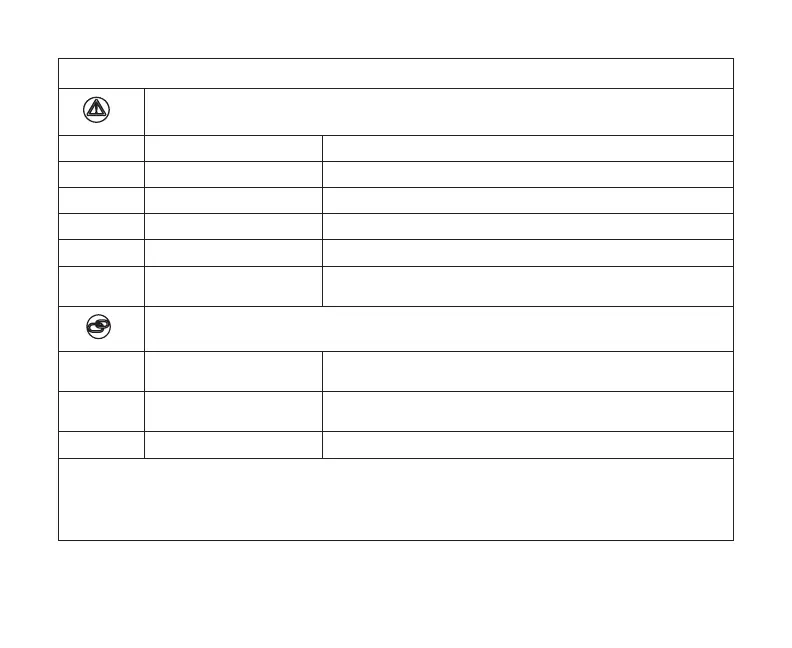
Table 1. System and Commissioning Status Indicators
System Status Indicators
LED Color System Status Description
Green System is normal No system errors (Default state)
Red HVAC Error System has critical alert which needs installer attention.
Cyan Alerts Indoor unit is not connected or unable to communicate.
Magenta Thermostat Error HD display not connected.
Amber Wi-Fi
Either Wi-Fi is not connect, no Wi-FI is within range, or Wi-Fi
hardware error.
Commissioning Status Indicators
Blue System is normal
No mobile device is directly connected using Wi-Fi to the
Smart Hub.
Green LED is blinking
Commissioning button has been activated and Smart Hub is
awaiting for a connection with a mobile device.
Green LED is solid Mobile device is connected to the Smart Hub.
NOTE: When multiple errors are present the Smart Hub will display each condition for one second
on and one second o. Then it will display the next color error code indicator and continue
this sequence until all active errors have been displayed. Then all active errors are repeated
continuously. Display priority for these conditions are HVAC, Alerts, Thermostat and then Wi-Fi
errors.


 To Next Page