Need help?
Do you have a question about the Comfort Sync A3 and is the answer not in the manual?
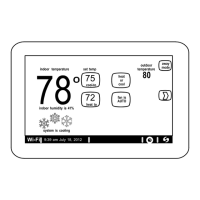
Explains the heat/cool position indicators and temperature display on the main screen.
Details icons, time, date, and notification indicators on the home screen.
Explains icons for Menu, Away, Away Sync, and Zone status for quick reference.
Details icons for Heating, Cooling, Humidifying, Dehumidifying, and Defrosting modes.
Covers Emergency Heat, Auxiliary Heat, Ambient Lockout, Ventilating, Fan, and Allergy Sync status.
Explains icons for System Under Test, Load Shedding, and Changing Set Point Range.
Details icons for Coasting to Temp Hold, Ventilating, Energy Savings, and Schedule status.
Outlines the available options within the system settings menu on the thermostat.
Step-by-step guide for connecting the thermostat to a visible or hidden Wi-Fi network.
Information on signal strength, interference, and common connection problems.
Instructions for naming or unregistering your Comfort Sync system.
Explains how Away Sync uses mobile device location for automatic temperature adjustments.
Details how True Temp uses indoor/outdoor conditions to determine comfort level.
Describes how the system operates in Heat/Cool mode, including auto-changeover.
Explains the function and usage of auxiliary heat sources for the system.
Options for humidifying and dehumidifying, including set points and modes.
Details the setup and operation of the Comfort Sync zoning system.
Lists types of notifications and provides details on setting reminders for accessories.
Guides users through enrolling in and enabling the Energy Savings feature.
Covers installer-only settings, restart options, general info, and dealer details.
Options for outdoor weather, screen saver, photo uploads, and screen brightness.
Instructions for creating or accessing a user account for remote system access.
Details heating/cooling changeover, damper, and dual-fuel operation for zoning.
Guides for setting up and using Amazon Alexa and Google Assistant with the thermostat.
Provides FCC compliance statements and RF exposure information.
Highlights app features like remote control, Away Sync, True Temp, and Allergy Sync.
 General
| Type | Smart Thermostat |
|---|---|
| Wi-Fi | Yes |
| Mobile App | Yes |
| Display | Color touchscreen |
| Energy Saving Features | Yes |
| Programmability | 7-day programmable |
| Remote Access | Yes |
| Scheduling | Yes |
| Energy Monitoring | Yes |
| Geofencing | Yes |
| Warranty | 5-year limited warranty |
| Voice Control | Amazon Alexa, Google Assistant |
| Operating Modes | Heat, Cool, Auto |
| Compatibility | Most HVAC systems |

 To Next Page