13
Table 3. Humidity Control Modes of Operations
Dehumidication
Only
Normal
Both Staged and Modulating Outdoor Units: This
setting is recommended when the air outside is
not too humid.
Max
• Staged Outdoor Unit: This setting is
recommended when the outdoor air is
excessively humid. This setting may cool your
home below the set temperature in order to
remove excessive indoor humidity.
• Modulating Outdoor Unit: Recommend when
the outdoor air is excessively humid. This
setting adjusts cooling based on duct sensor
data. This setting may cool your home below
the set temperature.
NOTE: Discharge air temperature sensor
(catalog number 88K38) is required.
Climate Sync
Climate Sync is applicable only to Comfort Sync
A3 controlled system with either communicating
staged or modulating outdoor units only. This
setting automatically adjusts both indoor fan
speed and cooling power based on local climate
conditions using Climate Sync
TM
technology.
This setting may cool your home below the set
temperature.
Dehumidication
Only
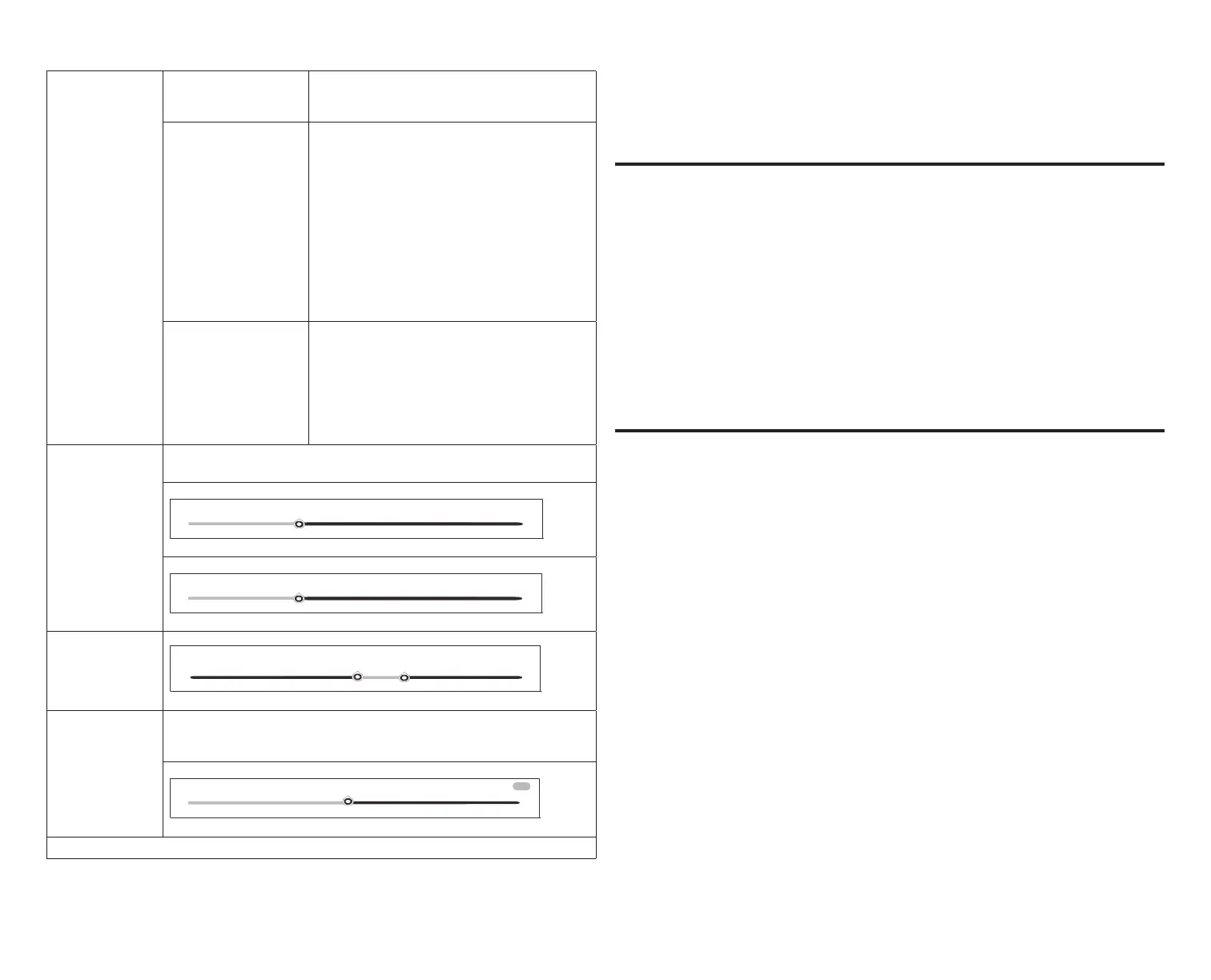
The below adjustment tools are only available with either Max or Climate
Sync setting selected.
0°F
0°F
4°F
2°F
48%
dehumidification set−point
60%
40%
Humidication +
Dehumidication
15%
40%
48%
humidification set−point + dehumification set−point
60%
Dew Point
Dew point adjustment mode will change the humidication set point based
on the outdoor temperature and a user-dened dew point adjustment
setting.
0%
15%
−15%
on
1
Allied variable capacity outdoor units only.
Dehumidication Accessory Installed
When an auxiliary dehumidier is installed, the only setting available is
dehumidication set point slider adjustment tool is available. The only
adjustment tool will be the Dehumidication Set Point Percentage.
Comfort Sync Zoning
This section is applicable only to Comfort Sync A3 controlled systems that
have the Comfort Sync zoning system installed. Works only with Allied
communicating systems.
This option will only appear on the menu if an Comfort Sync zoning system is
installed.
1. Zoning: This section allows the user to turn ON or OFF zoning. If zoning is
automatically detected by the system, the default is ON.
2. Zones 1 through 4: Pressing on the right arrow will bring up a screen so
that each zone can be renamed if desired.
For more information concerning Comfort Sync zoning operation, see “Comfort
Sync Zoning Operations” on page 19.
Notications (Reminders Only)
This section allows the user to setup reminders for various accessories. By
default all listed items are disabled. The reminders can be set for 3, 6, 12 or 24
months and a custom reminder by specic date can be set. Reminders options
are:
• Replace Filter 1 or Replace Filter 2
• Replace UV bulb
• Replace humidier pad
• Maintenance reminder


 To Next Page