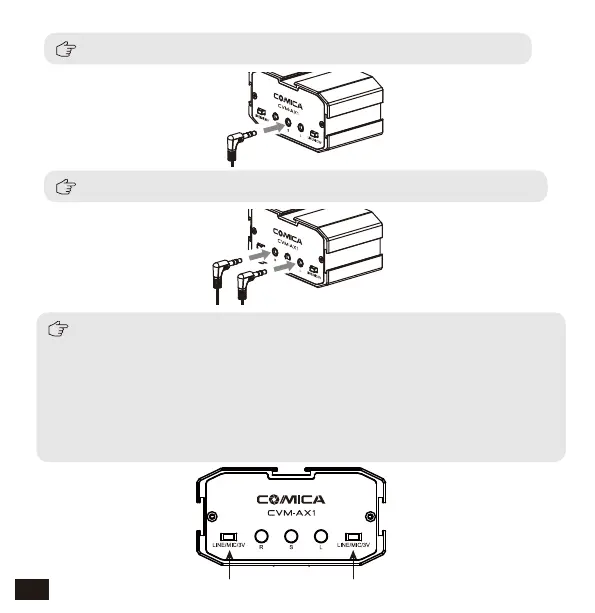
For stereo mic, connect it to the stereo input jack ('S')
For mono mic, connect it to the corresponding 'L' / 'R' input jack
Before using, you need to set the "LINE/MIC/3V switch" to the
corresponding position according to the microphone type
LINE/MIC/3V Switch LINE/MIC/3V Switch
a. If you are using LINE IN input, set the switch to the “LINE”;
b. If you are using a positive microphone(Microphone with internal
battery-powered), set the switch to the “MIC”;
c. If you are using a passive microphone(Microphone without internal
battery-powered), set the switch to the “3V”
8


 To Next Page