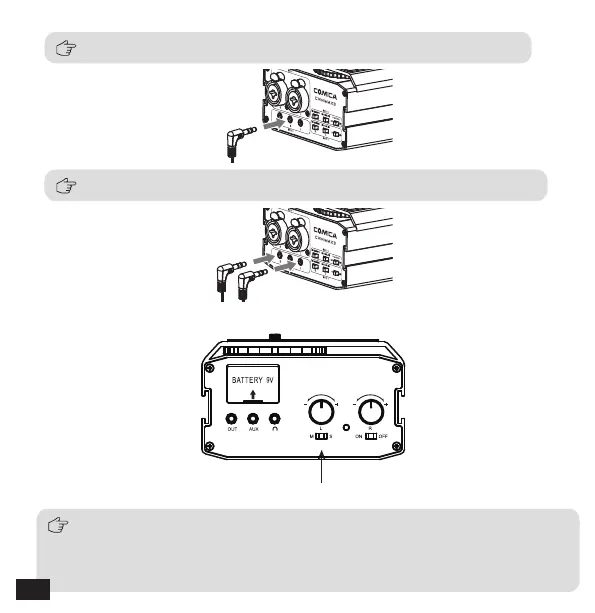
For stereo mic, connect it to the stereo input jack ('S')
6.Set Mono/Stereo switch
For mono mic, connect it to the corresponding 'L' / 'R' input jack
Mono/Stereo switch
a. When uses only one mic or one channel, select ‘M’ and the output is mono
b. When uses two mics or two channels simultaneously, you can optionally
switch to 'M' (Mono Mode) or 'S' (Stereo Mode) according to your needs
14


 To Next Page