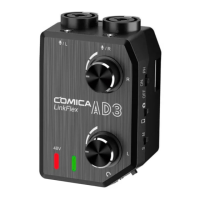
1. After installing the recording
device, adjust the output
mode according to the
device
2. After installing the monitor
headphones, please adjust
the monitor mode according
to the requirements
Step 1:
Install the microphone
Step 3:
Install the recording device
(smartphone or camera)
Step 2:
Install the monitor
headphone
:Smartphone Mode
:Camera Mode
:Smartphone Playback
Monitoring Mode
:Microphone Real-time
Monitoring Mode
4.Installation method (Take XLR audio plug for example)
7


 To Next Page