When there is only one group
microphone connected with
this device, then you have to
set the M/S to Mono mode
Without the correct switch to
the corresponding output
mode will result in an
unsuccessful recording
If your microphone requires phantom power
to work, please set the switch to PH
Stereo Mode Mono Mode
Smartphone Output Mode
Turn on
Camera Output Mode
Turn o Phantom Power
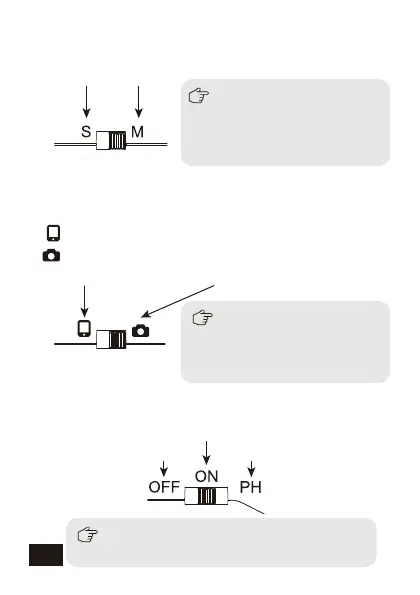
7.Mono/Stereo output switch
S: Stereo Mode; M: Mono Mode
9.Power/ Phantom power switch
OFF: Turn o; ON: Turn on; PH: Phantom Power
8.Smartphone/Camera output mode switch
:Smartphone Output Mode
:Camera Output Mode
10


 To Next Page