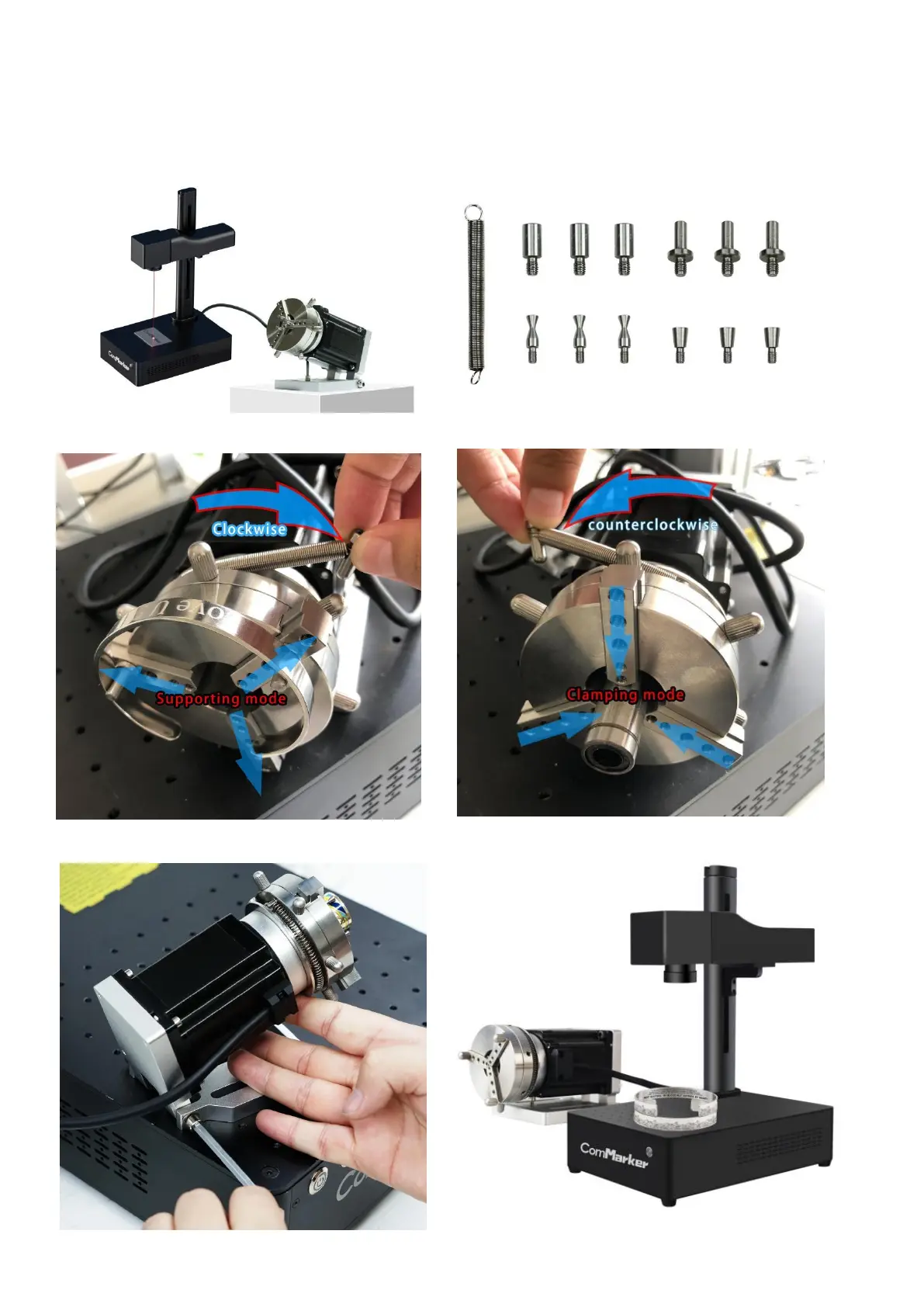
Instruction for Rotary Device
Physical Operation (Rotary Axis)
1. Connect the machine with the rotary Axis as follow, and place the rotary on the work table
2. Clamp the cylinder object by using the anticlockwise mode, or support a ring by using clockwise mode.
3. Lift up or down to change the angle of the rotary chuck if necessary



 To Next Page