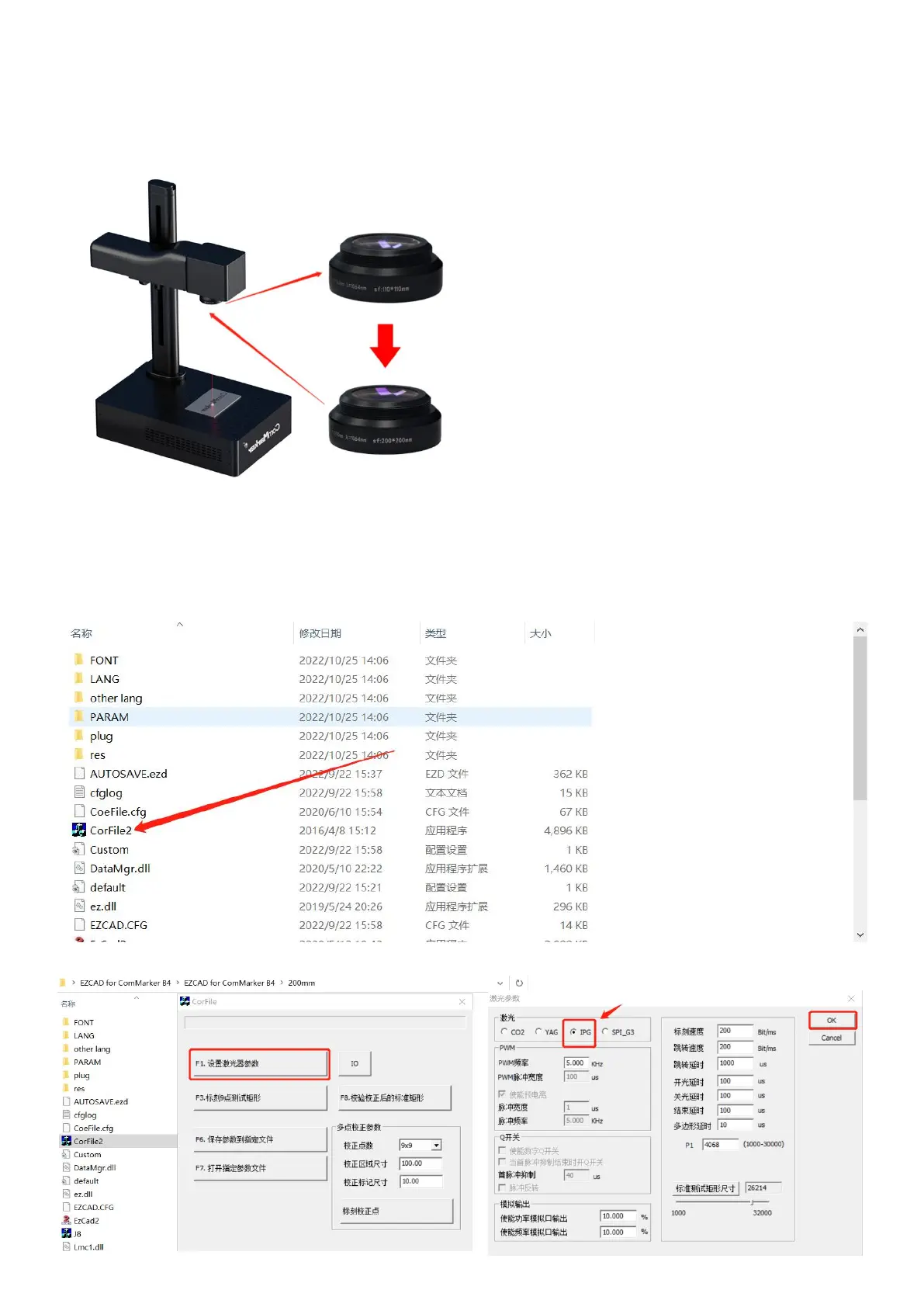
Replace the different field lens
1. For Example: Install the 200mm field lens after removing the 110mm lens by screwing by hand
2. Re-adjust the focus as focus length will change with the new lens. Please refer to this manual above Operation
instructions --->Step 4 Adjust the focus
3. Field lens 9 points calibration.
(1) Open the USB folder, open the "EZCAD for ComMarker" folder, and select the 200mm folder. Open the software
“CorFile2” (the software EZCAD need to be closed first).
(2) Click “F1”, set laser source parameters, select “IPG” and click “OK”



 To Next Page