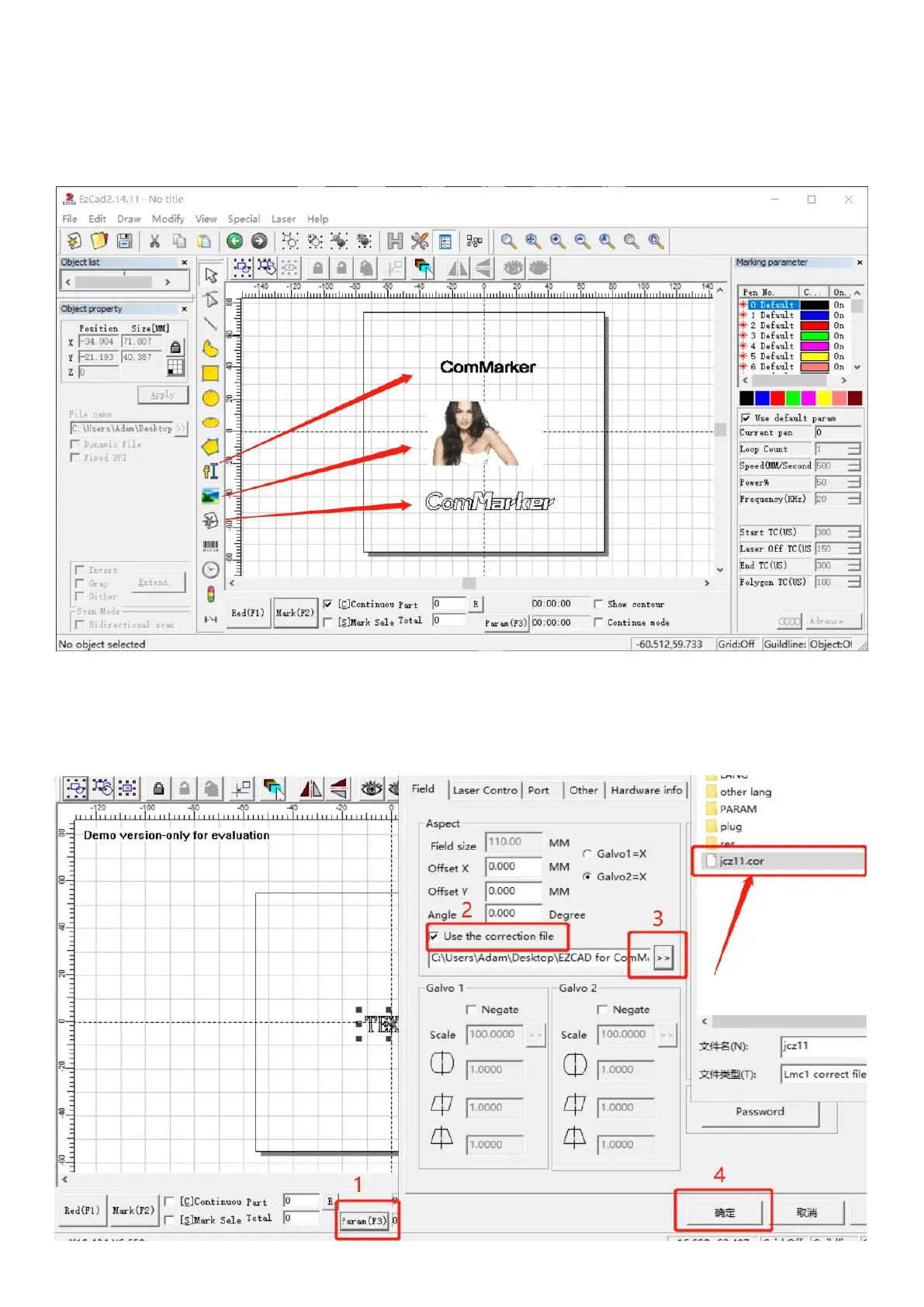
2. Open the software
Open the USB folder, open the "EZCAD for ComMarker" folder, and select the 150mm folder if the lens is 150mm. Open
the software “EZCAD2”. You can enter "text", import "picture" or "vector file" as shown in the figure below. It is
recommended to select the text to test first.
3. Import the correction file
Select "Parameter (F3)", tick "Use Correct File", select the file ending in .cor in the USB flash drive (or have been copied to
the computer disk), and click "OK (确认)".(if your machine is mopa, pls read page 11)
4. Adjust the focus



 To Next Page