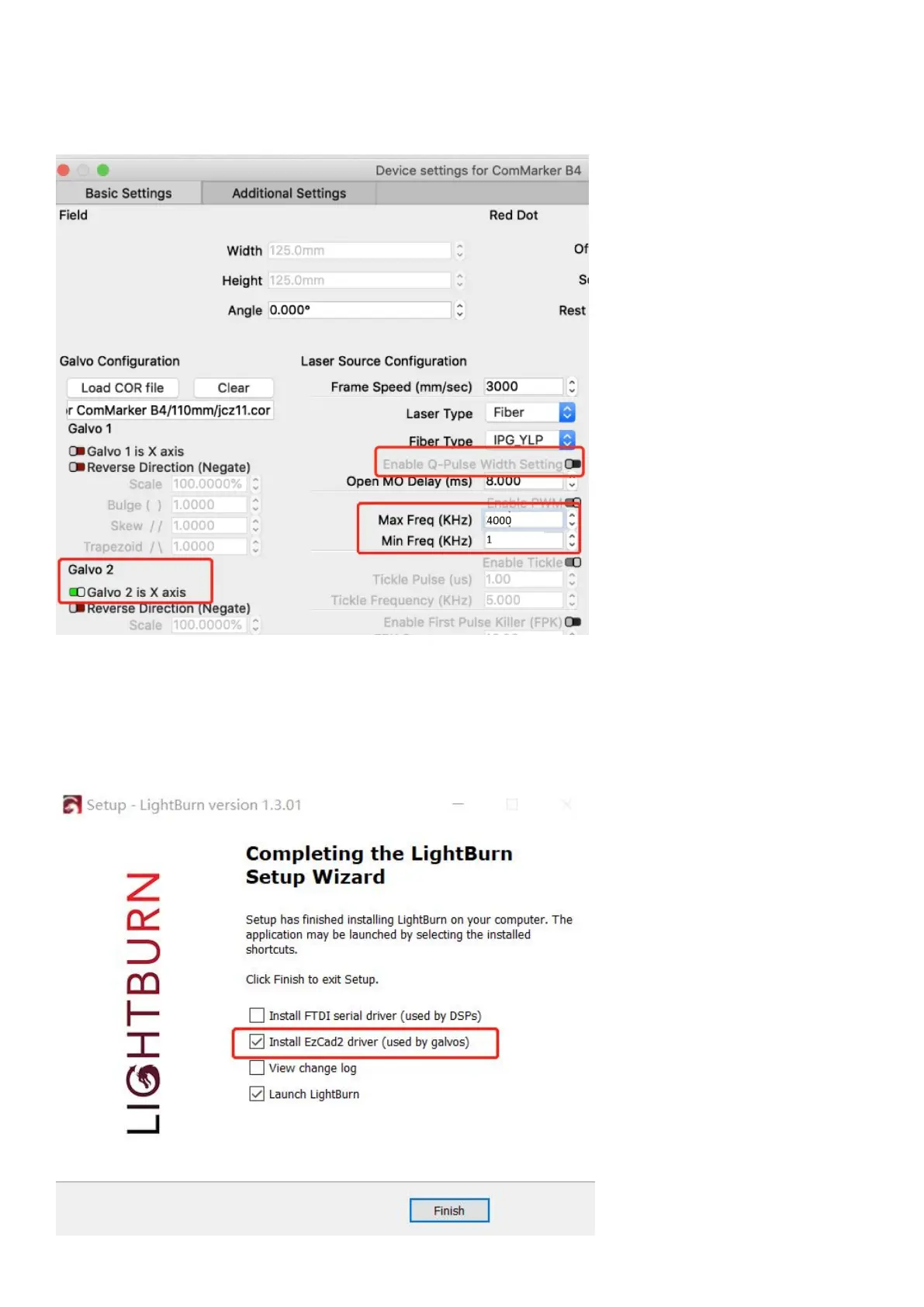
Special Setting for JPT MOPA fiber
13. Change the setting of Freq “Min 1”, “Max 4000”. Switch on “Galvo 2”. Switch on the button “Enable Q-Pulse Width
Setting” (Make sure the Fiber Type is “IPG _YLP” or “JPT”)
Lightburn Operation Tutorial (For Window system)
Refer to the operation on MacOS, please don’t forget to install the driver when installing Lightburn software as the
following picture shows:



 To Next Page