3. Wiring & Installation
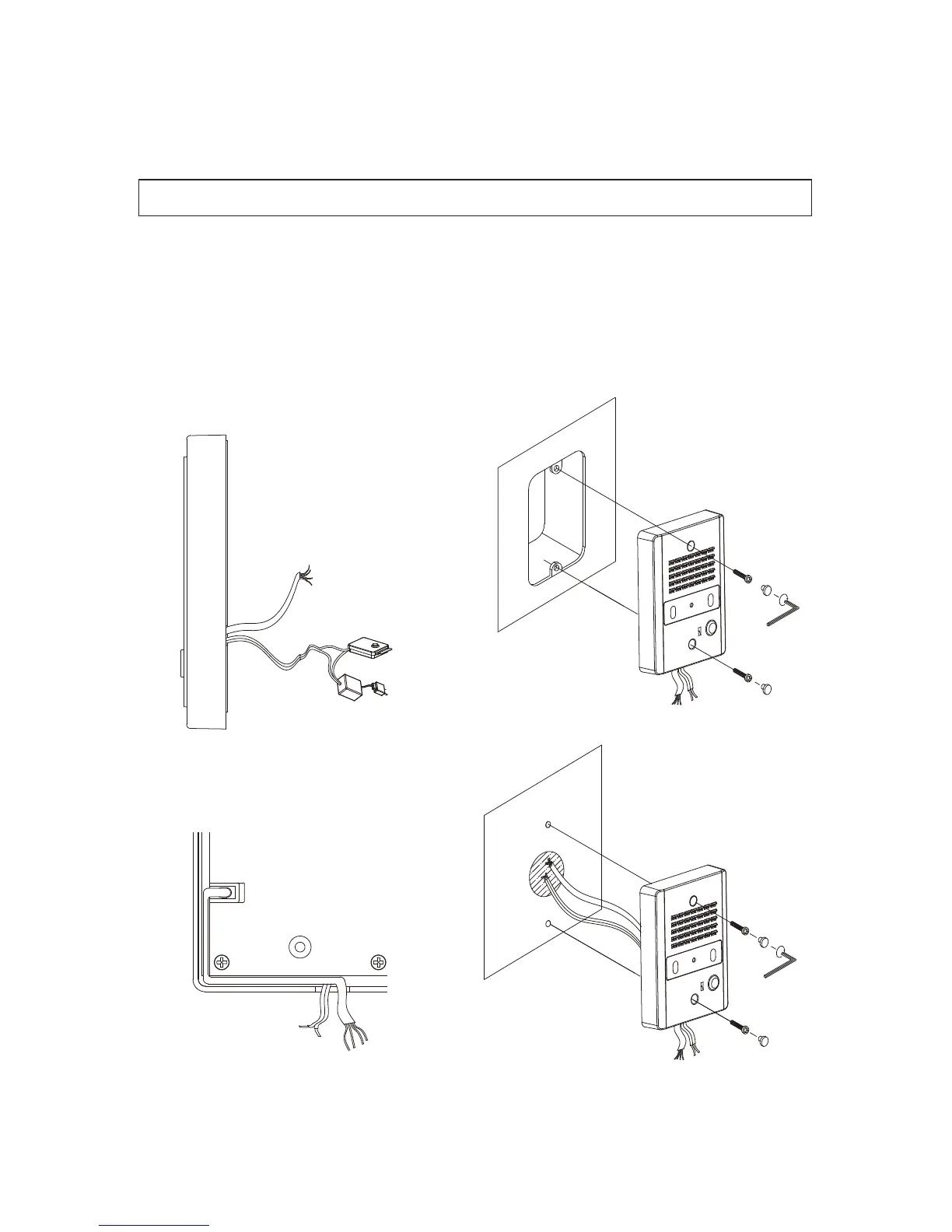
1. Cut out the mounting template included in the manual and use it to drill mounting holes (Ø6.5)
on the wall. Insert Concrete anchors in the holes.
2. Wire the household monitor cables as shown below. with matched polarity.[FIG-2]
(#1:RED/VOICE, #2:BLUE/GND, #3:YELLOW/DC12V, #4:BLACK/VIDEO)
3. Connect the door release cable as shown below.[FIG-2]
4. For exposed wiring, organize the wiring through the case as shown below.[FIG-3]
5. Secure using bolts and cover with AL. Screw Covers.[FIG-4]


 To Next Page