2.
Wiring & Installation
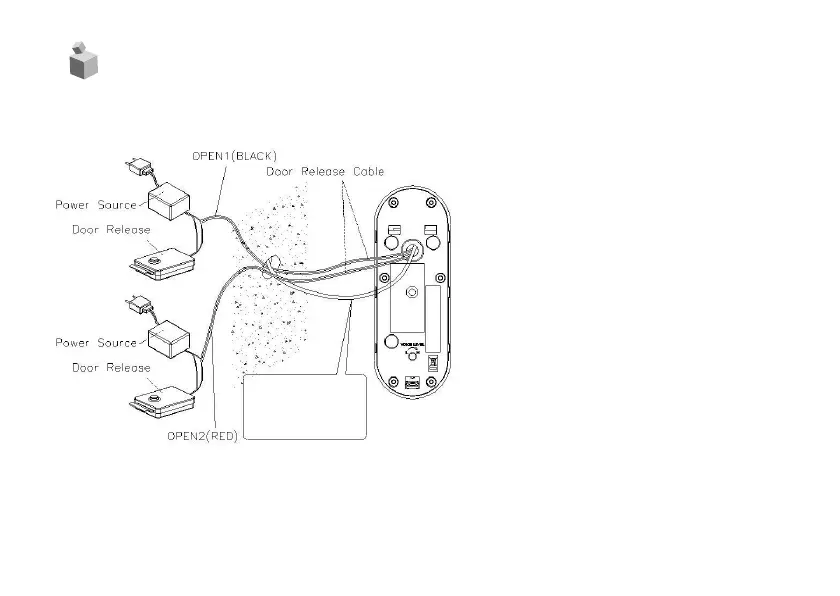
[FIG-3]
1.
Align holes on the wall where the unit is
to be installed with mounting brackets hole
and secure.
FIG-1 : Install the camera at a 30
˚
angle to
the left (install the bracket in reverse
to angle 30
˚
to the right)
FIG-2 : Install the camera at a perpendicular
angle to the front
2.
Wire the household monitor cables as
shown below with matched polarity as
picture below[FIG-3]
(#1:RED/VOICE, #2:BLUE/GND,
#3:YELLOW/DC12V, #4:BLACK/VIDEO)
3.
Wire the door release cable as shown in
the diagram.[FIG-3]
4.
Tighten using bolts and a wrench, then
cover using the AL. screw covers.



 To Next Page