
EasyManua.ls Logo

Commercial Electric TITLE20 - User Manual

Commercial Electric TITLE20
16 pages
Print Icon
To Next Page IconTo Next Page
Loading...
THANK YOU
We appreciate the trust and confidence you have placed in Commercial Electric through the purchase of this
recessed retrofit downlight. We strive to continually create quality products designed to enhance your home. Visit
us online to see our full line of products available for your home improvement needs. Thank you for choosing
Commercial Electric!
USE AND CARE GUIDE
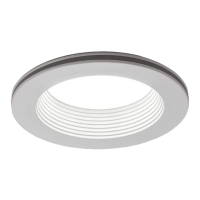
TITLE20 - 4IN., 6IN. COLOR CHANGING
DOWNLIGHT WITH NIGHTLIGHT
Questions, problems, missing parts? Before returning to the store,
call Commercial Electric Customer Service
8 a.m. - 7 p.m., EST, Monday - Friday
9 a.m. - 6 p.m., EST, Saturday
1-877-527-0313
HOMEDEPOT.COM
Item # 1000000000
1000000000
Model # 53804301
53805301

Questions and Answers

  • J
    Jared JonesJul 30, 2025
    Why is my Commercial Electric TITLE20 not working?
    • R
      ryan02Jul 30, 2025
      If your Commercial Electric Light Fixture isn't lighting, several factors could be the cause. First, ensure that the power supply is on. Next, check that the circuit breaker is in the on position. Also, a bad connection could be the reason, so check to ensure proper wire connections are made. If these steps don't resolve the issue, there could be a defective switch, in which case you should contact a qualified electrician.
  • H
    Howard DanielsAug 7, 2025
    What to do if the Commercial Electric TITLE20 Light Fixture causes the fuse to blow?
    • R
      Ruth Allen MDAug 7, 2025
      If your Commercial Electric Light Fixture causes the fuse to blow or the circuit breaker to trip when you turn it on, it could be due to crossed wires or the power wire grounding out. You should check the wire connections. It is recommended to contact a qualified electrician or call Commercial Electric customer service at 1-877-527-0313.
  • L
    Laura PrestonAug 14, 2025
    How to stop Commercial Electric Light Fixture from flickering?
    • J
      John GarrisonAug 14, 2025
      If your Commercial Electric Light Fixture flickers or makes a buzzing sound, it could be due to a couple of reasons. One possibility is that the dimmer circuit is not compatible with the product. Another reason might be that the dimming circuit is set outside the dimming range of the product; in this case, turn or slide the dimmer switch to adjust the light output until the flickering or buzzing stops.
  • J
    Joy GarciaAug 20, 2025
    What to do if my Commercial Electric Light Fixture is out of sync?
    • K
      katie07Aug 20, 2025
      If your Commercial Electric Light Fixture is out of sync, it may be because you slid the dimmer too fast. To fix this, turn off the wall switch for more than 3 seconds, then turn it back on. Another possible cause is that the dimmer circuit is not compatible with the product.

Summary

Safety Information

General Safety Warnings

Carefully read manual, ensure power is off, and use qualified personnel for installation.

Installation Guidelines

Follow guidelines for luminaire compatibility, enclosure integrity, and wire protection during installation.

Compliance and Usage Notices

Notices regarding FCC compliance, code adherence, installation types, and usage limitations.

Warranty

Warranty Coverage

Manufacturer warrants fixture for five years against defects in materials and workmanship.

Warranty Exclusions

Warranty excludes improper installation, misuse, accidents, alterations, or normal wear and tear.

Pre-Installation

Planning and Preparation

Plan installation, ensure all parts are present, and compare with the package contents list.

Required Tools

Lists essential tools: Phillips screwdriver, safety goggles, gloves, and ladder.

Package Contents

Details package contents: LED Light Module (A) and Socket Adapter (B).

Installation

Turn Off Power

Ensure power is off at the source before removing the old fixture and bulb/trim.

Connect Socket Adapter

Screw the medium base (E26) socket adapter (B) into the socket in the recessed housing.

Connect Cables

Plug the cable connector from the socket adapter (B) into the LED light module (A).

Install LED Module

Carefully push the LED light module (A) into the housing until flush with the ceiling surface.

Adjusting Color Temperature

Select Color Temperature

Choose from five CCT options (2700K-5000K) using the toggle switch on the module.

Set Color Temperature Switch

Move the toggle switch on the back of the LED module to select CCT before installation.

Selecting Downlight or Nightlight Mode

Activate Downlight Mode

Turn on the light switch to activate the main downlight mode with full brightness.

Activate Nightlight Mode

Switch the downlight off and back on within 3 seconds to activate nightlight mode.

Return to Downlight Mode

Switch the downlight off and back on again to return to full output downlight mode.

Care & Cleaning

Cleaning Precautions

Disconnect power before cleaning. Use a soft, dry cloth; avoid chemicals and abrasives.

Cleaning Instructions

Clean the fixture using a soft, dry cloth only. Do not use chemical cleaners or abrasives.

Troubleshooting

Troubleshooting Safety

Disconnect power before performing any troubleshooting or work on the fixture.

Fixture Not Lighting

Check power supply and circuit breaker. Ensure proper wire connections.

Breaker Tripping

Check for defective switches, crossed wires, or grounding issues. Contact electrician if needed.

Flickering;Buzzing Issues

Check dimmer compatibility and dimming range. Adjust dimmer or consult compatible dimmer list.

Sync Issues

Dimmer switch moved too fast or incompatible. Reset switch or check dimmer compatibility.

Light Distribution

Light Distribution Chart (Model 53805301)

Presents the light distribution pattern for model 53805301.

Light Distribution Chart (Model 53804301)

Presents the light distribution pattern for model 53804301.

Commercial Electric TITLE20 Specifications

General IconGeneral
BrandCommercial Electric
ModelTITLE20
CategoryLight Fixture
LanguageEnglish