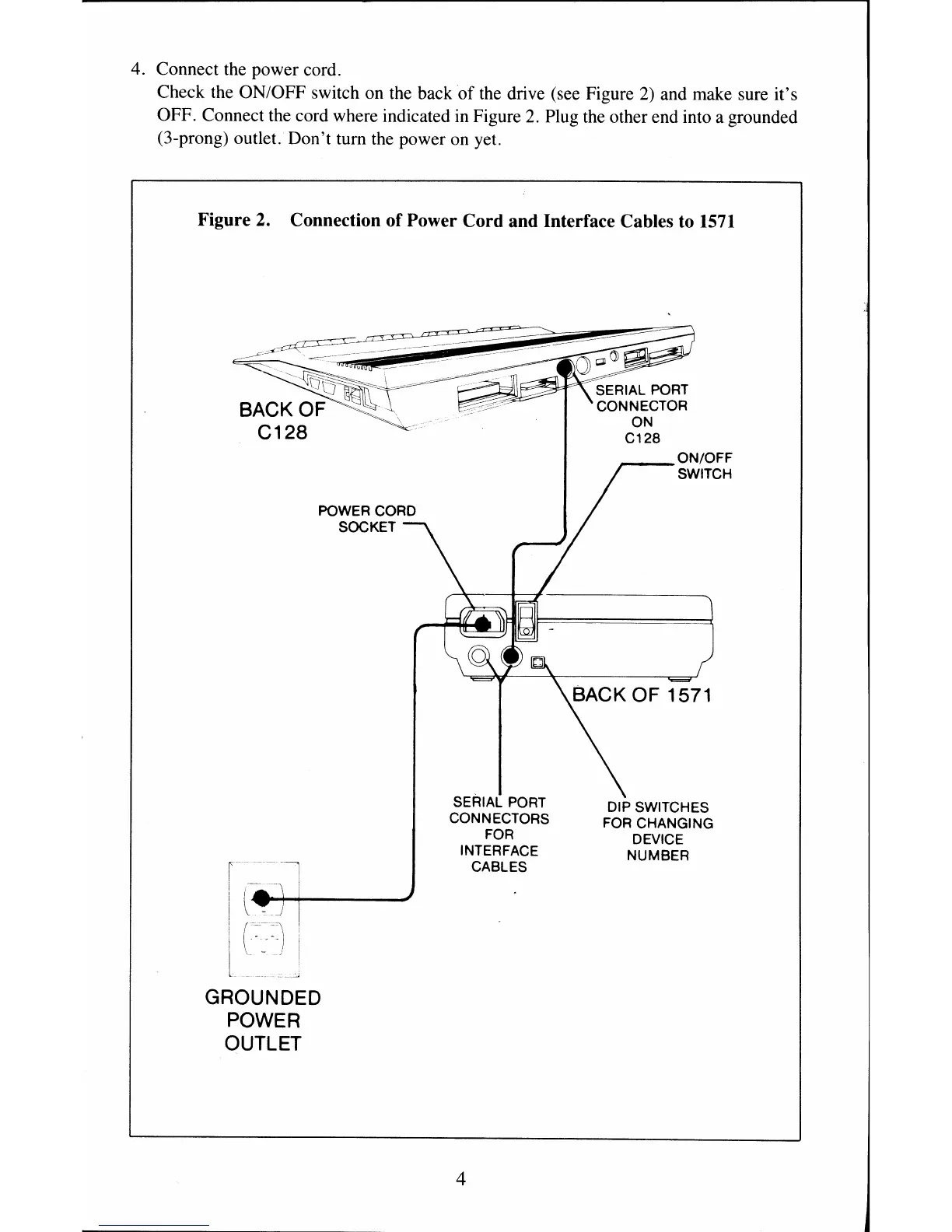
4. Connect the power cord.
Check the ON/OFF switch on the back
of
the
drive (see Figure
2)
and make sure it's
OFF. Connect the cord where indicated in Figure
2.
Plug the other end into a grounded
(3-prong) outlet. Don't tum the power
on
yet.
Figure 2. Connection of Power Cord and Interface Cables to
1571
POWER CORD
SOCKET
GROUNDED
POWER
OUTLET
SERIAL PORT
CONNECTORS
FOR
INTERFACE
CABLES
4
ON/OFF
SWITCH
DIP SWITCHES
FOR CHANGING
DEVICE
NUMBER



 To Next Page