EasyManua.ls Logo

Commodore 1581 - Diskette Directory; Selective Directories

Commodore 1581
47 pages
Print Icon
To Next Page IconTo Next Page
To Previous Page IconTo Previous Page
Loading...
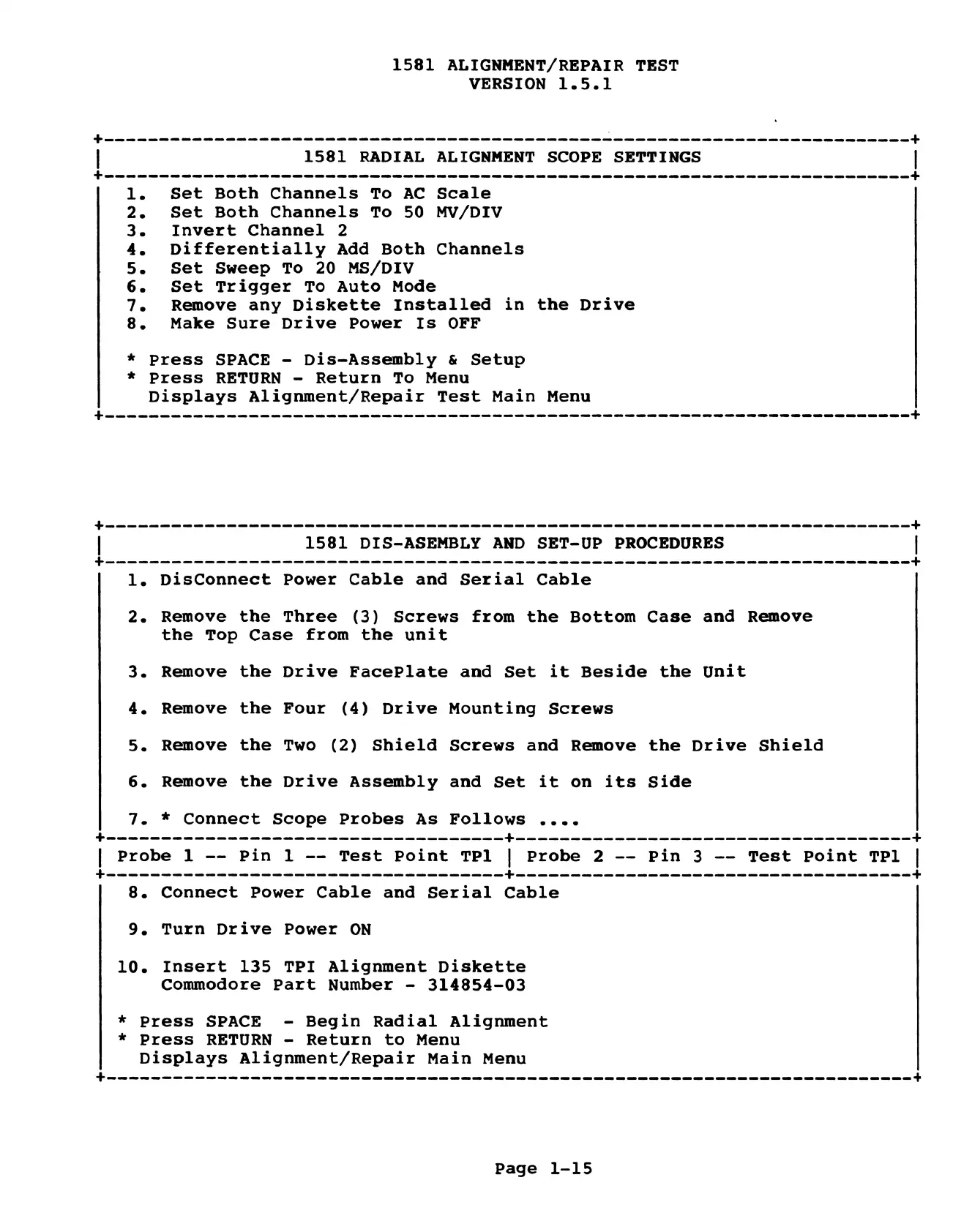
1581
ALIGNMENT/REPAIR
TEST
VERSION
1.5.1
1.
Set
Both
Channels
To
AC
Scale
2.
Set
Both
Channels
To
50
MV/DIV
3.
Invert
Channel
2
4.
Differentially
Add
Both
Channels
5.
Set
Sweep
To
20
MS/DIV
6.
Set
Trigger
To
Auto Mode
7.
Remove
any
Diskette
Installed
in
the
Drive
8.
Make
Sure
Drive
Power
Is
OFF
*
Press
SPACE
-
Dis-Assembly
&
Setup
*
Press
RETURN
-
Return
To
Menu
Displays
Alignment/Repair
Test
Main
Menu
1.
DisConnect
Power
Cable
and
Serial
Cable
2.
Remove
the
Three
(3)
Screws
from
the
Bottom
Case
and
Remove
the
Top
Case
from
the
unit
3.
Remove
the
Drive
FacePlate
and
Set
it
Beside
the
Unit
4.
Remove
the
Four
(4)
Drive
Mounting
Screws
5.
Remove
the
Two
(2)
Shield
Screws
and
Remove
the
Drive
Shield
6.
Remove
the
Drive
Assembly
and
Set
it
on
its
Side
7.
*
Connect
Scope
Probes
As
Follows
....
famenmewa
nnn
nee
nnn
$—-—-----
+
ee
+
l
Probe
1
--
Pin
1
-=
Test
Point
TPl
|
Probe
2
--
Pin
3
--
Test
Point
TPl
|
ewww
ewe
eee
eee
eee
eee
nen
nnn
en
$—--—-
et
8.
Connect
Power
Cable
and
Serial
Cable
9.
Turn
Drive
Power
ON
10.
Insert
135 TPI
Alignment
Diskette
Commodore
Part
Number
-
314854-03
*
Press
SPACE
-
Begin
Radial
Alignment
*
Press
RETURN
-
Return
to
Menu
Displays
Alignment/Repair
Main Menu
Page
1-15

Other manuals for Commodore 1581

Related product manuals