6 English
- Y-cable
- Introduction to the Commodore Amiga 520
If any of these items are missing or damaged, contact your dealer.
How does the A 520 connect to a video display?
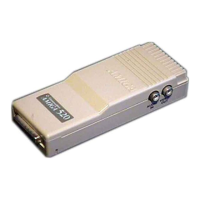
At the front and right side of the A 520
- Video OUT - connects with a color composite monitor.
- Audio IN - connects with Amiga's L and R Audio.
- RGB Connector - connects the A 520 to the Amiga.
At the back of the A 520
- Channel Selector Switch - Matches the TV channel on the TV set for
viewing computer display (L = 5,5 MHz, H = 6 MHz).
- RF OUT - (Radio Frequency Out) - connects with television.
How do I connect my TV set?
1. Make sure both the TV and the Amiga are off.
Warning: Before connecting any cables make sure the power to the
computer is OFF, to avoid damaging either unit.
2. Grasp the A 520 and line up its RGB connector with the RGB video
port on the back of the computer. The two should find together with
just a slight push. (If they do not, check that the pins in the A 500's
connector are straight, and that the A 520 is right side up. Now try
again.


 To Next Page