EasyManua.ls Logo

Commodore AMIGA 520 - Page 7

Commodore AMIGA 520
10 pages
Print Icon
To Next Page IconTo Next Page
To Previous Page IconTo Previous Page
Loading...
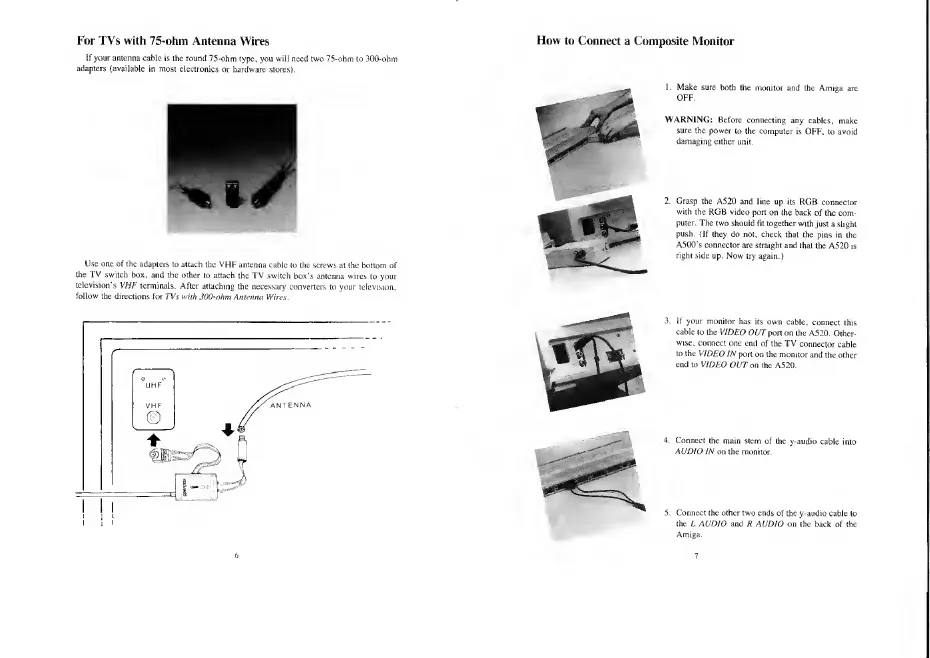
For TVs with
75-ohm Antenna Wires
If your antenna
cable is the round
75-ohm type, you will need
f
adapters
(available
in most electronics
or hardware stores).
) 75-ohm to 300-ohm
Use one of the
adapters to attach
the
VHF
antenna
cable to the screw
the
TV
switch
box, and the other
to attach the TV switch
box's
ante
television's VHF
terminals.
After attaching
the necessary converters
t
follow
the directions for
TVs with 30(hoh»i
Antenna Wires.
How
to Connect
a Composite Monitor
OFF.
WARNING:
lid ore
ting any cables,
make
sure the power
to the
computer is
OFF, to avoid
damaging either
unit.
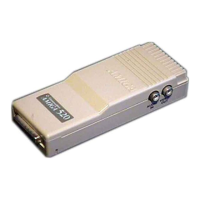
2. Grasp the A520
and line up its
RGB connector
with
the
RGB
video
port
on tile back
of the com-
puter. The two should
fit together with
just a
slight
push.
{If they do not, check
that the pins
in the
A5(X)'s
connector
are
straight
and that
the A520
is
right
side
up. Now try again.)
If your monitor
has its own
cable,
connect
this
cable
to the VIDEO
OUT
port on the
A520.
Other-
wise,
connect
one end
of the TV
connector
cable
to the VIDEO
IN
port on the
monitor and
the other
end
to VIDEO
OUT on
the A520.
i stem of
the y-audio
cable
i
Connect the other two ends
of the y-audio cable to
the L AUDIO
and R AUDIO on the back
of the

Other manuals for Commodore AMIGA 520

Related product manuals