EasyManua.ls Logo

Commodore Amiga - Page 20

Commodore Amiga
162 pages
Print Icon
To Next Page IconTo Next Page
To Previous Page IconTo Previous Page
Loading...
On
most
stereo
systems,
there
are
extra
inputs,
often
labeled"
Auxiliary"
or
"Aux,"
to
which
you
attach
one
end
of
each
cable
. .
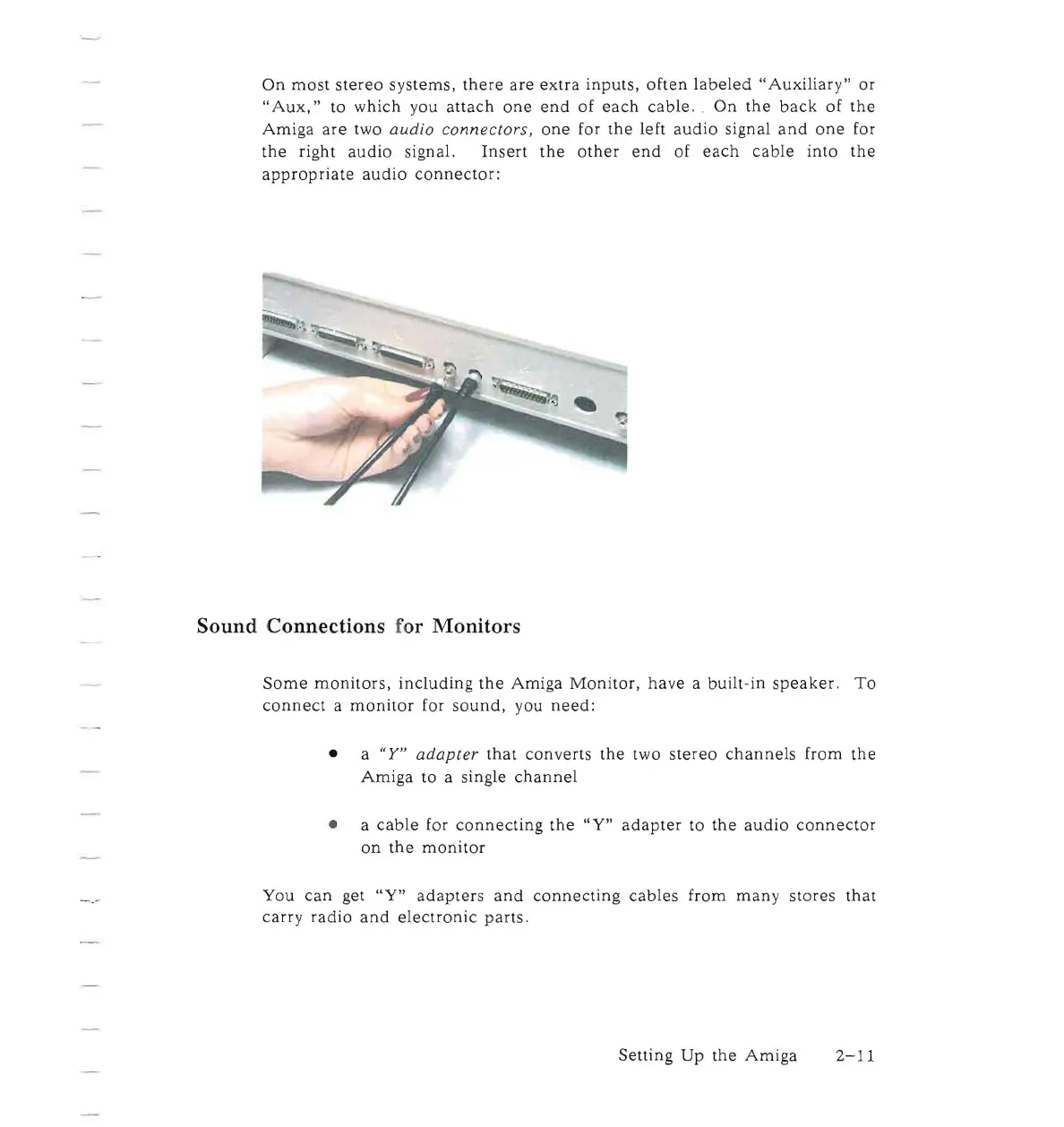
On
the
back
of
the
Amiga
are
two
audio
connectors,
one
for
the
left
audio
signal
and
one
for
the
right
audio
signal.
Insert
the
other
end
of
each
cable
into
the
appropriate
audio
connector:
Sound Connections for Monitors
Some
monitors,
including
the
Amiga
Monitor,
have
a
built-in
speaker.
To
connect
a
monitor
for
sound,
you
need:
• a
"Y"
adapter
that
converts
the
two
stereo
channels
from
the
Amiga
to a single
channel
• a
cable
for
connecting
the
"Y"
adapter
to
the
audio
connector
on
the
monitor
You
can
get
"Y"
adapters
and
connecting
cables
from
many
stores
that
carry
radio
and
electronic
parts.
Setting
Up
the
Amiga
2-11

Other manuals for Commodore Amiga

Related product manuals