EasyManua.ls Logo

Commodore Amiga - Page 37

Commodore Amiga
162 pages
Print Icon
To Next Page IconTo Next Page
To Previous Page IconTo Previous Page
Loading...
Using Menus Without a l\1ouse
Just
as
pressing
the
left
Amiga
key
and
the
left
AL
T key
at
the
same
time
is
like
pressing
the
Selection
button,
pressing
the
right
Amiga
key
and
the
right
AL
T key
at
the
same
time
is
like
pressing
the
Menu
button.
To
use
menus
without
a
mouse,
hold
down
the
right
Amiga
key
and
right
AL
T
key
while you
move
the
Pointer
with
the
cursor
keys.
When
the
menu
item
you
want
is
highlighted,
release
the
right
Amiga
key
and
right
ALT
key.
Duplicating
Your Disks
It's
important
to
make
duplicates
of
your
original
disks
and
keep
the
originals
in a
safe
place.
You
then
use
the
duplicates,
called
working
disks,
for
everyday
use.
Before
you
do
anything
else with
the
Workbench,
follow
these
directions
for
duplicating
disks:
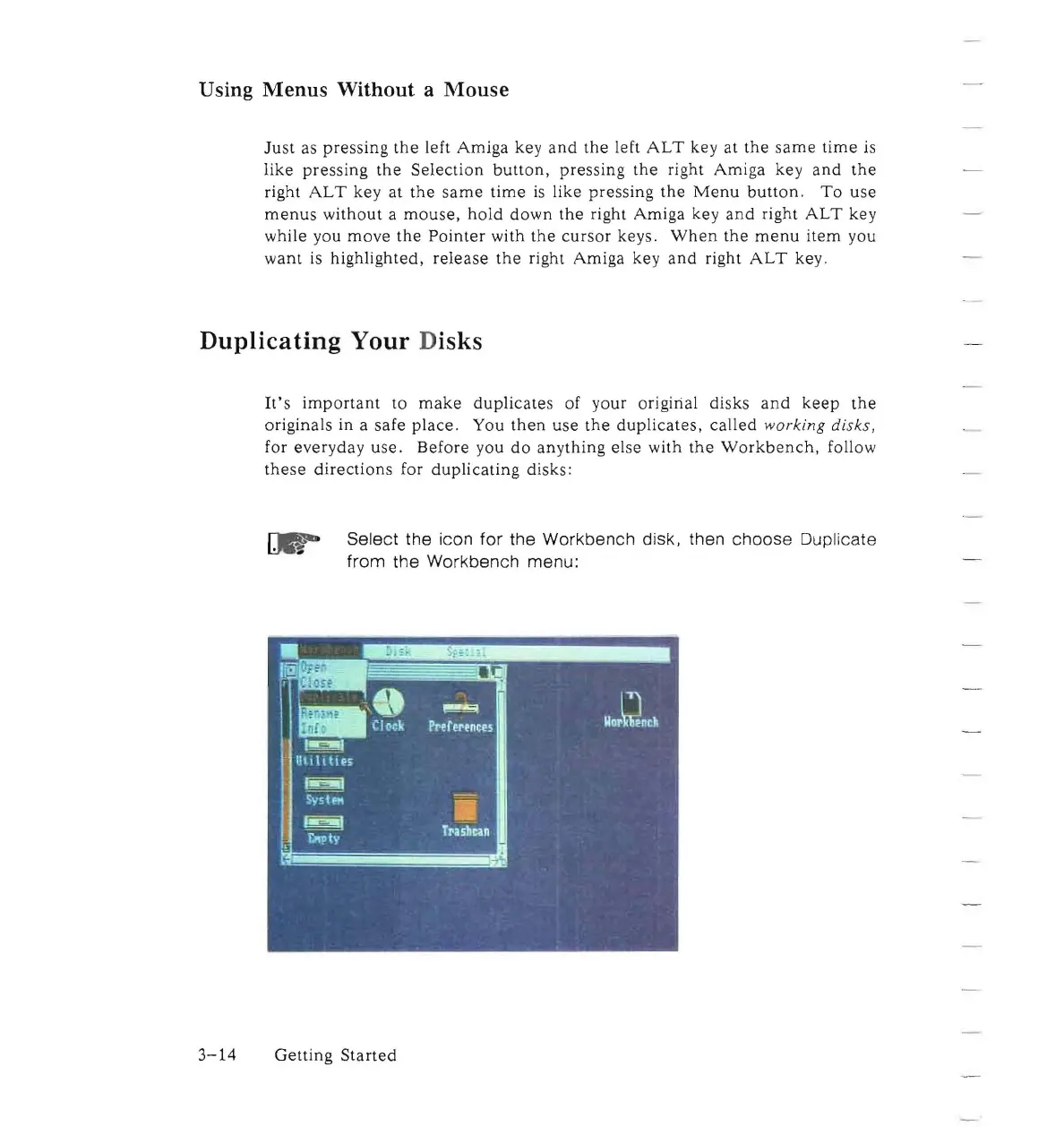
Select
the
icon
for
the
Workbench
disk, then
choose
Duplicate
from
the
Workbench
menu:
3-14
Getting
Started

Other manuals for Commodore Amiga

Related product manuals