EasyManua.ls Logo

Commodore Amiga - Page 44

Commodore Amiga
162 pages
Print Icon
To Next Page IconTo Next Page
To Previous Page IconTo Previous Page
Loading...
To
save
your
note,
choose
Save As from
the
Project
menu.
(Because
the
Notepad
window is
selected,
you'll
see
menus
for
the
Notepad
in
place
of
the
Workbench
menus
.)
Select
the
box
that
appears
to
the
right of
the
word"
Name
:
",
type in a
name
for your
note
(the
name
can
be
up
to 25
characters
long),
press
the
RETURN
key
on
the
keyboard,
then
select
the
OK gadget.
When
you're
done,
choose
Quit from
the
Project
menu
.
The
next
time
you
open
the
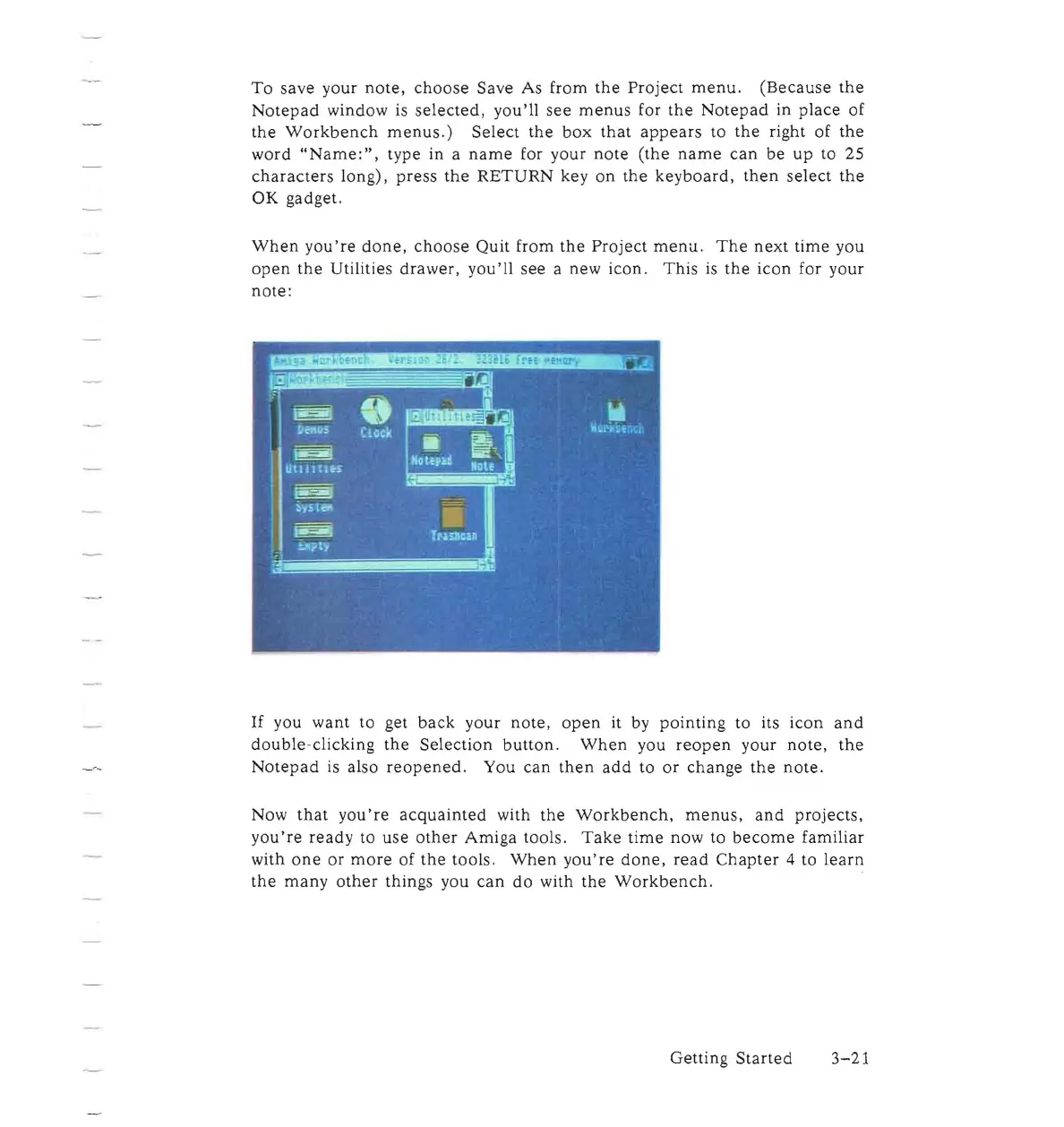
Utilities
drawer,
you'll
see
a new icon.
This
is
the
icon
for your
note:
If
you want to get
back
your
note,
open
it by
pointing
to its
icon
and
double-clicking
the
Selection
button.
When
you
reopen
your
note,
the
Notepad
is also
reopened.
You
can
then
add
to
or
change
the
note.
Now
that
you're
acquainted
with
the
Workbench,
menus,
and
projects,
you're
ready
to
use
other
Amiga
tools.
Take
time
now to
become
familiar
with
one
or
more
of
the
tools.
When
you're
done,
read
Chapter
4 to
learn
the
many
other
things you
can
do
with
the
Workbench.
Getting
Started
3-21

Other manuals for Commodore Amiga

Related product manuals