EasyManua.ls Logo

Commodore Amiga - Forming a Sprite

Commodore Amiga
162 pages
Print Icon
To Next Page IconTo Next Page
To Previous Page IconTo Previous Page
Loading...
Note:
Many
tools
use
the
Length, Spacing, Left Margin,
and
Right
Margin
settings
rather
than
the
Paper
Size setting to
determine
how large
an
image
to
print.
For
these
tools,
check
to see
whether
what
you
print
will fit
on
the
paper
by using
the
following formulas: Length
+-
Spacing
must
be
smaller
than
the
length of
the
paper,
in
inches;
((Right
Margin
Setting - Left
Margin
Setting) + 1)
+-
Pitch Setting
must
be
smaller
than
the
width of
the
paper,
in
inches.
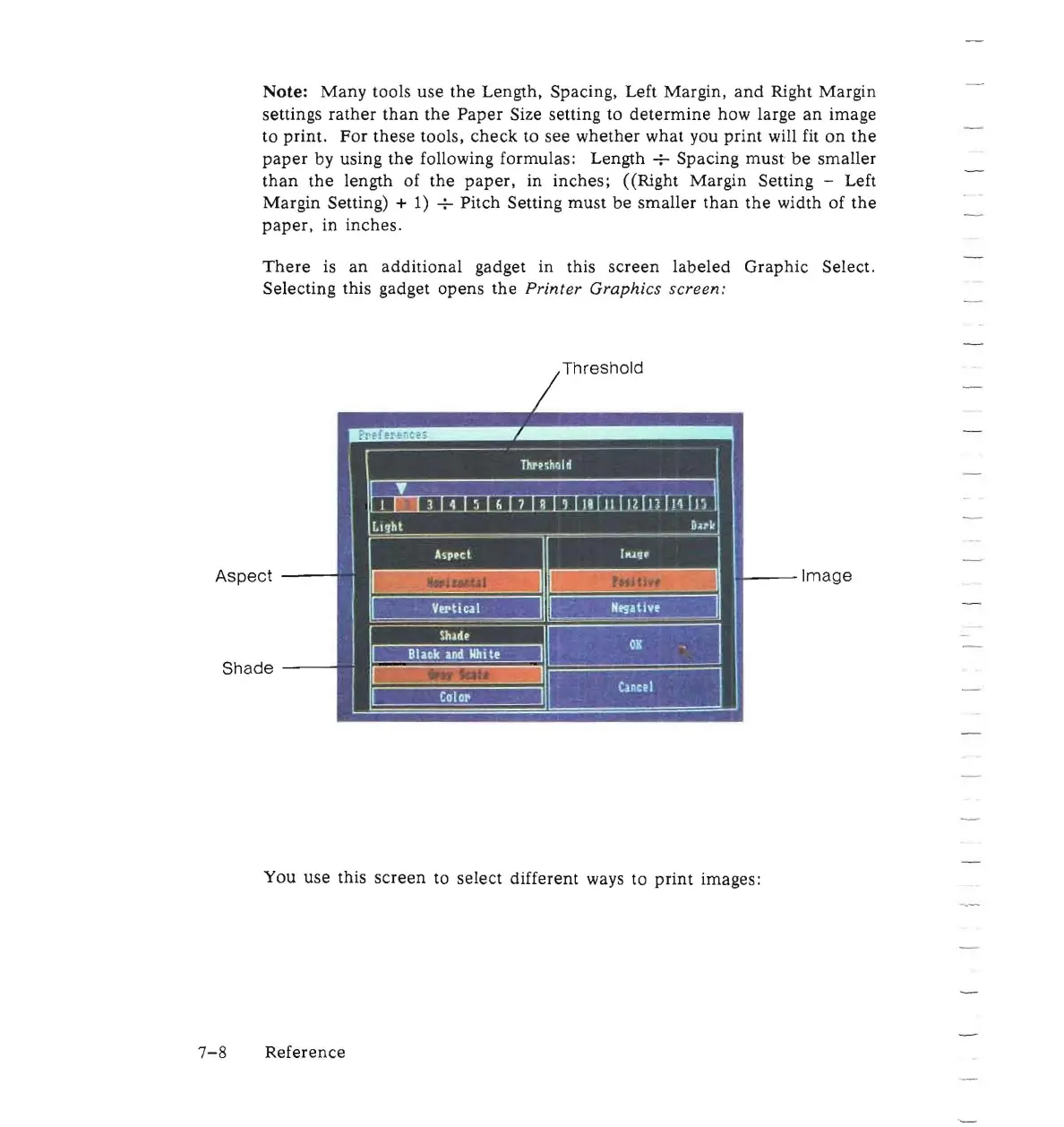
There
is
an
additional
gadget in this
screen
labeled
Graphic
Select.
Selecting this gadget
opens
the
Printer Graphics screen:
Threshold
Aspect
.....
--Image
Shade
--
--
You
use
this
screen
to select different ways to
print
images:
7-8
Reference

Other manuals for Commodore Amiga

Related product manuals