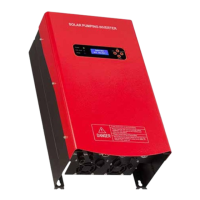
SOLAR PUMPING INVERTER I USER MANUAL
27
Hybrid/Stop
Using the directional buttons scroll down to Hybrid/Stop and press
the Enter button. For initial pump commissioning, especially for surface
mounted pumps without a positive suction head (where the water source is
lower than the pump suction inlet), it is best to set the minimum Hz (pump
speed) to the point where the pump can still deliver water to the tank or
delivery point.
Below this speed – without setting an appropriate minimum speed – the
pump will idle without delivering water and risk losing prime. Also, running
the pump too slow to deliver water will cause wear without any benefit.
Procedure: During a good sunny day, or using mains/generator power
temporarily, we can adjust the Maximum Hz (see item #7 ‘Freq Limit’ on the
next page) down incrementally to find the minimum pump speed where
the pump will just deliver water to the tank or delivery point at a minimal
rate. Note this Hz down and be sure to put the Maximum Hz back to 50Hz
or to the desired maximum pumping speed. Use the minimum Hz we found
here as the ‘LE Hz’ setting in the Hybrid/Stop section detailed below:
In the ‘Hybrid/Stop’ setting, Using the directional buttons change the LE:25
Hz to the minimum Hz found during the above procedure. Press Enter
leaving IN 20 Sec then press Enter again. Then change 15 M Restart down
to 10 M Restart. This changes the ‘O’ time to 10 minutes before the pump
will attempt to run up to speed again. Press Enter again to bring you back
out to the System Setting menu.
Dry-Run Detect
Scroll down to Dry-Run Detect and press Enter.
Select En/Disable and press Enter to go into the setting. If you are using a
low water sensor: Select Disable, then press Enter, then press the Escape
(ESC) button to go back to the System Setting Menu.
If you are not using a low water sensor: Select Enable and press Enter, then
select ‘Parm Setting’ and press Enter. In the ‘LE Current’ setting we need to
enter one third of the pump motor rated current (found on the pump motor
rating label -or ask Commodore), then press Enter. Press Escape (ESC) to go
back to the System Setting Menu.
Tank Sensor Setting
Scroll down to Tank Sensor and press Enter.
If you are not using a Tank sensor or Pressure Switch - Select Disable and
press Enter. If you are using a Tank Sensor or Pressure Switch – Select
Enable and press Enter. Press Escape to return to the System Setting
Menu.
Well or Bore Sensor Setting
Scroll down to Borehole Sensor and press Enter.
If you are using a Low Water sensor, Select Enable and press Enter. If you
are not using a Low Water sensor, Select Disable and press Enter. Press
Escape to return to the System Setting Menu.
Motor AC Frequency Limit (use password 9579)
Scroll down to Freq Limit and press Enter.
This is the maximum pump speed setting where 50Hz is the full rated
speed of the pump. For normal operation, the Frequency Limit is typically
set to 50Hz. If it’s set to 50Hz - press ESC and move on. If not, use the
directional buttons to bring it up to 50Hz and then press Enter.
Note – if the water source can’t keep up with the pump delivery rate, i.e. it’s
pumping more water than the bore can supply constantly, the maximum
Hz can be reduced to match the pumping rate with the bore supply.
Solar Low Power
to Hybrid/Stop
LE: 25 Hz In 20 Sec
15 M Restart
Dry-Run Setting
Enable/Disable
Parm Setting
Ref LE Curt: 2 A
Tank Sensor Setting
Enable
Disable
State Now: Enable
Well Sensor Setting
Enable
Disable
State now: Enable
AC Output Max
50
Frequency (Hz)


 To Next Page
 Loading...