EasyManua.ls Logo

Commodore PC - Disk Protection

Commodore PC
414 pages
Print Icon
To Next Page IconTo Next Page
To Previous Page IconTo Previous Page
Loading...
Learning
About
Disks,
Files,
and
Directories
11
n
n
r—$
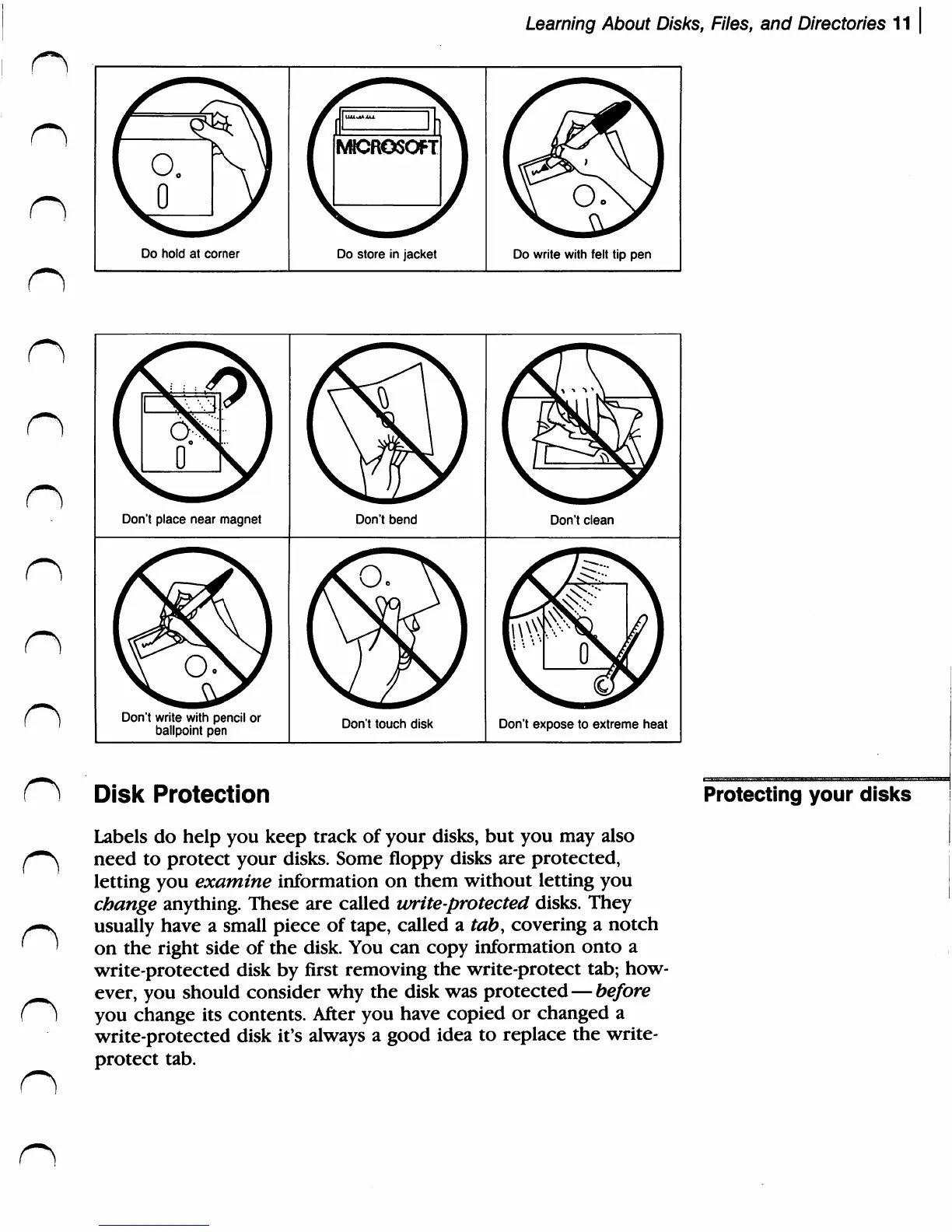
Do
hold
at
corner
J
{
dr^
i
fi«CROSOFT
)
V
'
Do
store
in
jacket
Do
write
with
felt
tip
pen
n
n
n
n
n
n
n
n
n
Don't
place
near
magnet
Don't
write
with
pencil
or
ballpoint
pen
Don't
bend
Don't
touch
disk
Don't
clean
Don't
expose
to
extreme
heat
Disk
Protection
Labels
do
help
you
keep
track
of
your
disks,
but
you
may
also
need
to
protect
your
disks.
Some
floppy
disks
are
protected,
letting
you
examine
information
on
them
without
letting
you
change
anything.
These
are
called
write-protected
disks.
They
usually
have
a
small
piece
of
tape,
called
a
tab,
covering
a
notch
on
the
right
side
of
the
disk.
You
can
copy
information
onto
a
write-protected
disk
by
first
removing
the
write-protect
tab;
how
ever,
you
should
consider
why
the
disk
was
protected
before
you
change
its
contents.
After
you
have
copied
or
changed
a
write-protected
disk
it's
always
a
good
idea
to
replace
the
write-
protect
tab.
Protecting
your
disks

Related product manuals